39 – English
8.5 Troubleshooting - product
Troubleshooting
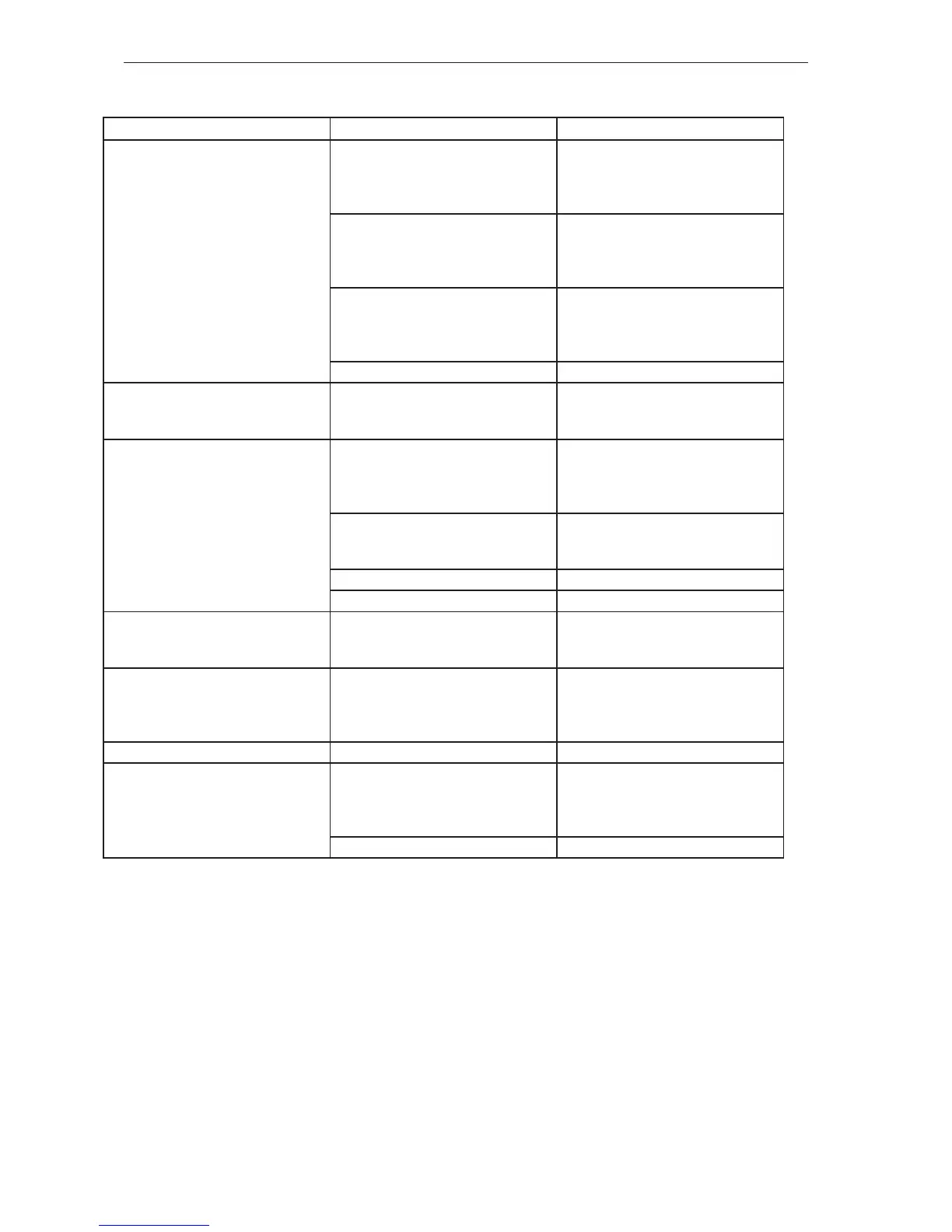
Symptom Possible causes Recommended action
The product cannot be activated. No
LEDs come on after pressing the on/
o button.
Faulty battery. 1. Check the battery by pressing the
status button. At least one green
LED should light up. See also Bat-
tery and Charger.
Bad contact between battery and
product.
2. Make sure the power connectors
between the battery and the prod-
uct are not dirty or damaged. See
gure 1 in the appendix.
Bad contact to keypad connector/
faulty multicables between control
unit and keypad/throttle control.
3. Check that the cables are tted
correctly and not damaged in any
way. Replace the cables if dam-
aged.
Short circuit in control unit. 4. Replace the control unit.
The product cannot be activated
and batteries that are inserted are
immediately ruined.
Short circuit in control unit. Replace the control unit.
The electric motor does not react
after pressing the control.
Bad contact in breaker signal con-
nector.
1. Make sure the breaker signal
connector is correctly assembled,
is not damaged and is corrosion-
free. See gure 2 in the appendix.
Motor contacts not correctly tted. 2. Make sure the motor contact/mo-
tor contacts are correctly tted.
See gure 3 in the annex.
Interior damage to breaker. 3. Replace the breaker.
Short circuit in control unit. 4. Replace the control unit.
Electric motor stutters for a short
period when pressing the control,
after which it stops.
Short circuit in control unit. Replace the control unit.
The product turns o under load. Bad contact between battery and
product.
Make sure the power connectors
between the battery and the product
are not dirty or damaged. See gure
1 in the appendix.
Keypad illumination ickers. Short circuit in keypad. Replace the cabling.
Uneven motor speed. Bad contact in breaker signal con-
nector.
1. Make sure the breaker signal con-
nector is correctly assembled, dry,
is not damaged and is corrosion-
free. See gure 2 in the appendix.
Damaged or worn out breaker. 2. Replace the breaker.





 To Next Page