-26-
4.2 Troubleshooting problems in initializing disks positions
4.2.1 PI sensors information on the main board
4.2.1 Any of the disks is slightly off-position and comes in the same position
every time after its initialization
It’s attributed to a physical change in sensing position or condition. It may be fixed
by motor calibration. Refer to the appendix for the how-to.
4.2.2 A disk stops at a random position after the initialization
It’s attributed to a defective PI sensor for the disk. Follow the check procedure
below to fix this problem.
① Find the position of related PI sensor for the disk.
② Try cleaning the soldered side of the PI sensor PCB with alcohol swab.
③ If not fixed, replace the PI sensor.
Æ After replacing the sensor PCB, it is required to check the disk position of the
disk after its re-initialization. It’s not possible to re-align the disk position 100%
precisely in the outside of the factory but possible within the tolerance manually.
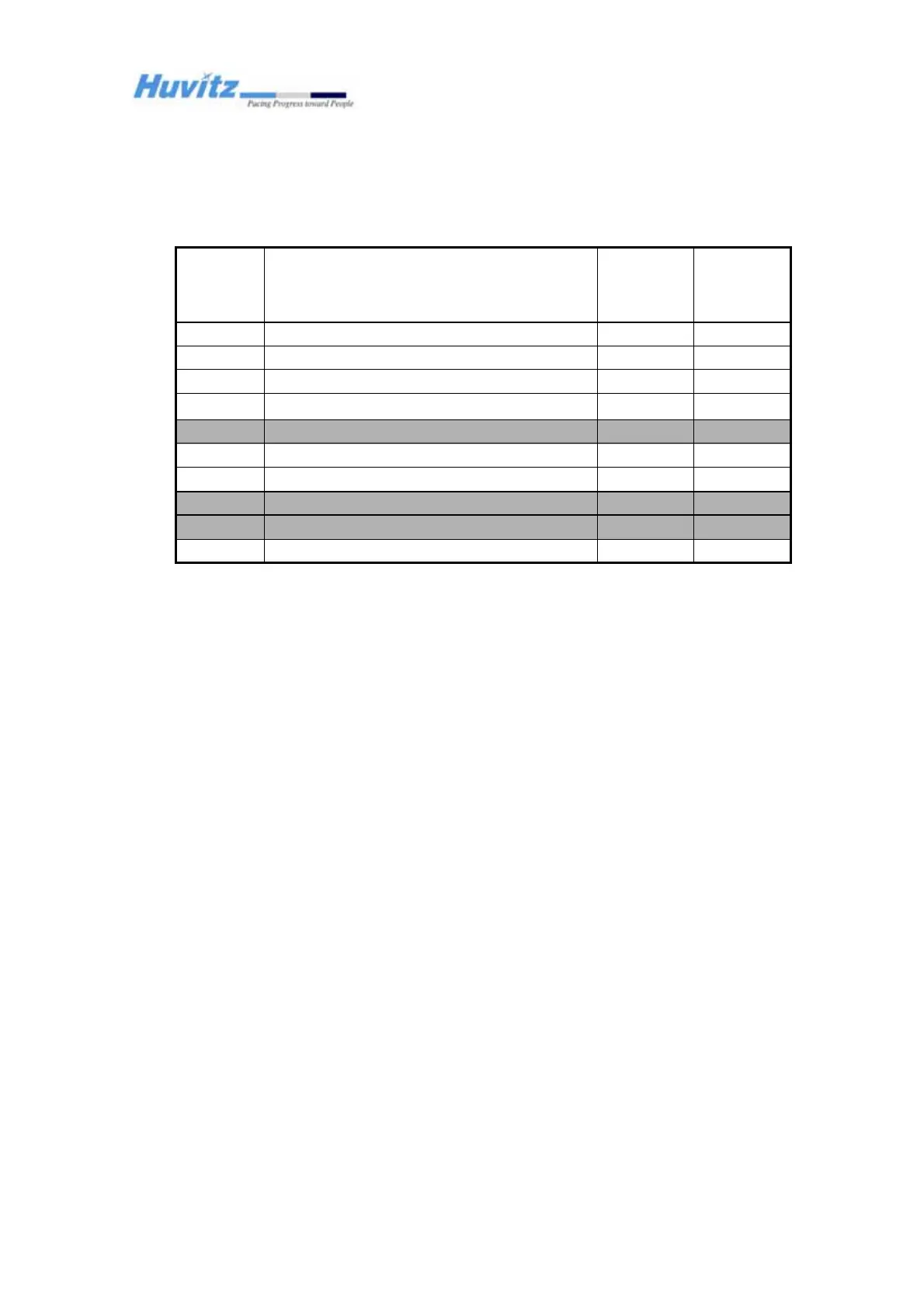
J14/J24
J11/J23
J12/J22
J9/J21
J8/J20
J7/J19
J6/J18
J5/J17
J4/J16
J3/J15
No. of
Connector
(Right)
Motor/PI
J15/J10
J16/J9
J17/J8
J24/J7
J23/J6
J22/J5
J21/J4
J20/J3
J19/J2
J18/J1
No. of
Connector
(Left)
Motor/PI
PD or Converging9
Rotates Rotary Prism1 and Axis of Cross Cylinder7
Rotates Prism/XC Lens Disk 6
Rotates Auxilary Disk 5
Rotates Cylindrical Axis4
Rotates Cylindrical Disk 2(1.5D Step)3
Rotates Cylindrical Disk 1(0.25D Step) 2
Rotates Spherical Disk 2(3.0 D Step)1
Rotates Rotary Prism28
Rotates Spherical Disk 1(0.25 D Step)0
FunctionMotor No.
J14/J24
J11/J23
J12/J22
J9/J21
J8/J20
J7/J19
J6/J18
J5/J17
J4/J16
J3/J15
No. of
Connector
(Right)
Motor/PI
J15/J10
J16/J9
J17/J8
J24/J7
J23/J6
J22/J5
J21/J4
J20/J3
J19/J2
J18/J1
No. of
Connector
(Left)
Motor/PI
PD or Converging9
Rotates Rotary Prism1 and Axis of Cross Cylinder7
Rotates Prism/XC Lens Disk 6
Rotates Auxilary Disk 5
Rotates Cylindrical Axis4
Rotates Cylindrical Disk 2(1.5D Step)3
Rotates Cylindrical Disk 1(0.25D Step) 2
Rotates Spherical Disk 2(3.0 D Step)1
Rotates Rotary Prism28
Rotates Spherical Disk 1(0.25 D Step)0
FunctionMotor No.
Don’t calibrate
Closer to Ey


 To Next Page