EXCELON
CFR-4000 Maintenance
Ⅲ
-
43
1. Main Board Replacement
1. Remove the Top Cover.
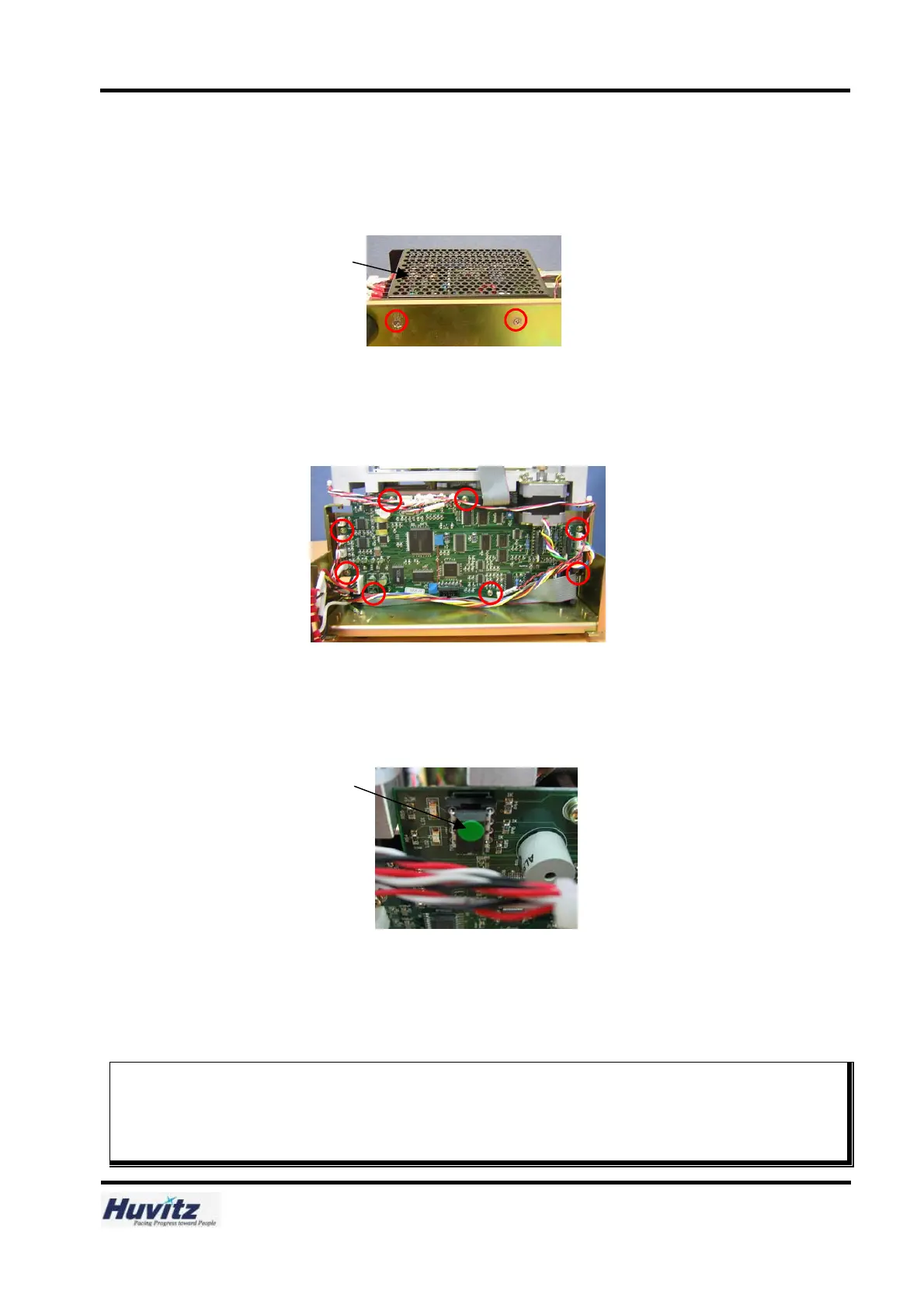
2. Remove locking screws and remove the SMPS.
3. Disconnect all connectors from the Main Board.
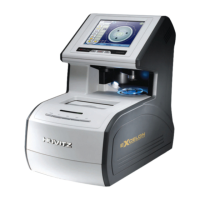
4. Remove eight locking screws from the Main Board.
Then Remove the Main Board.
5. Replace it with a new Board and tighten eight locking screws.
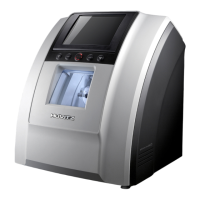
6. Separate the EEPROM from the old Board and insert the EEPROM into the new Board.
Be sure to check the Pin Position of the EEPROM.
7. Connect all connectors in reverse order.
8. Assemble the SMPS in reverse order.
9. Assemble the Top Cover in reverse order.
Caution
Be sure to confirm whether all connectors are linked rightly.
Adjustment needed
If necessary, upgrade the software with the newest version.
Step 4
Step 2
SMPS
EEPROM
Step 6


 To Next Page