HW group
24
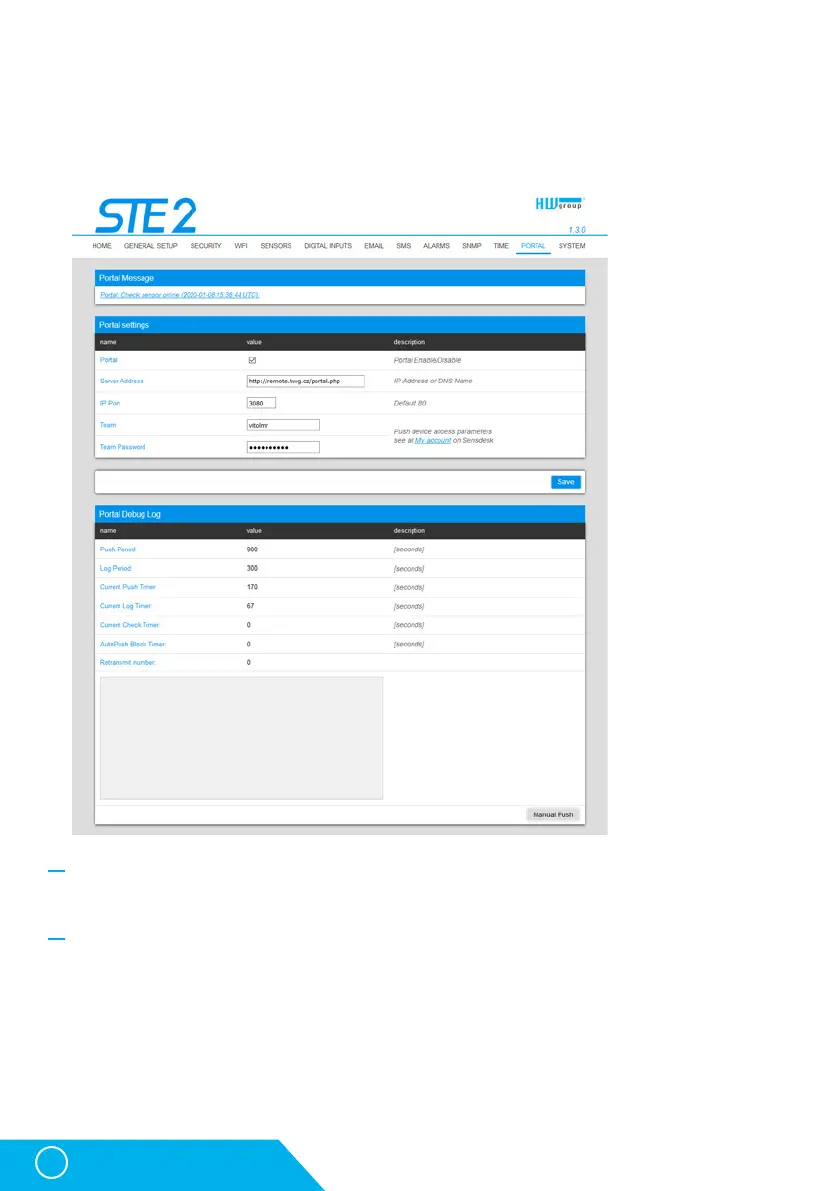
Portal Message section
Feedback from the portal containing e.g. links to graphs, etc. Depends on the portal type.
Portal settings section
• Portal – Enables or disables this function.
• Server adress – Complete URL of the remote server. Connection to the www.SensDesk.com is
pre-set in the device.
• IP Port – Port which the portal tunes in to.
• Team – Name of the Team to which the device should be assigned.
• Team Password – Password of the Team to which the device should be assigned.
Portal tab
The tab serves to set parameters for sending data to a remote portal via HWg-PUSH
protocol. More about the protocol or support of portal solutions is available on the website
http://www.HW-group.com.
STE2 – User Manual



 To Next Page