HW group
8
First start-up
First step
Cable connection
• Connect the device to the Ethernet (direct cable to the switch, crossed to PC).
• Connect the power adapter to the grid and connect it to the device power supply connector.
• The green LED in the Power & Mode RJ45 connector will light up.
• If connection to the Ethernet, is functional, the LINK (yellow) LED should light up shortly afterwards
and switch off during data transfer to the Ethernet (Activity signalisation).
• A quickly flashing yellow LINK LED signalises communication with the DHCP server.
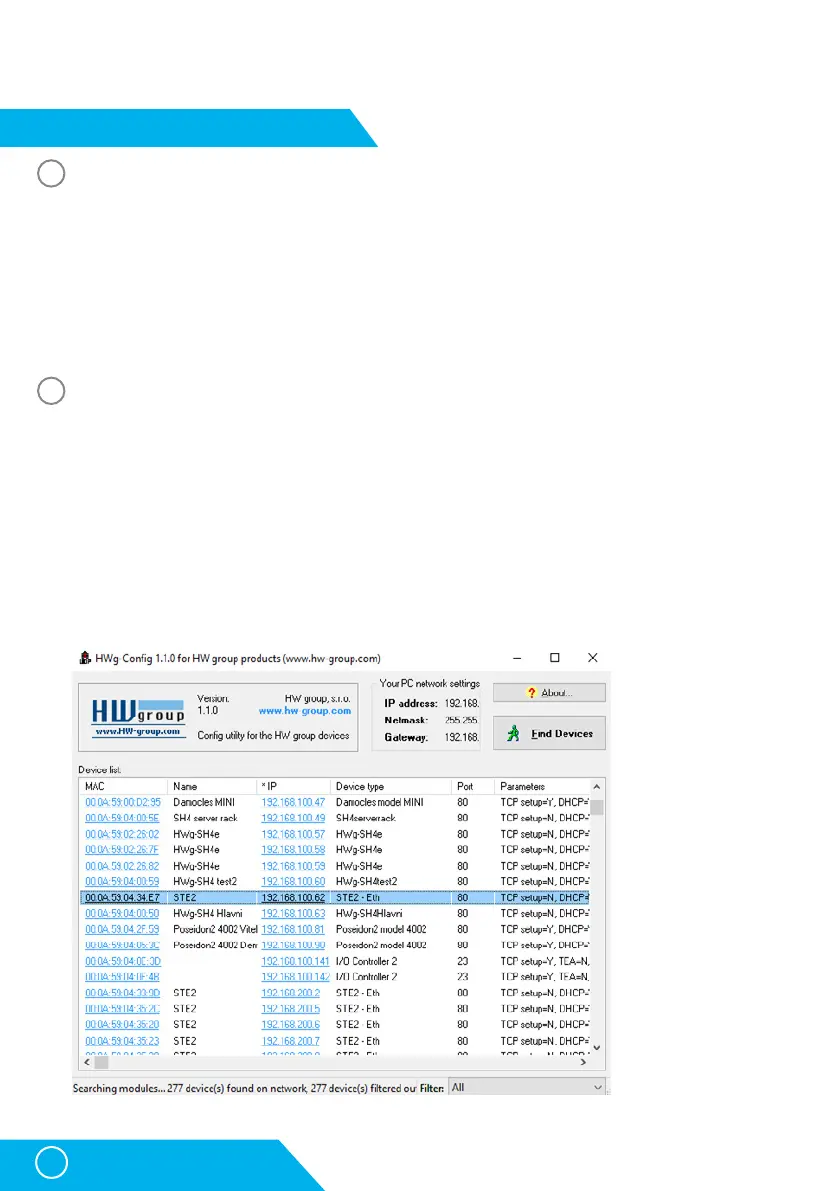
Setting of the IP address - HWg-Config
The HWg-Config program is located in the main director on the enclosed CD (version for Windows
and Linux).
The program can be downloaded at www.HW-group.com Software -> HWg-Config.
• Click on the icon to launch the HWg-Config program – the program automatically searches for
connected devices.
• Launch the search by clicking on the Find Devices icon.
• The program searches for devices in your local network. Click on the MAC address of the device
to open the dialogue window for device settings.
1
2
STE2 – User Manual



 To Next Page