STE2
9
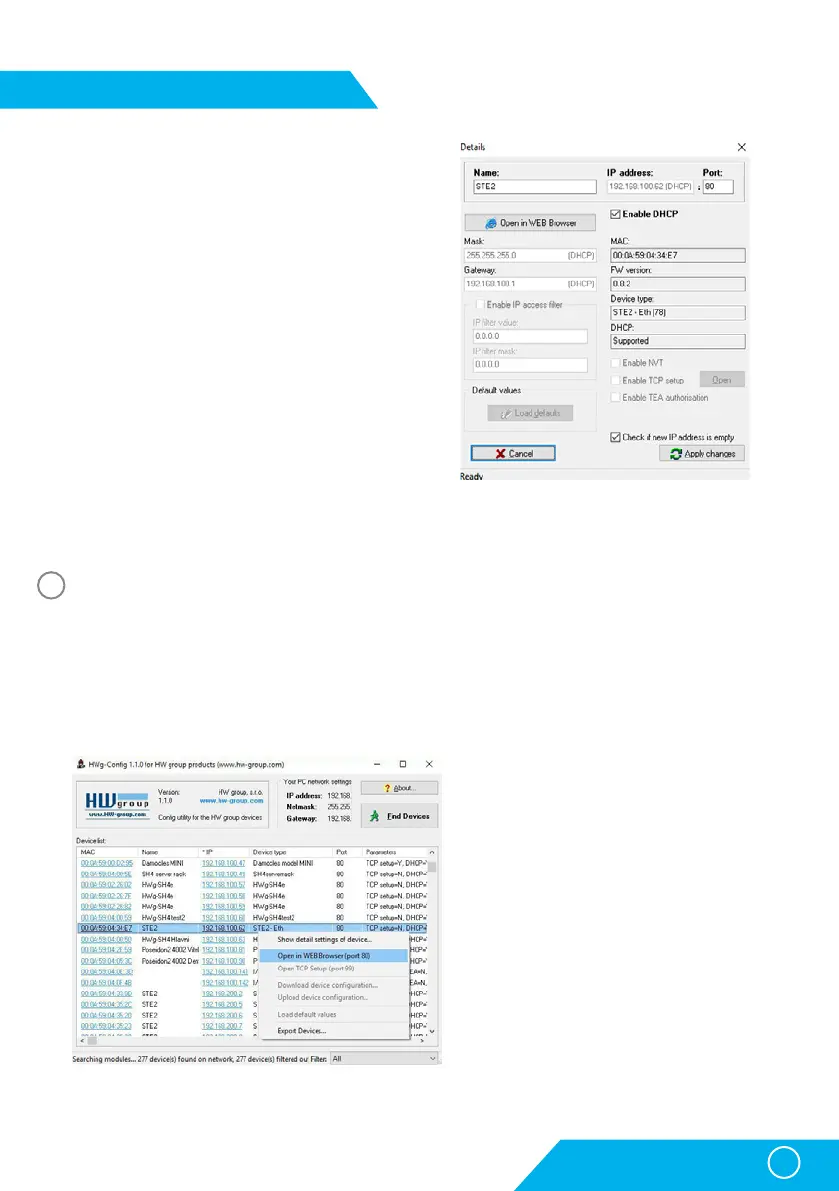
Set device network parameters:
• IP address / HTTP port (80 by standard)
• Your network ask
• IP address of your network gateway
• Device name (optional parameter)
Save the settings by clicking on Apply Changes.
Restore default settings:
• Right-click on the device MAC address. The default
values from the HWg-Config can be restored by
software mode during the first 60 settings after
start-up.
• Press the RESET button, hold it down and
connect the power source. Hold the button down
for another 5 seconds until all the LEDs light up.
Device website
Options of opening the website:
• Enter the device IP address in the browser window.
• Click on the IP address in the HWg-Config program.
• Click on the underlined IP address in the HWg-Config application.
First step
3
First start-up



 To Next Page