4 USAGE AND OPERATION
13
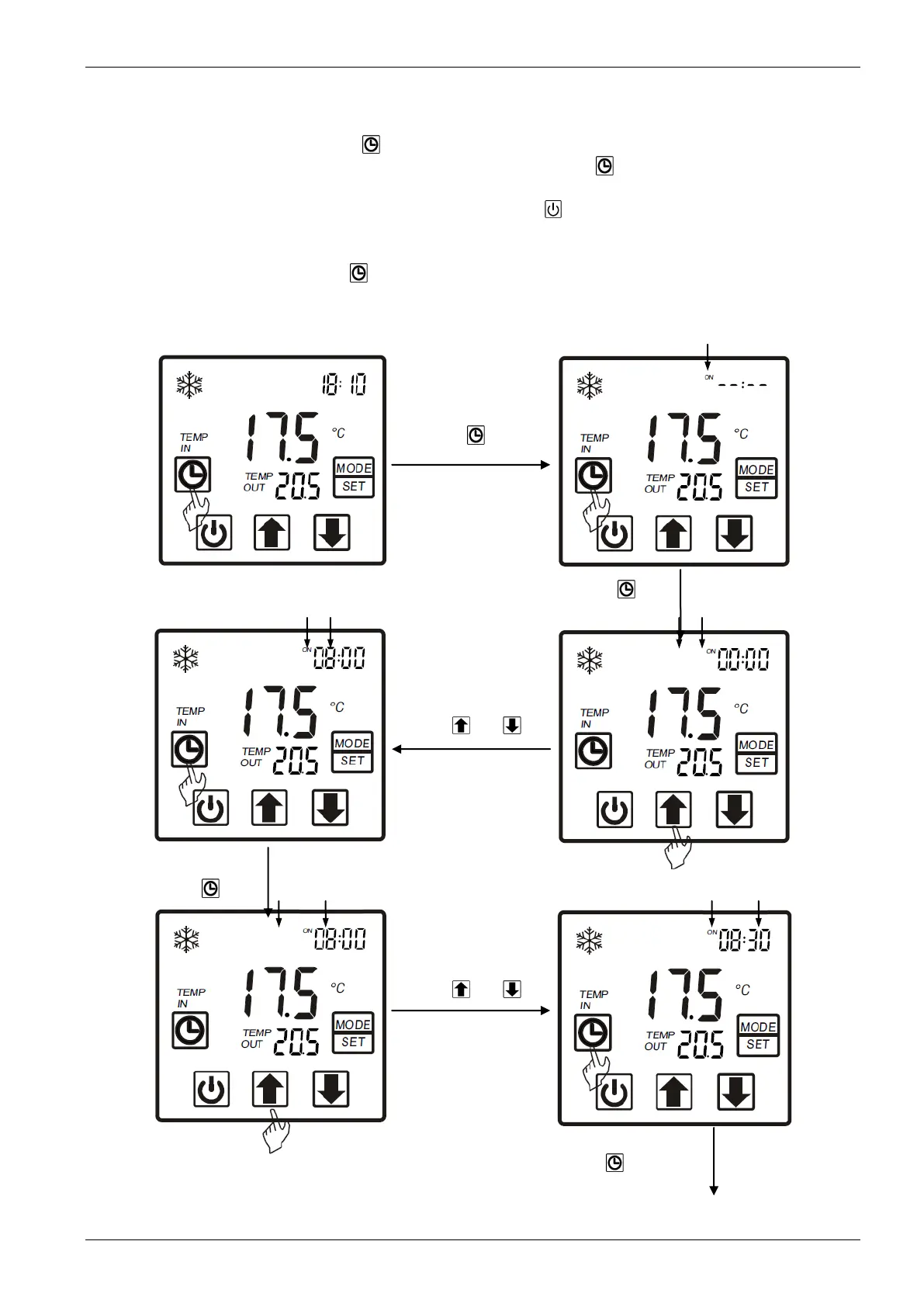
4.2.5. Timer setting
In the main interface press “ “ hold on 2 seconds and "on" is flashing, at this time, you
can set the timer on (means the unit timer is on ), then press “ “ again and hold on 2
seconds and "off" is flashes you can set the timer off (means the unit timer is off). If you want
cancel the timer off, In the "off" flashing interface press" " to cancel
Attention: 1) If there is no operation for 5s system will remember clock setting and back
to the main interface.
2) By pressing “ “ till the "off" flashing, you can set the timer off without timer
on.


 To Next Page