31
120VAC
PV
12VDC
AC Load
DC Load
11/15/XXXX 15:15
2560 W 2560 W
2500 W
120 W 330 W
AC ON
DC OFF
100%
ECO
Home
Settings
Information
Alerts
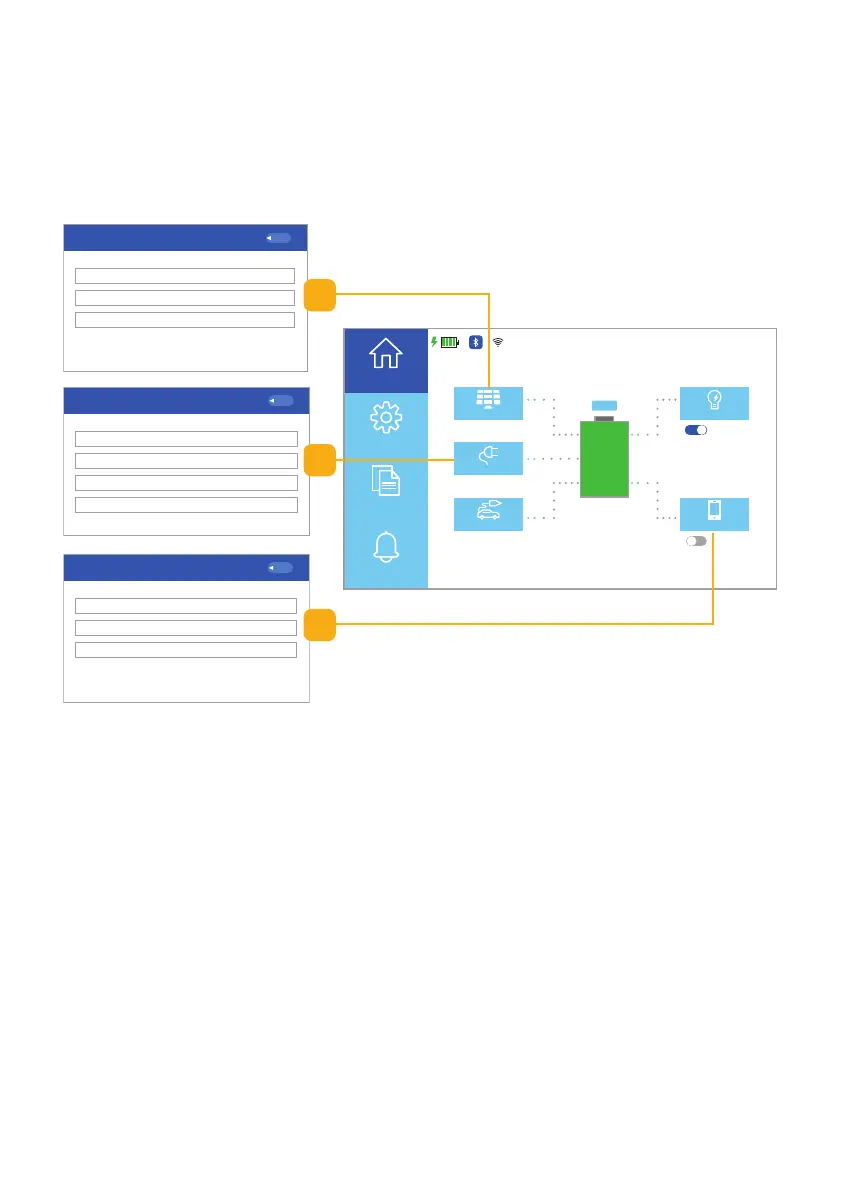
Fig. 6.6 Information screens
6.2.1 Home Information Touchscreen
When selecting the Home button on the Homepage UI touchscreen you can find
real-time information on the AC input, AC output, DC input, DC output, PV
(solar) input, and the battery status. Select the appropriate button to see the
desired information. (Fig. 6.6).
a. PV (solar) Input Information:
Selecting the PV (solar) button on the
Homepage UI touchscreen will show the
real-time running status of Power, Voltage,
and Current.
b. AC Input Information:
Selecting the 120VAC button on the
Homepage UI touchscreen will show the
real-time running status of Power, Voltage,
Current, and Frequency.
c. DC Input Information:
Selecting the 12VDC button on the
Homepage UI touchscreen will show the
real-time running status of Power, Voltage,
and Current.
PV Input
Back
Power 2870 W
142.5 V
20.5 A
Voltage
Current
AC Input
Back
Power 2670 W
120.5 V
22.5 A
Voltage
Current
49.99 HzFrequency
DC Charge
Back
Power 120 W
13.8 V
8.6 A
Voltage
Current
c
a
b



 To Next Page