48
Alert History 1
01 20XX/11/15 E01
Pre
NextClear
Back
No.
Date Code
Home
Settings
Information
Alerts
Clear
120VAC
PV
12VDC
AC Load
DC Load
11/15/XXXX 15:15
2560 W 2560 W
2500 W
120 W 330 W
AC ON
DC OFF
100%
ECO
Home
Settings
Information
Alerts
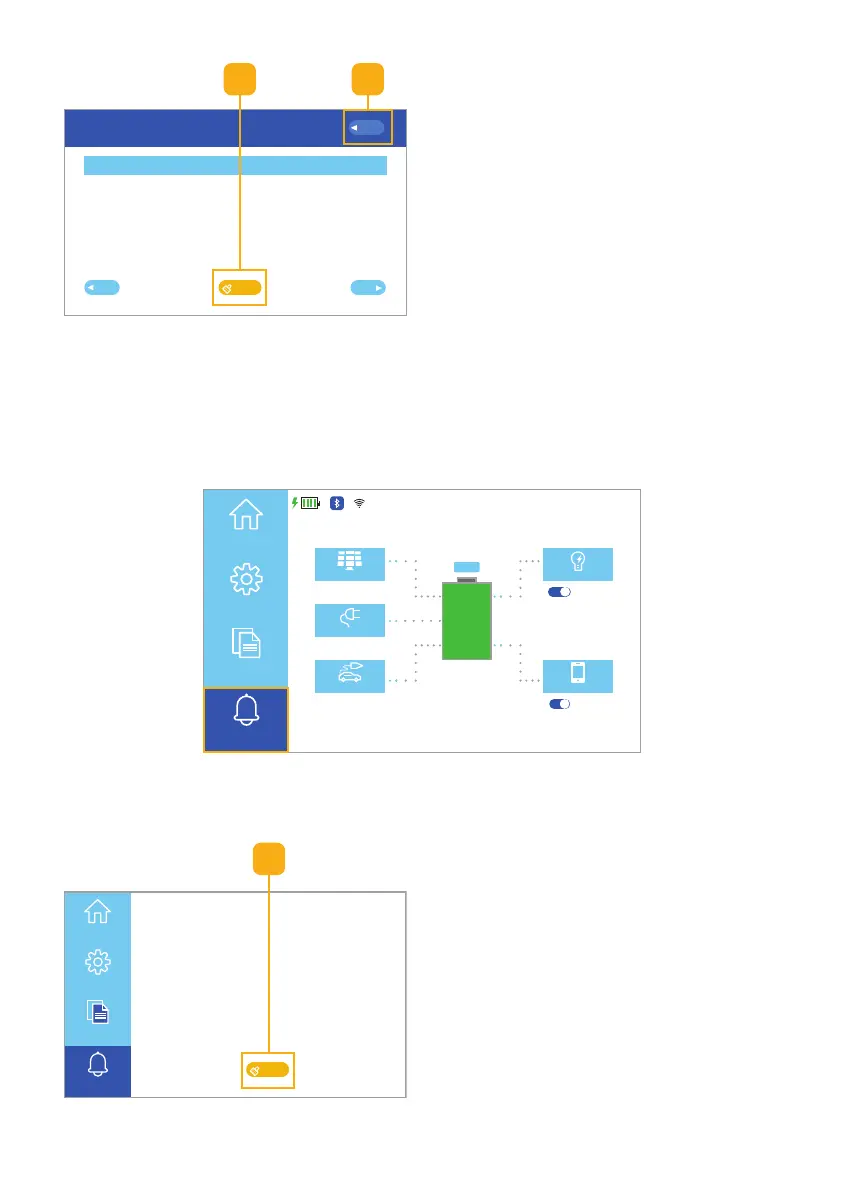
6.2.3 Alerts Touchscreen
Selecting the Alerts button (Fig. 6.41) on the Homepage UI touchscreen opens
the current Alerts screen.
Fig. 6.40 Alert history screen
2 3
2. Click the Clear button to clear alert
history (Fig. 6.40).
3. Click the Back button to return to
the Homepage UI touchscreen.
Fig. 6.41 Select alerts button
Current Alert Screen
Fig. 6.42 Select power generated button
1
After viewing the current alerts:
1. Click the Clear button to clear the
current alerts (Fig. 6.42).
Note: See Section 8 for Error Codes.



 To Next Page