
 To Next Page

B
Brandon MontoyaSep 3, 2025
What to do if my IBC Air Handlers Air In Temp Sensor (Probe) is not working?
- RRaymond DavisSep 4, 2025
If the Air In Temp Sensor (Probe) is not working, check the sensor. For resistance reading, see Table 13.

What to do if my IBC Air Handlers Air In Temp Sensor (Probe) is not working?
If the Air In Temp Sensor (Probe) is not working, check the sensor. For resistance reading, see Table 13.
What to do if my IBC AHU 800 Air Handlers inlet temperature sensor is not working?
If the inlet temperature sensor is not working, check the sensor. For resistance reading, see Table 13.
What to do if my IBC AHU 800 Air Handlers outlet temperature sensor is not working?
If the outlet temperature sensor is not working, check the sensor. For resistance reading, see Table 13.
What to do if my IBC AHU 800 aux air in temperature sensor is not working?
If the aux air in temperature sensor is not working, check the sensor. For resistance reading, see Table 13.
What to do if my IBC AHU 800 air out temperature sensor is not working?
If the air out temperature sensor is not working, check the sensor. For resistance reading, see Table 13.
What to do if my IBC AHU 800 cool air temperature sensor is not working?
If the cool air temperature sensor is not working, check the sensor. For resistance reading, see Table 13.
What to do if my IBC AHU 800 Air Handlers A/C temperature sensor is not working?
If the A/C temperature sensor is not working, check the sensor. For resistance reading, see Table 13.
What to do if my IBC AHU 800 dehumidifier temperature sensor is not working?
If the dehumidifier temperature sensor is not working, check the sensor. For resistance reading, see Table 13.
What to do if my IBC AHU 800 outdoor temperature sensor is not working?
If the outdoor temperature sensor is not working, check the sensor. For resistance reading, see Table 13.
Why is the IBC AHU 800 pump not energized?
The pump might not be energized for several reasons. First, in the IBCconnect app, under Advanced Settings, ensure that Pump Enabled is set to "on". Also, in Basic Settings, confirm that Heat Mode is not set to "Heat Pump", as the AHU pump is not energized during Stage 1 heat pump heating to prevent interference with circulation. It will be energized at Stage 2 call for heat. Finally, check the AHU board for a blown 10A pump fuse.
Explains danger, warning, and caution symbols used in the manual.
Crucial guidelines for safe installation, operation, and maintenance of the appliance.
Provides BTU/hr heating capacity data for different models and water flow rates.
Details physical dimensions and air opening sizes for various AHU models.
Highlights key features and advantages of the IBC air handling appliance.
States compliance with relevant industry standards and codes for the appliance.
Guidelines for selecting an appropriate installation location for optimal performance and noise reduction.
Instructions on orienting and securing the air handling unit in various configurations.
Recommendations for sizing, sealing, and installing ducting systems for proper airflow.
Details on connecting the AHU to boilers and tankless water heaters, including sizing.
Guidance on wiring thermostats, pumps, and line voltage for proper appliance operation.
Illustrative scenarios for wiring different heating and cooling configurations with the AHU.
Describes how the AHU functions under different modes like heating, cooling, and heat pump.
Explains LED indicators and using the IBCconnect app for monitoring and configuration.
Detailed steps for setting modes, parameters, and fan speeds via the IBCconnect app.
Guidelines for owners and contractors on routine checks and filter replacement.
Step-by-step instructions for replacing key components like fan assembly, coil, and control board.
Details on testing and understanding temperature sensor resistance values for diagnostics.
How to use the app to identify and resolve warnings, errors, and faults.
Lists potential error messages and their corresponding solutions for quick issue resolution.
Procedure for checking voltage levels on the appliance's control boards.
Troubleshooting steps for when the appliance's pump fails to activate.
Steps to resolve intermittent wireless connections for the IBCconnect app.
Information on the WiFi password and troubleshooting network detection for the IBCconnect app.
Procedure for exporting diagnostic data to a USB stick for analysis.
 General
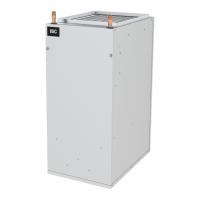
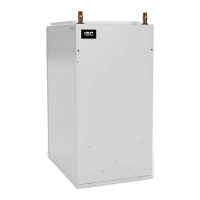
| Brand | IBC |
|---|---|
| Model | AHU 800 |
| Category | Air Handlers |
| Language | English |