27
Entering a Program Name
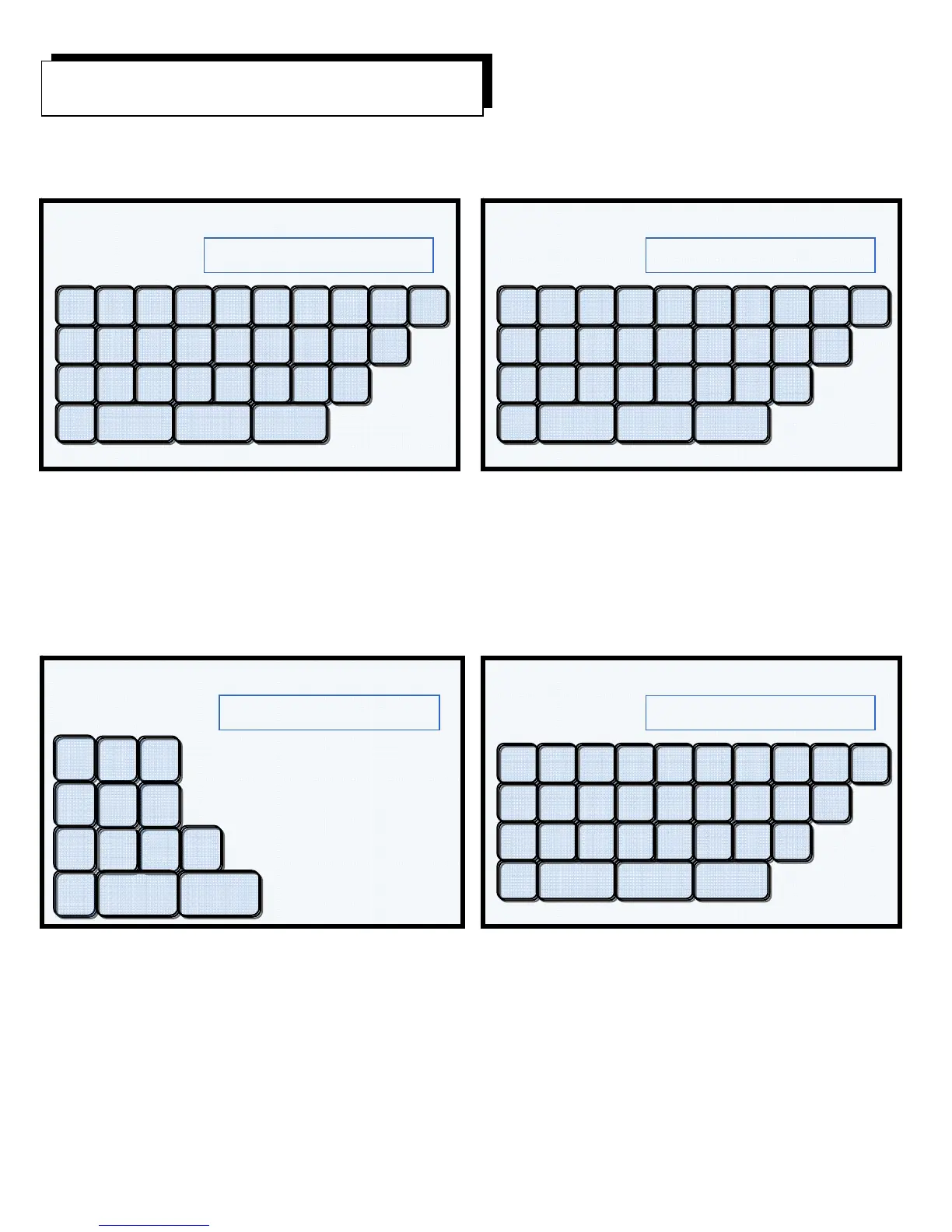
Display Example #20 Display Example #21
After touching the empty memory location #009 in Example Display #19, touch the CREATE button.
NOTE! If using a Summit Press, the next screen will ask “Porcelain or Pressing?” Touch Porcelain.
Example Display #20 will be displayed on the screen. At this screen you will enter the program name.
Example Display #22 Display Example #23
Any combination of letters, spaces and numbers may be used up to 15 characters per name. To enter
numbers, touch the 123 button and the number keypad will be displayed. See Display Example #22.
Enter the number(s) and touch the Back button to bring you to the Program Name Screen.
Touching the OK button will bring up Program Data Entry Screen.
Create a New Porcelain Program
Name Program
SAMPLE
Q W U T E R Y I O
A S J G D F H K
Z X M B C V N Del
L
P
123
S
ace Ok Cancel
Name Program
Q W U T E R Y I O
A S J G D F H K
Z X M B C V N Del
L
P
123
S
ace Ok Cancel
Name Program
SAMPLE 1
Q W U T E R Y I O
A S J G D F H K
Z X M B C V N Del
L
P
123
S
ace Ok Cancel
8
1
2 3
4
5 6
Del
7
9
0
Back Cancel
Name Program
SAMPLE 1


 To Next Page