6
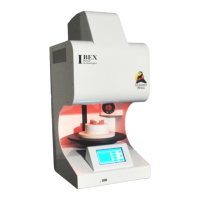
The touch screen of the Ibex SUMMIT is the control center of your furnace. All control functions
and information to and from the user will be carried out through this screen. It is a high precision
device that requires only a Light Touch of about a quarter of a second with the pad of your finger
to select and activate the various controls and features of the Ibex SUMMIT.
NEVER use hard, sharp or pointy devices such as pens or pencils, as this could damage the touch
screen membrane and will void the display warranty. Also note that excessive pressure such as
hard angry pressing, finger nails, poking or any impact with a hard device will result in touch
screen membrane damage and may also crack the glass cover plate behind the membrane. This
kind of damage is not covered under warranty.
If you are having difficulty with the display recognizing your touch entries or wrong entries are
occurring, especially when touching near the lower edge of the display, the touch screen may
require recalibrating. Follow the Display calibration instructions found in the Utilities menu under
Calibration.
A scratch resistant polymer panel covers the display. The panel can be cleaned periodically with a
clean damp cloth or paper towel by wiping in a straight motion across the panel with a light
pressure. The fine powders that accumulate in the dental lab environment can cause scratching if a
dry cloth or paper towel is used.
REMEMBER!
A light touch of about a quarter of a second in duration is all that is required for touch screen entry.
Quick or rapid touches will be mostly ignored to prevent any accidental touches from being
entered. Hard pushes or use of hard pointy objects such as finger nails or pen tips will damage or
reduce the life of the touch pad and are not covered under warranty.
The following pages will describe how to program and utilize the features of your Ibex SUMMIT
Porcelain Furnace.
TOUCH SCREEN OPERATION


 To Next Page