3. Install the PSU cables.
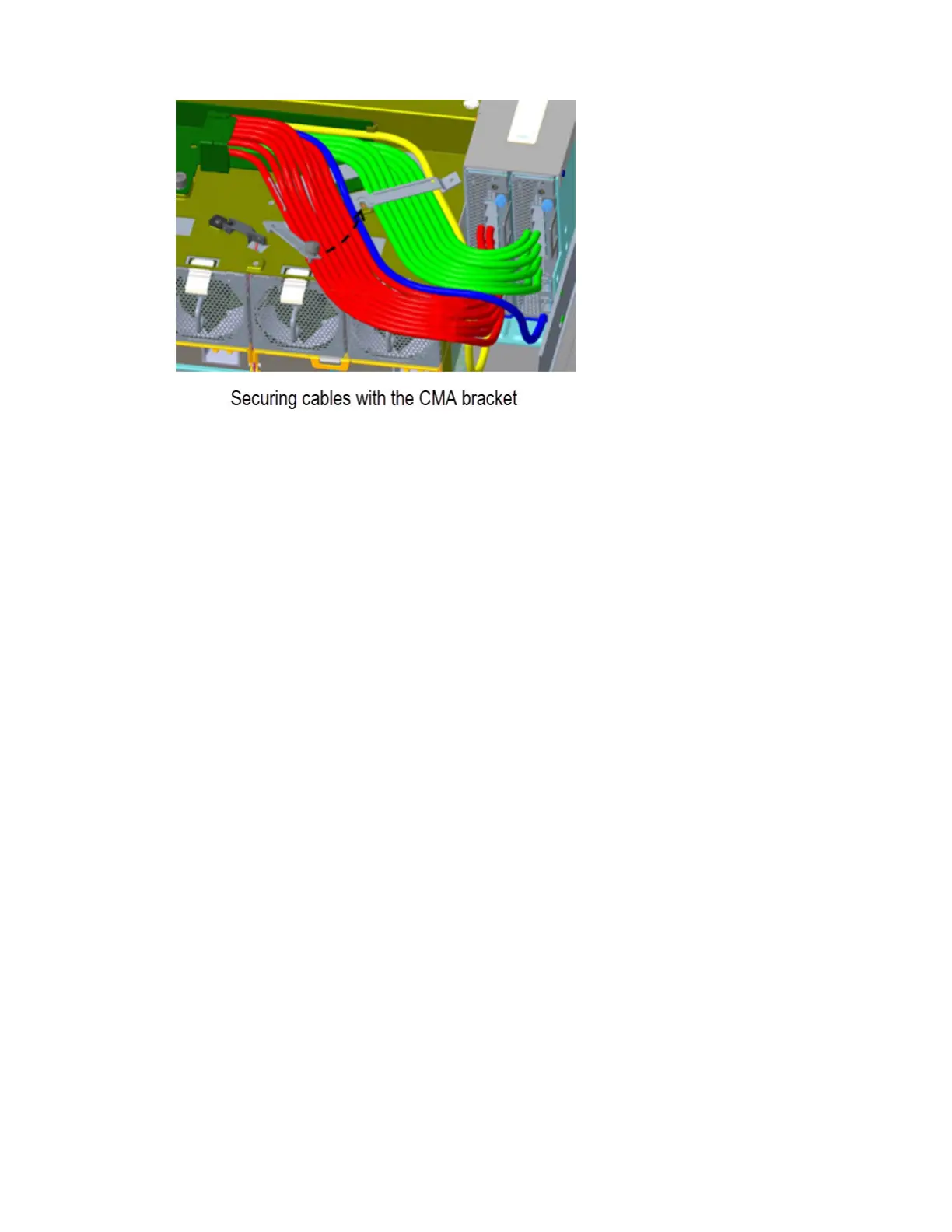
Refer to the details provided beneath the sub-steps, noting that the top view details represent the
CMA shelf.
a) Remove the M3 panhead screw from the PSU cable clip assembly, and set it aside for re-
installation.
b) Install the right-angle C19 connectors into the PSUs.
c) Route the cables as shown, ensuring they lay flat on the CMA shelf and through the PSU cable-clip
assembly.
d) Reinstall the M3 panhead screw from Step 3a, while torquing the screw to 0.56 N-m (5 lbf-in).
Note: This model of the Disk Enclosure does not contain an IOM in slot 1. Thus, disregard the red
cables in the gure below.
40
IBM Cloud Object Storage System: Medium/Large J11/J12 Disk Enclosure Hardware Installation and
Maintenance Manual



 To Next Page