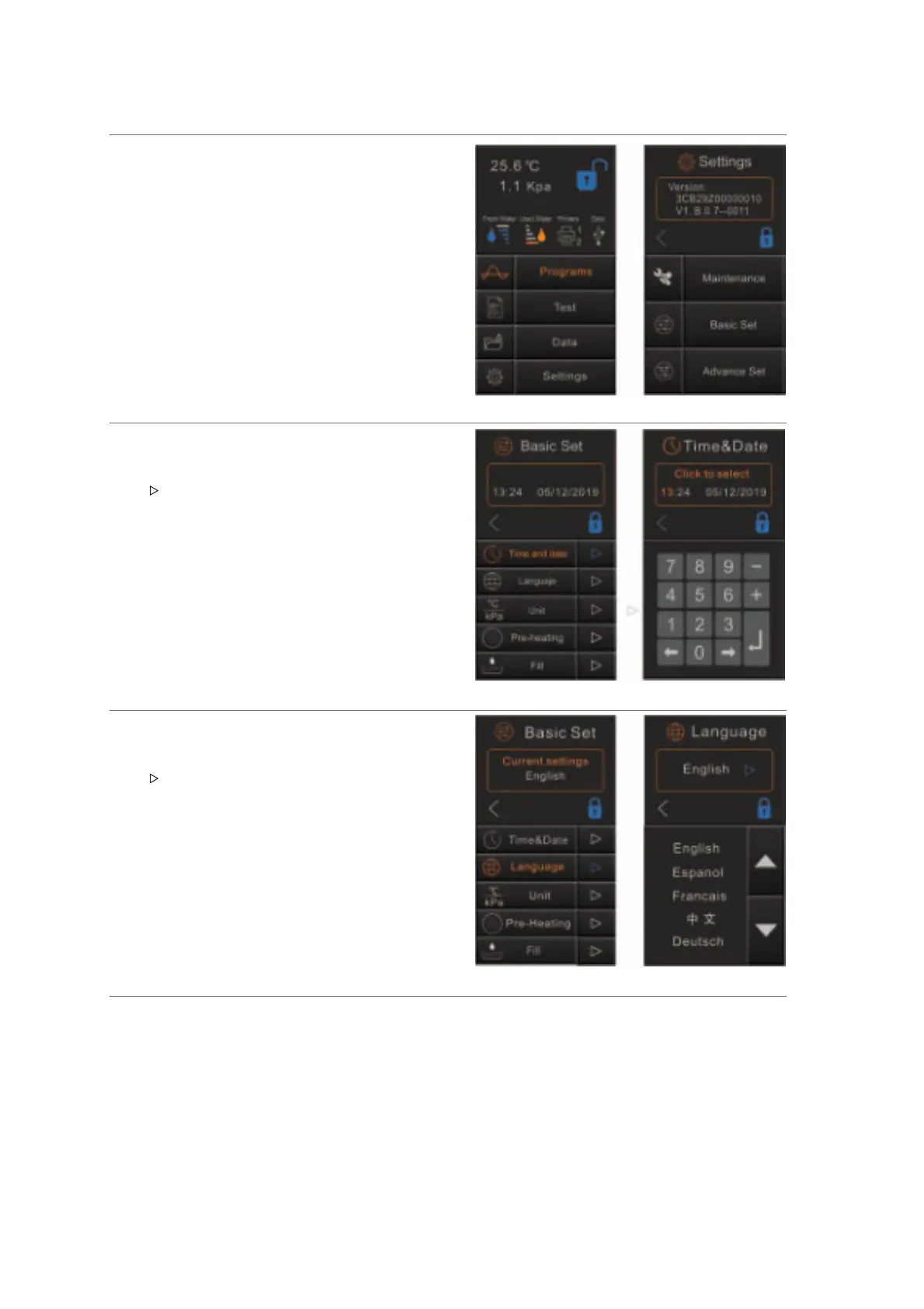
Basic Set
After you turns the sterilizer On, the main menu
will appear, select “Settings” then "Basic Set”.
Time & Date
Select “Time & Date”
The screen will show the current configuration.
Tap “ ”to enter the menu.
Touch the parameter that needs to be change, it
will light orange, by pressing (+/−) or by using
the numbers adjust it. To save press “↵”
Language
Select “Language”
The screen will show the current configuration
Tap “ ”to enter into the menu.
Select the language, tap “<” to save and back.


 To Next Page