EasyManua.ls Logo

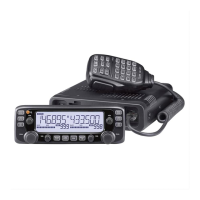
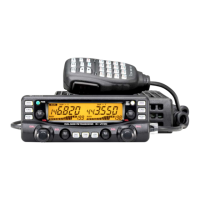
Icom IC-2720H - Service Manual

Icom IC-2720H
51 pages
Print Icon
To Next Page IconTo Next Page
Loading...
DUAL BAND FM TRANSCEIVER
i2720H
SERVICE
MANUAL

Table of Contents

Other manuals for Icom IC-2720H

Questions and Answers

  • C
    Cheryl CookAug 15, 2025
    What to do if only 1 memory channel is programmed on Icom IC-2720H Transceiver?
    • S
      Sandra KingAug 15, 2025
      If only 1 memory channel is programmed or other channels are set as skip channels on your Icom Transceiver, program other memory channels or cancel the memory skip function in the desired channels.
  • D
    Donald StephensAug 18, 2025
    What to do if the Icom Transceiver power connector has a poor contact?
    • M
      Mary CherryAug 18, 2025
      If the power connector has a poor contact, check the connector pins. Also, re-connect the power cable, making sure to observe the correct polarity. If the fuse is damaged, replace it. Finally, check the cause of the damage, and then replace the fuse.
  • J
    Joel AustinAug 21, 2025
    What to do if my Icom IC-2720H has the squelch open?
    • D
      Dale ElliottAug 21, 2025
      If the squelch is open on your Icom Transceiver, set the squelch to the threshold point.
  • D
    Daniel AndersonAug 25, 2025
    What to do if the other station is using tone squelch on Icom IC-2720H?
    • P
      Peggy NguyenAug 25, 2025
      If the other station is using tone squelch, turn the tone squelch function ON and set your transceiver to simplex.
  • A
    Angela WyattAug 27, 2025
    What to do if Icom Transceiver priority watch is activated?
    • C
      carrie58Aug 27, 2025
      If priority watch is activated on your Icom Transceiver, cancel the watch.
  • D
    Deanna WeissAug 30, 2025
    What to do if the frequency lock function is activated on Icom IC-2720H Transceiver?
    • K
      Kevin Sims DDSAug 30, 2025
      If the frequency lock function is activated on your Icom Transceiver, turn the function OFF.
  • K
    kfernandezSep 2, 2025
    What to do if Icom Transceiver priority watch is paused?
    • C
      Christopher JonesSep 2, 2025
      If the priority watch is paused on the watching frequency of your Icom Transceiver, push [LOW•PRIO] for 1 second to cancel the watch.
  • R
    rodriguezfaithSep 5, 2025
    What to do if the time-out timer is activated on Icom Transceiver?
    • C
      Christopher GreenSep 5, 2025
      If the time-out timer is activated on your Icom Transceiver, set the timer to OFF.
  • C
    Carrie WilsonSep 8, 2025
    What to do if One-touch PTT function is activated on Icom Transceiver?
    • E
      epatelSep 8, 2025
      If the One-touch PTT function is activated on your Icom Transceiver, turn the function OFF.
  • T
    Tammy BrownSep 12, 2025
    What to do if the CPU is malfunctioning on Icom IC-2720H Transceiver?
    • J
      Jonathan WoodSep 12, 2025
      If the CPU is malfunctioning on your Icom Transceiver, reset the CPU.

Summary

DANGER

SECTION 1 SPECIFICATIONS

GENERAL SPECIFICATIONS

General specifications including frequency range, mode, power requirements, and dimensions.

TRANSMITTER SPECIFICATIONS

Transmitter output power, modulation system, frequency deviation, and connectors.

RECEIVER SPECIFICATIONS

Receiver system, IF, sensitivity, selectivity, and audio output.

SECTION 3 DISASSEMBLY INSTRUCTIONS

Removing the MAIN unit

Step-by-step guide to safely disassemble and remove the main unit from the transceiver.

Removing the CONTROL unit

Instructions for disassembling and removing the control unit, including knob and cover removal.

SECTION 4 CIRCUIT DESCRIPTION

RECEIVER CIRCUITS OVERVIEW

Overview of receiver circuits, including triplexer and band switching for different frequency bands.

RF CIRCUIT FOR LEFT SIDE DISPLAY

Detailed description of RF signal paths for the left side display receiver.

1 ST MIXER AND 1 ST IF CIRCUIT (LEFT SIDE)

Description of the 1st mixer and 1st IF circuits for the left side display receiver.

2 ND IF AND DEMODULATOR CIRCUITS (LEFT SIDE)

Description of 2nd IF and demodulator circuits for the left side display, including FM and AM modes.

AF AMPLIFIER CIRCUIT (LEFT SIDE)

Description of the AF amplifier circuit that drives the speaker for the left side display.

NOISE SQUELCH CIRCUIT (LEFT SIDE)

Description of the noise squelch circuit for the left side display, controlling AF signal muting.

DRIVE;POWER AMPLIFIER CIRCUITS

Description of drive and power amplifier circuits, including power output details.

APC CIRCUIT (MAIN UNIT)

Description of the Automatic Power Control circuit for output power stabilization and protection.

POWER SUPPLY CIRCUITS OVERVIEW

Overview of power supply circuits for different units.

SECTION 9 BLOCK DIAGRAM

Overall Block Diagram

Block diagram illustrating the functional interconnections of the transceiver's main units.

SECTION 10 VOLTAGE DIAGRAMS

CONTROL UNIT VOLTAGE DIAGRAM

Voltage diagram for the control unit, showing voltage distribution to components.

MAIN AND VCO UNITS VOLTAGE DIAGRAMS

Voltage diagrams for the main unit and VCO unit, illustrating voltage distribution.

Icom IC-2720H Specifications

General IconGeneral
BrandIcom
ModelIC-2720H
CategoryTransceiver
LanguageEnglish

Related product manuals