19
6
SELCALL (Selective Calling)
6
7
10
15
18
8
13
11
16
9
14
12
17
1
4
2
5
3
D Editing the TX code
You can change the TX code contents within the allowed digits. The Group call function
enables you to edit a special ‘Group code’ of the Selcall ID code.
1. Select a CB channel other than channels 5 and 35.
2. Open the “Code List” screen from the “Edit Code” item.
[MENU] > Selcall > Edit Code
• The “Code List” screen is displayed.
3. Push [▲] or [▼] to select a code to edit a TX code.
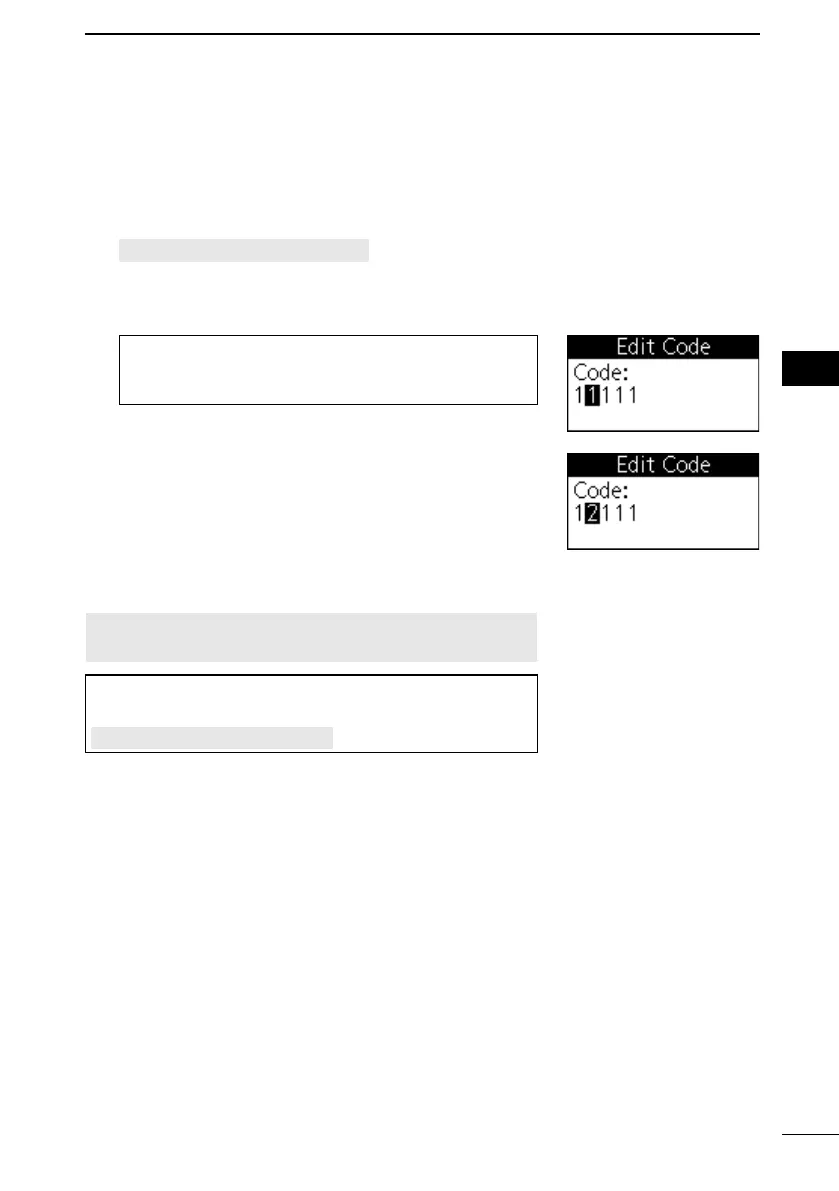
4. Edit the TX code.
TIP:
• Push [▲] and [▼] to select a number.
• Push [◄] and [►] to select a digit to edit.
5. Repeat steps 4 to edit other digits.
6. Push [ENT] to set it.
• The edited code is displayed on the “Code List” screen.
NOTE: The TX code’s editable digits can only be set, or
changed using the CS-455 programming software.
TIP: You can also transmit on the selected channel’s TX
code by selecting “Transmit” in the “Selcall” item.
[MENU] > Selcall > Transmit
The editable digit is selected.



 To Next Page