24
7
OTHER FUNCTIONS
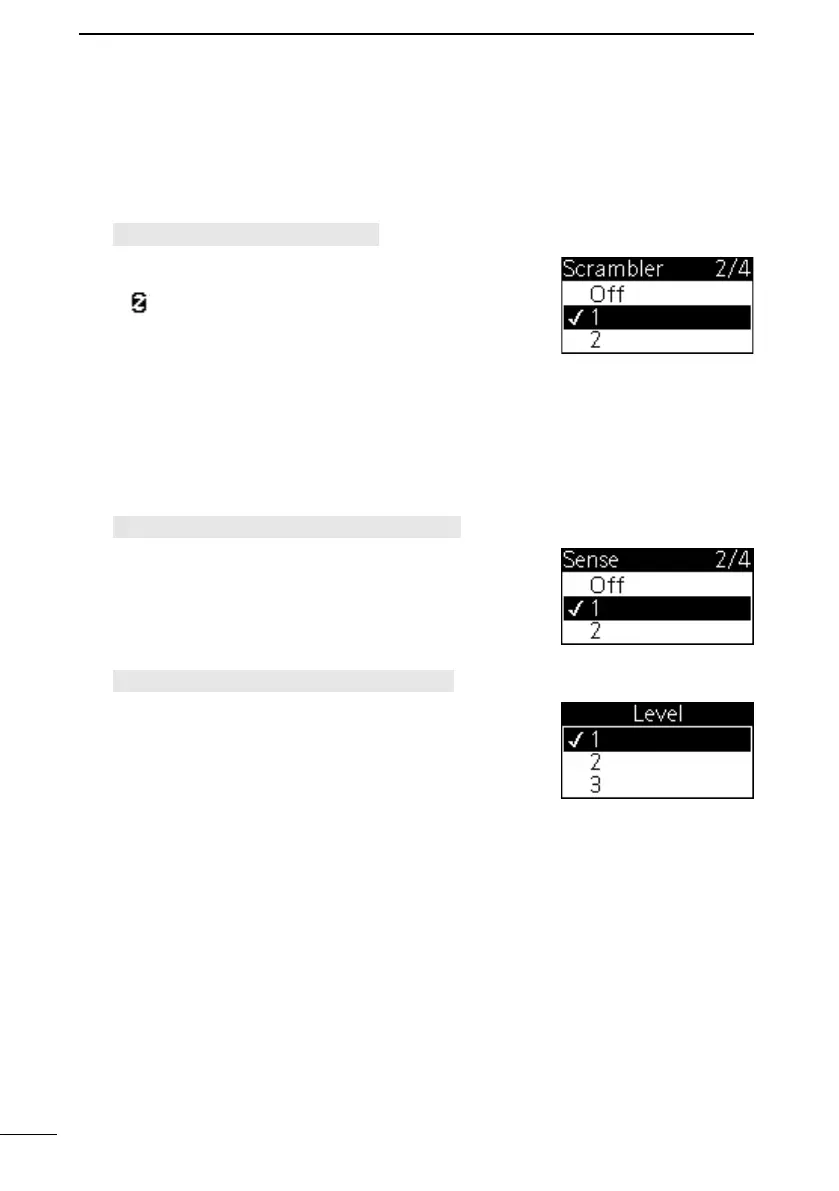
■ Scrambler function
The Scrambler function supports encrypting the communication data. You can select a
subcarrier using this function.
1. Open the “Scrambler” screen.
[MENU] > Settings > Scrambler
2. Push [▲] or [▼] to select a subcarrier between 1 and 3
to turn ON the function, and then push [ENT] to set it.
• “ ” is displayed on the operating screen.
L Push [CLEAR] to return to the previous screen.
■ Auto Volume function
The Auto Volume function automatically adjusts the volume level of the received audio,
depending on your operating environment. You can select a sensitivity and a wide or
narrow volume level adjustment range of the received audio.
1. Open the “Sense” screen.
[MENU] > Settings > Auto Volume > Sense
2. Push [▲] or [▼] to select a sensitivity between 1 and 3
to turn ON the function, and then push [ENT] to set it.
L Higher values make this function more sensitive to the
received audio.
L Push [CLEAR] to return to the previous screen.
3. Open the “Level” screen.
[MENU] > Settings > Auto Volume > Level
4. Push [▲] or [▼] to select a volume level adjustment
range between 1 and 3, and then push [ENT] to set it.
L Higher values change the audio level over a wider
range from lower to higher.
L Push [CLEAR] to return to the previous screen.



 To Next Page