23
3
BASIC OPERATION
2001 NEW 2001 NEW
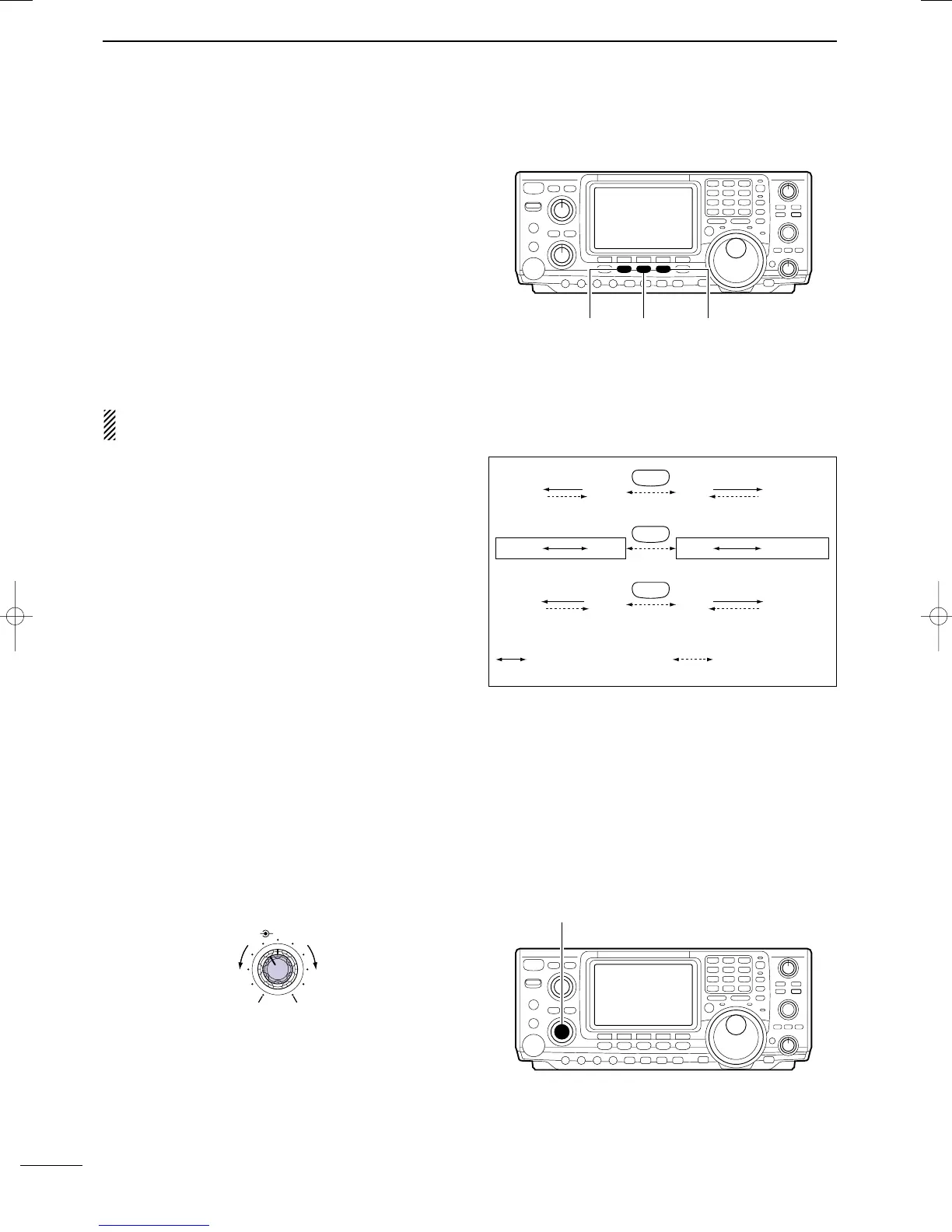
■ Operating mode selection
SSB (USB/LSB), SSB data (USB data/LSB data), CW,
CW reverse (CW-R), RTTY, RTTY-R (RTTY reverse),
AM, AM data, FM and FM data modes are available in
the IC-746PRO. Select the desired operation mode as
follows.
To select a mode of operation, push the desired mode
switch momentarily. Push the switch again to toggle
between USB and LSB, CW/CW-R and RTTY/RTTY-
R, AM and FM, if necessary. Push the switch for 1 sec.
to toggle between CW and CW-R, RTTY and RTTY-R,
or to select data mode, if necessary.
See the diagram below right for the order of selection.
Microphone signals are muted when data mode is
selected.
• Selecting SSB mode
➥ Push [SSB] to select USB or LSB.
•USB is selected first when above 10 MHz; or LSB is se-
lected first when below 10 MHz operation.
•After USB or LSB is selected, push [SSB] to toggle be-
tween USB and LSB.
•After USB or LSB is selected, push [SSB] for 1 sec. to
select USB data or LSB data mode, respectively.
• Selecting CW/RTTY mode
➥ Push [CW/RTTY] to select CW or RTTY.
•After CW/CW-R or RTTY/RTTY-R is selected, push
[CW/RTTY] to toggle between CW and RTTY.
•After CW or RTTY is selected, push [CW/RTTY] for
1 sec. to toggle between CW and CW reverse, or, RTTY
and RTTY reverse mode, respectively.
• Selecting AM/FM mode
➥ Push [AM/FM] to select AM or FM.
•After AM or FM is selected, push [AM/FM] to toggle be-
tween AM and FM mode.
•After AM or FM is selected, push [AM/FM] for 1 sec. to
select AM data or FM data mode, respectively.
■ Volume setting
➥ Rotate [AF] control to output a suitable audio level.
AF RF/SQL
No audio output
Max. audio output
Decreases Increases
SSB
CW/RTTY
AM/FM
D USB USB
CW-R CW
D AM AM
Push mode switch
for 1 sec.
Push mode switch
momentarily.
LSB D LSB
RTTY RTTY-R
FM D FM
[AF] control
IC-746PRO.qxd 02.4.2 11:31 Page 23



 To Next Page