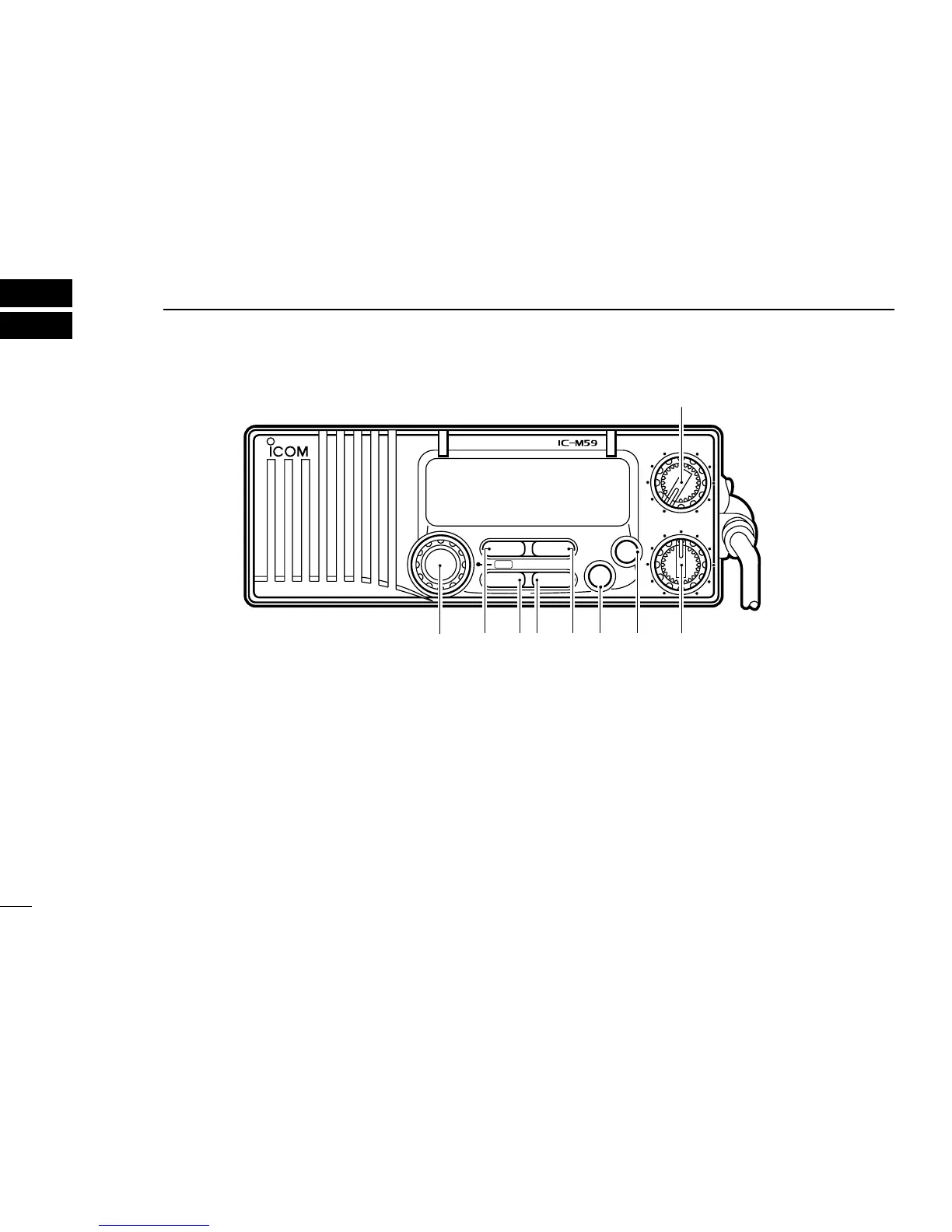
PANEL DESCRIPTION
2
2
➊ CHANNEL SELECTOR [CHANNEL]
Selects an operating channel in the selected channel
group.
➋ SCAN SWITCH [SCAN•TAG]
• Starts and stops normal or priority scan when tag chan-
nels are programmed. (p. 10)
• Push and hold for 1 sec. to toggle the tag setting for the
displayed channel. (p. 10)
➌ HIGH/LOW POWER SWITCH [HI/LO•DIM]
• Toggles between high and low output powers. (p. 9)
• While pushing, rotate the channel selector to adjust the
display and control/switch backlighting intensity. (p. 11)
➍ CHANNEL/WEATHER CHANNEL SWITCH
[CH/WX•
U/I/C]
• Selects and toggles between regular and weather chan-
nels.
• Selects one of 3 regular channels in sequence when
pushed for 1 sec. (p. 7)
➠ International, U.S.A. and Canadian channels are available for
regular channels.
➎ DUAL/TRI-WATCH SWITCH [DUAL•TRI] (p. 8)
• Activates dualwatch for checking channel 16.



 To Next Page