5
2
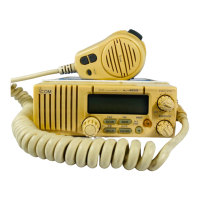
PANEL DESCRIPTION
o DUPLEX INDICATOR
Appears when the selected channel is a duplex channel.
!0 ACKNOWLEDGEMENT/RECEIVE INDICATORS
Appear during optional DSC operation. (pgs. 13–18)
• “RCV” appears when a DSC call is received.
•“ACK RCV” appears when an acknowledgement is received.
•“ACK” and “$” appear when transmitting an acknowledge-
ment.
!1 DSC INDICATORS (pgs. 13–18)
Appear during optional DSC operation and show a format
specifier, message, etc.
!2 NMEA INDICATOR
Appears when NMEA devices (such as a GPS receiver)
are connected. (p. 12)
!3 WEATHER ALERT INDICATOR
Indicates the weather alert function is activated. (p. 7)
!4 MODE INDICATORS (p. 7)
•“USA” shows USA channels are selected.
•“CAN” shows Canadian channels are selected.
•“INT” shows International channels are selected.
•“WX” shows weather channels are selected.
!5 LOW POWER INDICATOR
Shows that low output power is selected. (p. 9)
!6 CALL CHANNEL INDICATOR
Appears when the call channel is selected. (p. 6)


 To Next Page