iData 50 User Manual
- 21 -
5 Enabling the Scan Function
5.1 To start the iScan program and enable scanning, do as
follows:
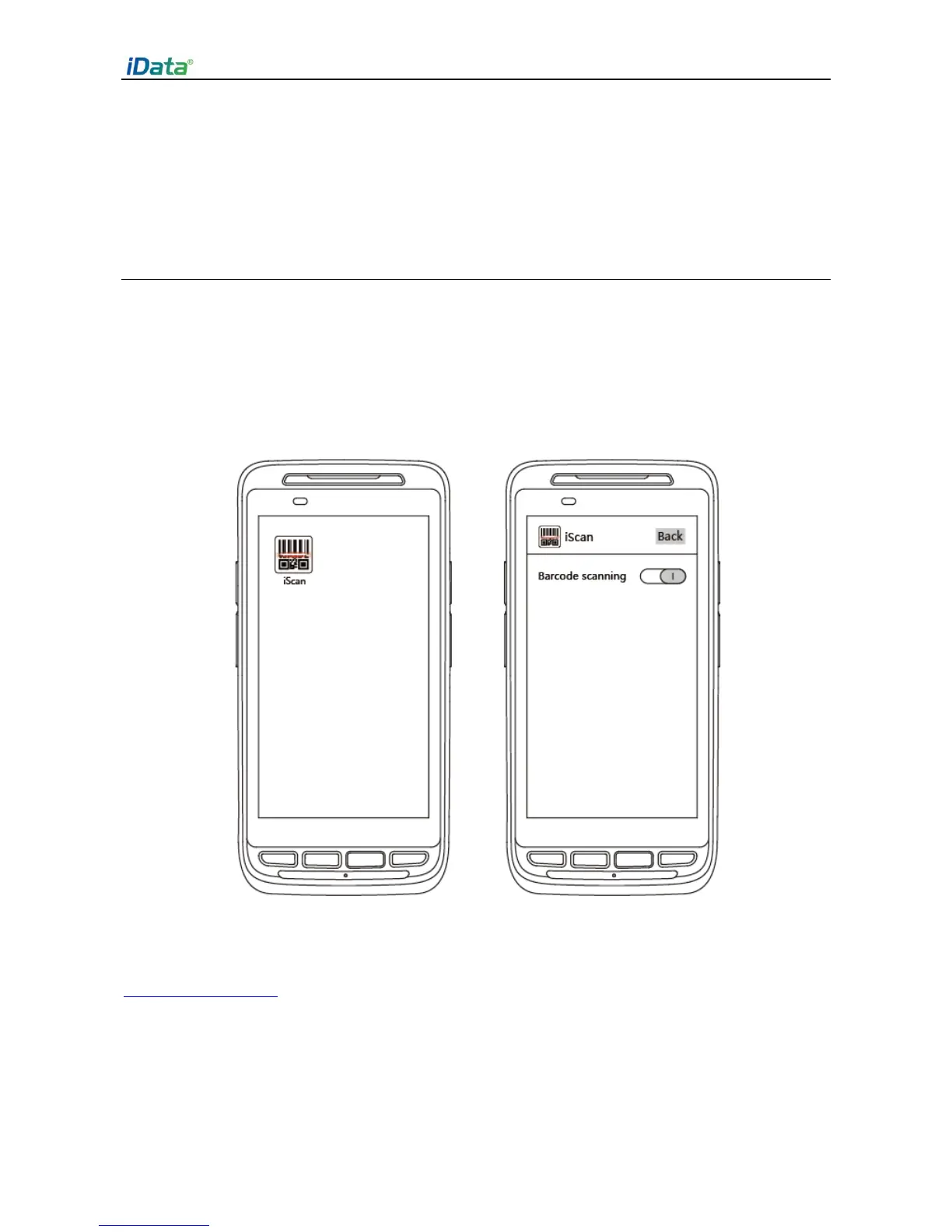
1. Click the iScan icon on the menu page.
2. Click the blue slider on the right of Enable Barcode Scanning to enable the scanning
function (if you click the slider again, the scanning function is disabled).
3. Press the yellow key to scan a barcode. When the scanning indicator becomes green
from red and a beep is heard, the barcode is scanned successfully.
Note: iScan is used to scan barcodes. By default, iScan is installed and scanning is enabled
upon delivery of the device. You can down the latest version from the following address:
http://t.cn/8k5hWCo


 To Next Page