iData 50 User Manual
- 2 -
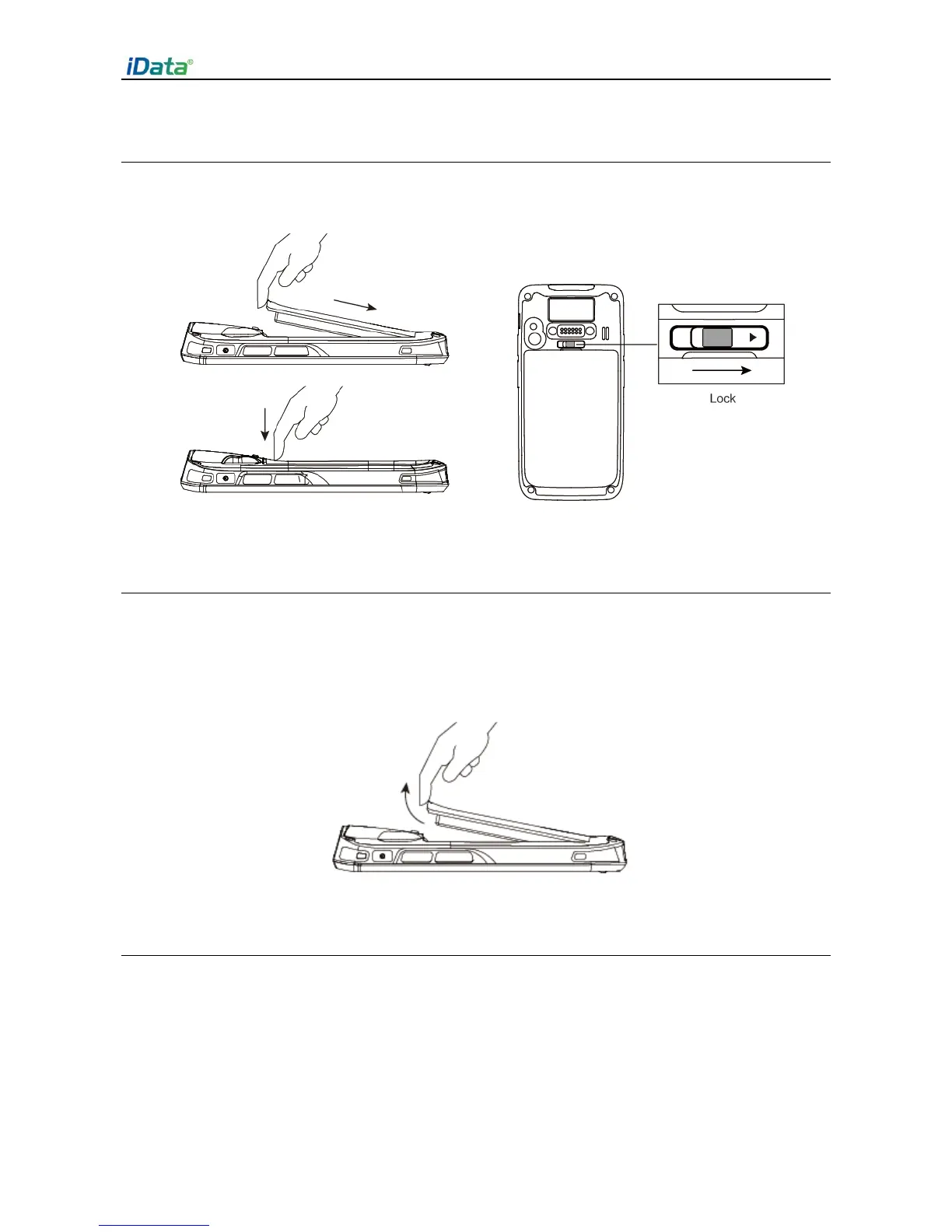
1.2 Installing the Battery
1. Push the battery to the bottom of the battery compartment and press it downwards.
2. Push the battery cover lock to the right to lock the battery cover.
1.3 Removing the Battery
1. Push the battery cover lock to the left.
2. Pull up the battery cover from the groove at the upper end of the battery cover.
(Note: The iData 50 adapts integrated design for the battery and battery cover.)
1.4 Inserting a SIM Card
1. Insert a SIM card by following the direction in the figure below.
(Note: Micro SIM cards are applicable to the iData 50. After replacing a SIM card, restart
the iData 50.)


 To Next Page