iData 50 User Manual
- 3 -
1.5 Inserting a TF Card
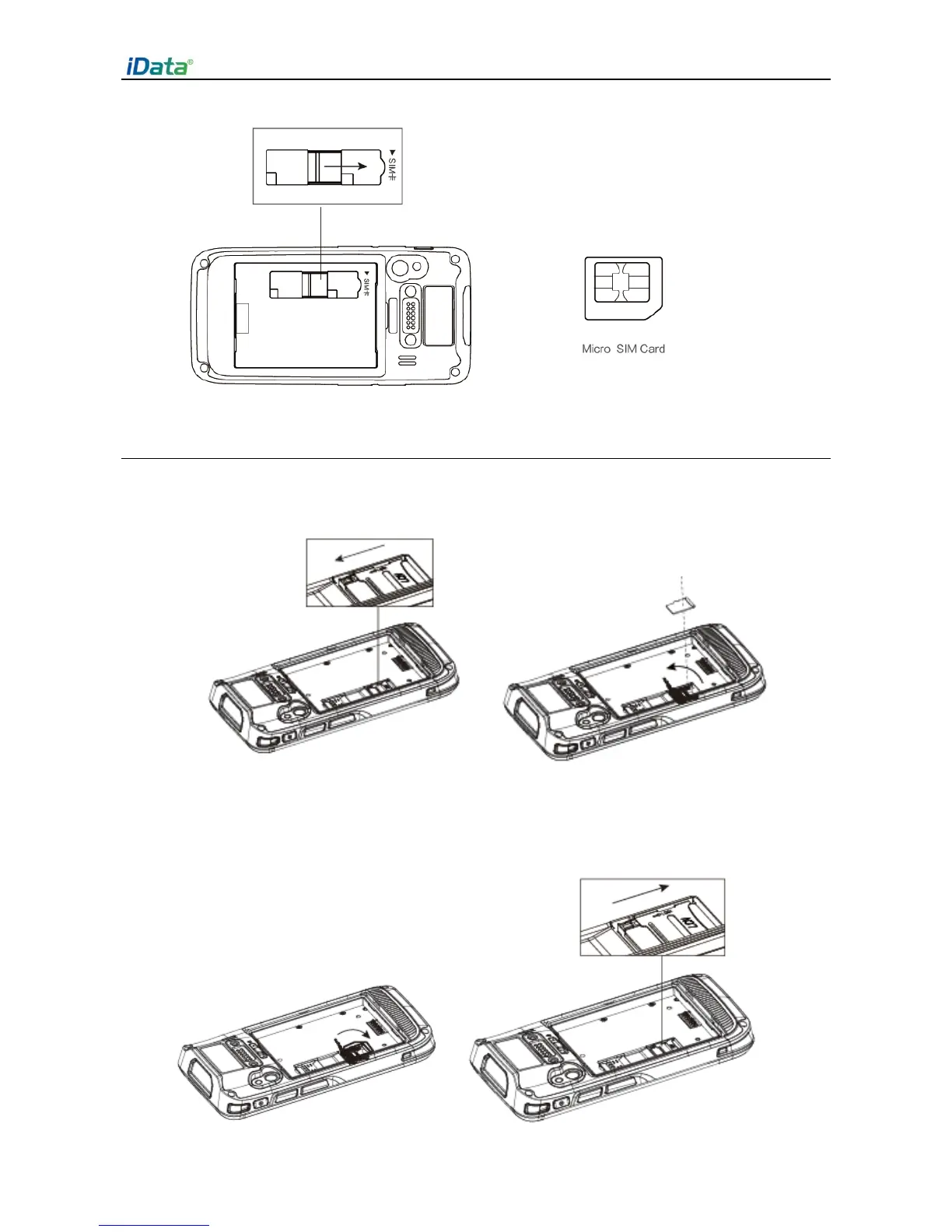
1. Push the card cover by following the OPEN direction marked on the card cover.
2. Open the card cover upwards and insert a TF card, as shown in the figure below.
3. Close the card cover, as shown in the figure below.
4. Pull back the card cover by following the LOCK direction marked on the card cover.
(Note: TF cads, namely Micro SD cards, are applicable to the iData 50. After replacing a TF card,
restart the iData 50.)


 To Next Page