23
Installation and Servicing
SECTION 2 - INSTALLATION
2.12 DISPLAY FUNCTIONS
60
ºC
45
ºC
HOT WATER
PREHEAT
OFF
- -
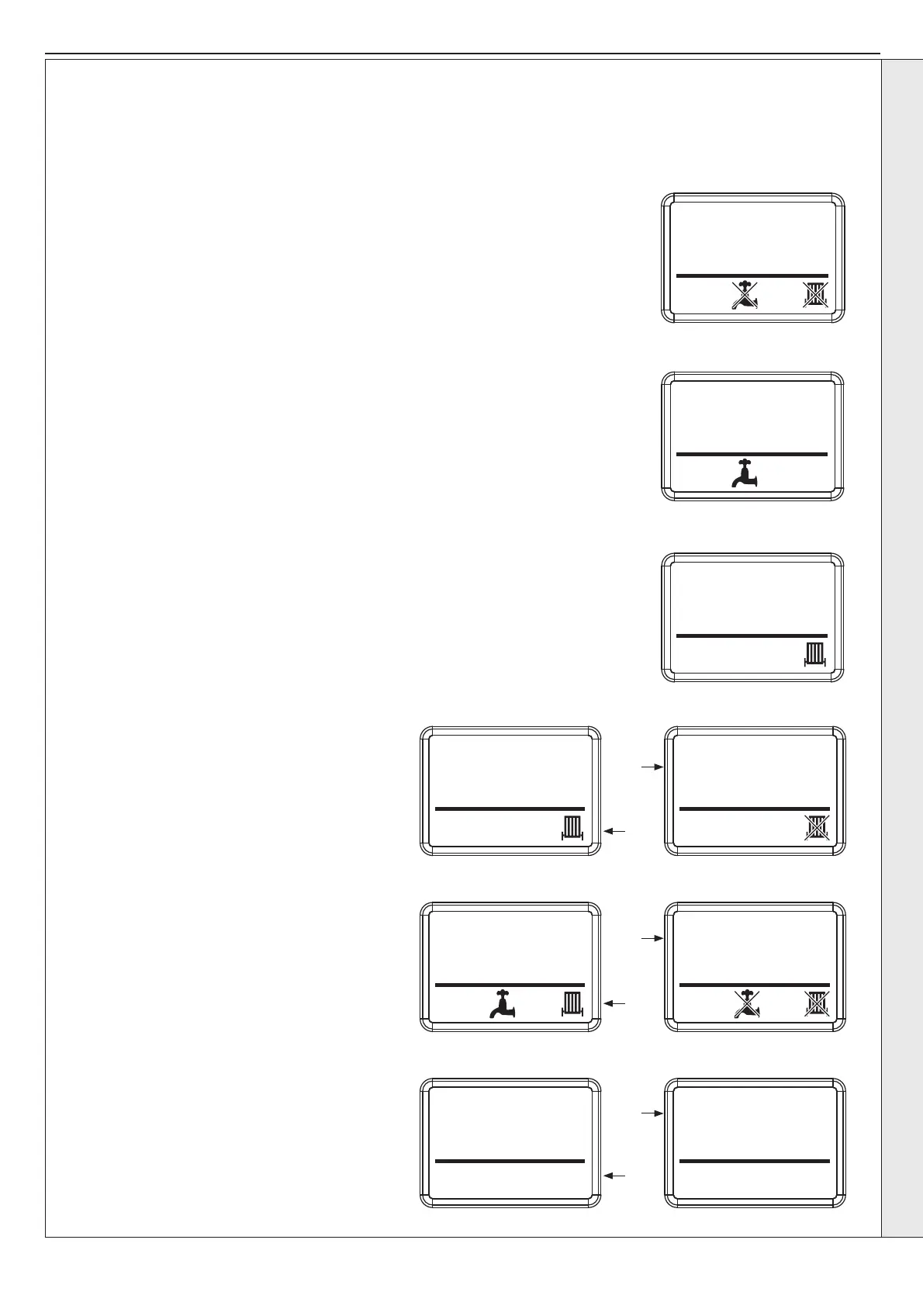
HIU Mode Off
In the ‘Off mode’ the HIU will only provide Frost protection via the external frost stat and internal
thermistor monitoring.
To switch DHW, CH and Hot Water Preheat on or off press the Menu button (D on controls
diagram) to cycle through the user settable parameters.
Changing DHW Temperature
From normal operation screen press the Menu button to access the DHW target temperature
setting menu. The DHW target temperature can now be adjusted by pressing the +/- buttons within
the installer dened limits.
Changing CH Temperature
Press the Menu button again to access the CH target temperature setting menu.
The CH target temperature can now be adjusted by pressing the +/- buttons within the installer
dened limits.
Note: If using underoor heating ensure CH target temperature is within the safe operating
temperature for the underoor heating.
Switching CH On/Off
Press the Menu button again to access the CH state
setting menu.
Press the +/- buttons to either enable or disable the CH
operation.
Press the Menu button again to access the DHW state
setting menu.
Switching DHW On/Off
Press the Menu button again to access the DHW state
setting menu.
Press the +/- buttons to either enable or disable the DHW
operation.
Switching Preheat On/Off
Press the Menu button again to access the Preheat state
setting menu.
Press the +/- buttons to either enable or disable the
Preheat operation.
Press the Menu button again to return to normal
operation.
- +/-
- +/-
- +/-
- -/+
- -/+
- -/+
2.12.1 MENU NAVIGATION
The user control has a Symbolic LCD which provides information to the user about the status of the HIU. The temperatures shown as
follows are for illustration purposes only. The actual set point or measured temperatures will be shown on the HIU.
Notes: HIU frost protection – HIU operates if temperature is below 5°C.
INSTALLATION


 To Next Page