22
DD48 Series Display Units
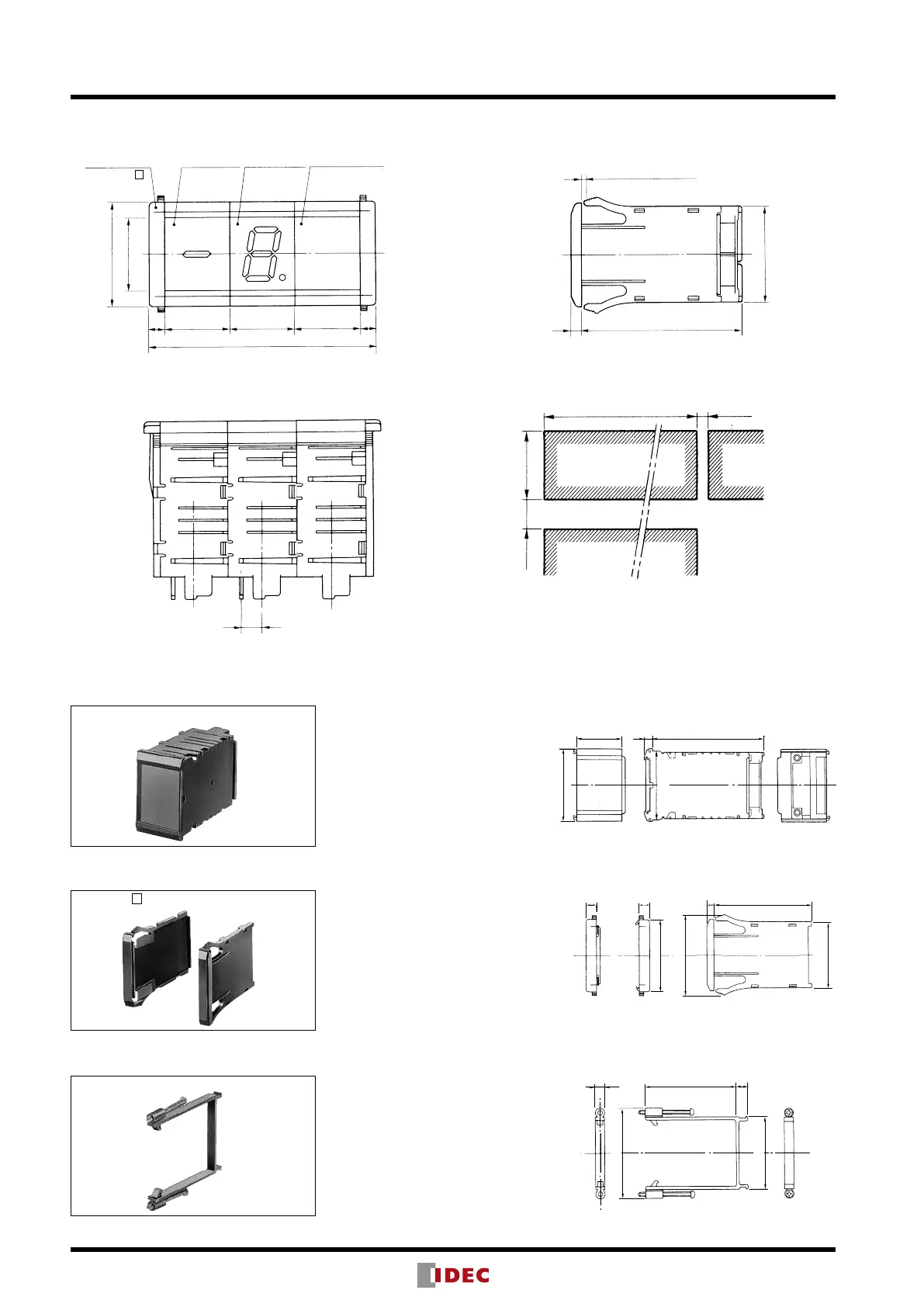
44.4
(For left side) (For right side)
77 564
44.4
53
48
60
48
Accessories (Optional)
Spacer
DD48-FY1-B (black)
End Plate
DD48-W- (B: black, Z: beige)
Mounting Clip
DD48-KT1 (black)
Characters can be engraved on
the lter. Used for adjusting the
number of units.
Mounting Method: Same as
display units. Refer to Unit
Combination on page 25.
End plates must be installed at
both ends of the assembly of
the display units.
Mounting Method: Refer to Unit
Combination on page 25.
Used to fasten the display units
to the panel when mounting four
units or more.
Mounting Method: Refer to
Panel Mounting on page 25.
Weight (approx.) 22g
For left
side
For right
side
Weight (approx.)
20g (pair)
Weight (approx.) 7g
End Plate
30 30 30 77
30N + 14
(
DD48-FY1-B
DD48-W-
)
48
34
Binary
Display Unit
Decimal
Display Unit
Spacer Unit
Panel Thickness: 0.8 to 4
574
44.4
16 min.
N : No. of digits (N ≤ 16)
30N
-
0
-
0
9.5
Dimensions & Panel Cut-out
Display units can be combined for up to 16 digits.
When combining 9 to 16 digits, it is recommended to use the long
lter.
(Panel Cut-out)
Note: The panel cut-out width shown above is the minimum length
required. When mounting many display units, determine the
panel cut-out width to t the actual size.
All dimensions in mm.
Note: When mounting more
than 16 units


 To Next Page