BIBD-ICP User’s Manual
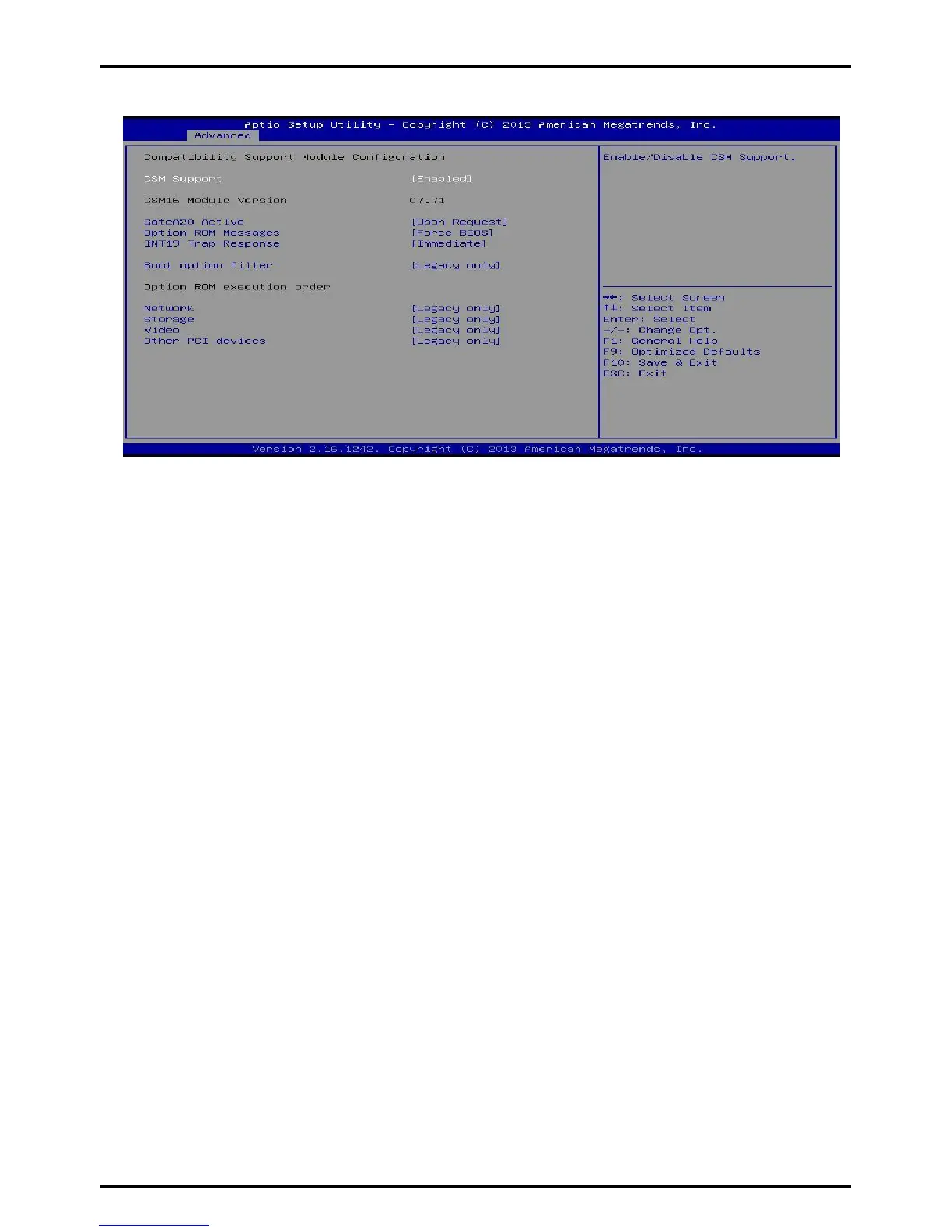
CSM Configuration
CSM Support
This item enables or disables CSM Support
Options: Enabled (Default) / Disabled
GateA20 Active
Upon Request – FA20 can be disabled using BIOS services. Always – do not allow disabling
GA20; this option is useful when any RT code is executed above
1MB Options: Upon Request (Default) / Always
Option ROM Messages
This item sets the display mode for option ROM.
Options: Force BIOS (Default) / Keep Current
INT19 Trap Response
BIOS reaction on INT19 trapping by Option ROM: IMMEDIATE – execute the trap right away;
POSTPONED – execute the trap during legacy boot.
Options: Immediate (Default) / Postponed
Boot option filter
This option controls what devices system can boot to. Options:
Legacy only (Default) / UEFI and Legacy / UEFI only
Network
This option controls the execution of UEFI and Legacy PXE OpROM
Options: Legacy only (Default) / Do not launch / UEFI only / Legacy first / UEFI first
Storage
This option controls the execution of UEFI and Legacy Storage OpROM
Options: Legacy only (Default) / Do not launch / UEFI only / Legacy first / UEFI first
Video
This option controls the execution of UEFI and Legacy Video OpROM
Options: Legacy only (Default) / Do not launch / UEFI only / Legacy first / UEFI first
Other PCI devices
For PCI devices other than Network, Mass storage or video defines which OpROM to
launch. Options: Legacy only (Default) / UEFI first
Chapter 3: BIOS Setup | 33



 To Next Page