Part 1 - Getting Started
12
4
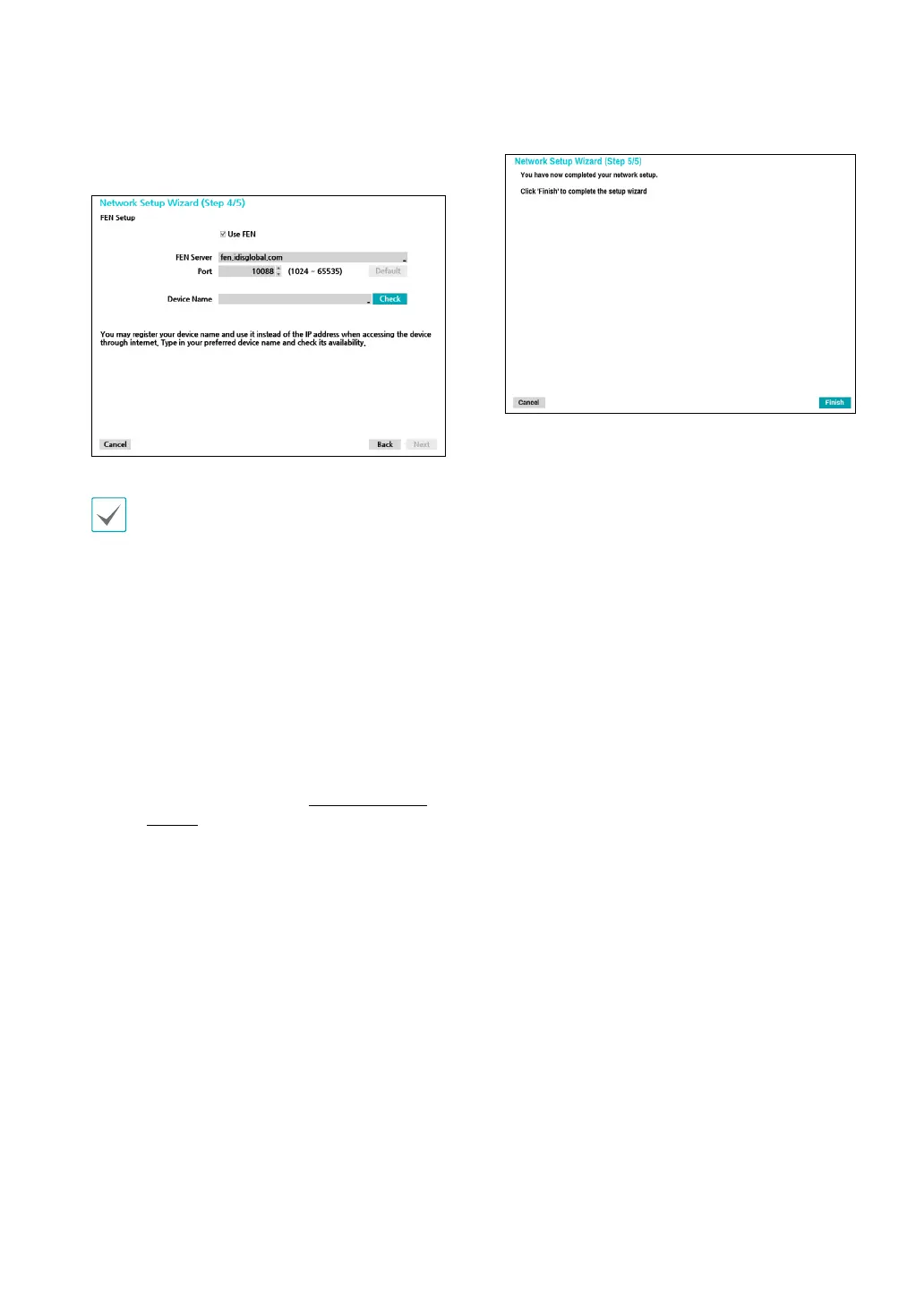
Enter in the Device Name eld the NVR name to be
registered on the FEN server and then click Check to
check its availability.
•
The device name you register on the FEN server
will be a unique name used to identify the
NVR. Once registered, the name can be used
to access the NVR directly from clients such as
the IDIS Center. Check the name's availability
to complete the registration process. The Finish
button will then become activated.You will
be prompted with an error message if you do
not enter a name for the NVR or enter a name
already registered on the FEN server.
•
Depending on the network environment,
FEN services may not be active and therefore
prevent the NVR from connecting to the
network. In this case, you will need to manually
congure the ports. For more information on
port conguration, refer to Network Setup on
page 59.
5
Click Finish to exit Network Wizard.


 To Next Page