Part 2 - Conguration
44
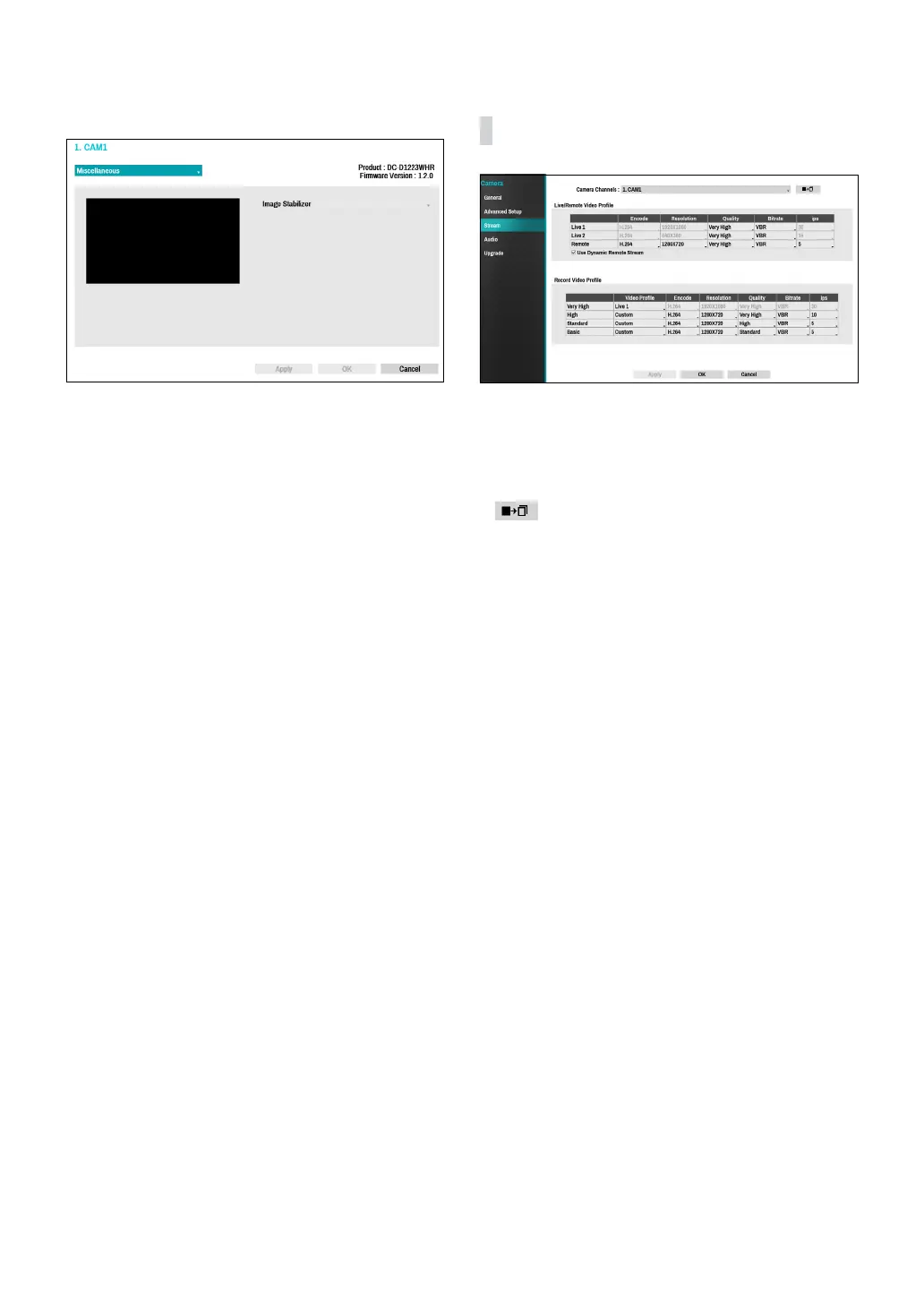
Miscellaneous
Image Stabilizer: Activate Image Stabilizer. The Image
Stabilizer reduces blurring caused by camera shake that
results from external conditions such as the wind.
Stream
Congure the camera’s live and recording resolution,
encode, picture quality, transfer speed, and ips speed
settings.
● Camera Channels: It’s possible to congure a unique
video prole for each camera.
●
: Apply the video prole settings of the camera
selected under Camera Channel to a dierent camera.
● Live/Remote Video Prole: Check the current Live
video picture quality and edit remote video prole
settings.
– Use Dynamic Remote Stream: Automatically
transmits the Live 1 (Single Screen), Live 2 (2x2), or
Remote (greater than 2x2) stream, depending on
the remote program’s live screen layout.
● Record Video Prole: Set up 4 recording quality
proles.
● Video Prole: Select Live 1, Live 2, Remote, or
Custom (available from Record Video Prole only).
Live 1 and Live 2 allows the user to change Bitrate
and Quality settings only and congures the
remaining settings automatically.
– Encode: Supports H.264.
– Resolution: Select a resolution supported by the
camera. Maximum available resolution is chosen
automatically based on the selected video prole.
– Quality: Select Very High, High, Standard, Low or
Manual. You can assign dierent Quality settings to
dierent cameras.
– Bitrate: Select CBR or VBR. Transmitted data size
is xed with CBR but varies depending on the
amount of movements in the images with VBR.
– ips: Select a value between 1 and 30. Maximum ips
is determined automatically based on the selected
video prole.



 To Next Page