Part 2 - Conguration
64
Notication Setup
Schedule
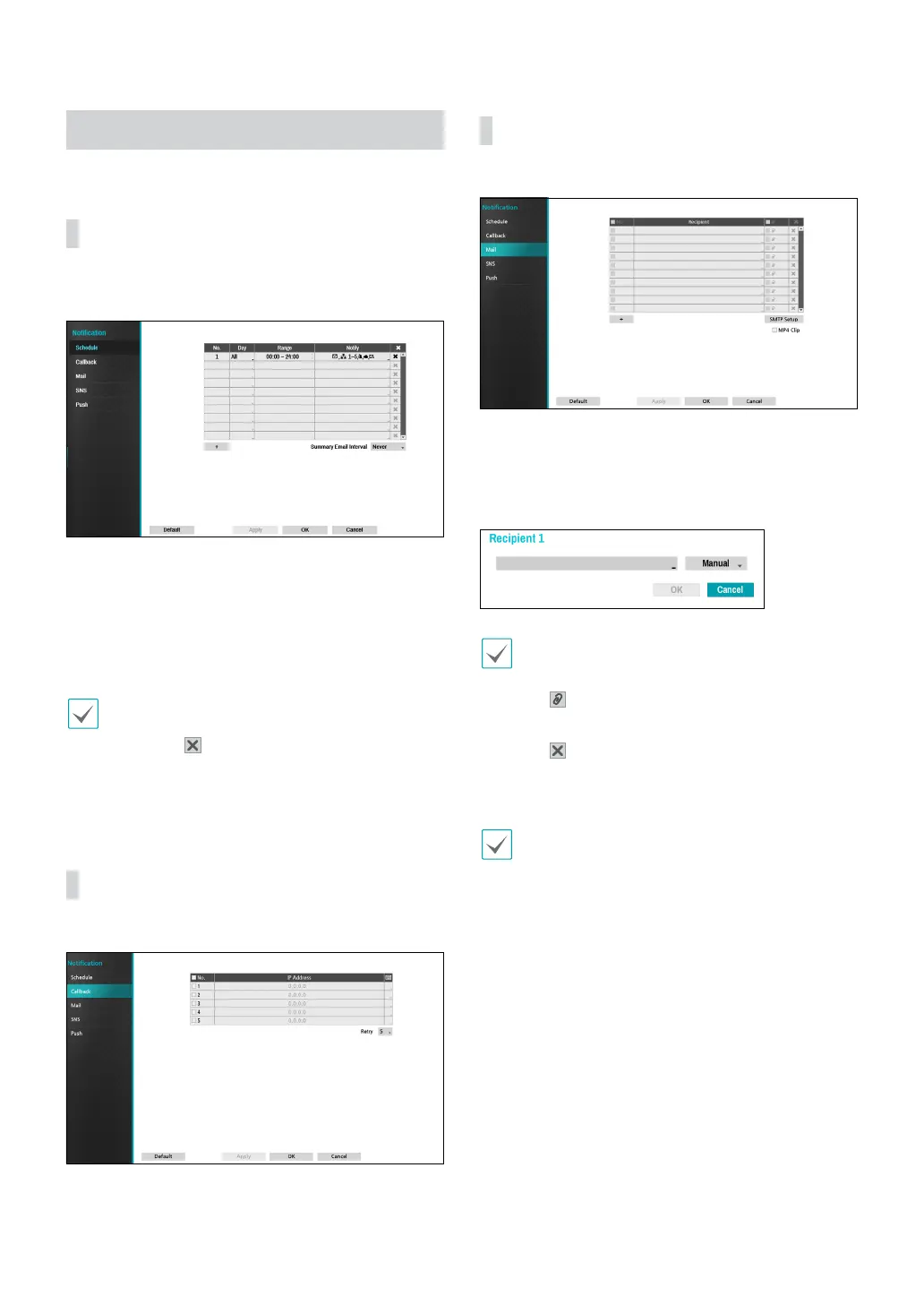
Select the + icon at the lower left corner of the screen to
add a notication schedule.
● Day: Add dierent schedules for dierent days of the
week.
● Range: Change the event notication time frame.
● Notify: Select which notications to generate when
an event occurs. Select Mail, LAN 1 through 5, SNS,
Push, and/or Summary.
• In order to use the Notication (Callback) feature,
the NVR must be registered on the remote program.
• Select the
icon to delete the existing schedule.
● Summary Email Interval: Transmit event summary
emails to a remote destination at specied intervals.
Callback
Congure Callback settings.
Enter the IP address of the receiving server and set
Retry to between 1 and 10 in case of connection failure.
Mail
Congure Mail settings.
Select the + icon at the bottom left corner of the screen
to add a mail account.
Select Recipient and then enter the mail address and
server information.
The recipient's mail address must be in the correct
email format and contain the @ symbol.
Select the icon to attach event recordings to
outgoing mails.
Select the
icon to remove the account.
Select MP4 Clip to attach event recordings to outgoing
mails.
The event recordings generated by a camera can
be attached only. Select the MP4 Clip option at the
bottom to attach .mp4 video clips.



 To Next Page