p.30
I/O time setup
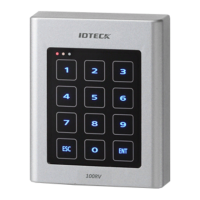
100RV
1 To specify the output time if the card is authenticated
You can specify the output time if the card ID is authenticated.
When the card ID is authenticated, the door relay and the TTL output operate for a set time.
1. Present the Master Card to the device.
2. Press Button and Button in sequence and press .
3. Enter the two-digit door open time and press .
4. Specify the two-digit TTL output time and press .
• For instance, if you set the door open time to “03” and TTL to “00”, the door relay
operates for 3 seconds for an authenticated card ID.
• By default, the door relay operates for “03” seconds while the TTL output works for
“00” second in normal and Secure modes.
• You can specify from 00 to 99.
2 To specify the output time if the card is not
authenticated
You can specify the output time if an unregistered card or PIN number fails in getting
authenticated.
1. Present the Master Card to the device.
2. Press Button twice and press .
3. Refer to the output port table on page 28 and specify a desired output mode.
• If you want the alarm relay alone to operate in normal and Secure modes for an
unauthenticated card, select the < > buttons and press .
4. Enter the two-digit door relay output time and press .
5. Enter the two-digit alarm relay output time and press .
6. Enter the two-digit TTL output time and press .


 To Next Page