17
UK
Setting of other parameters
► Start again with step 1�
Finishing the parameter setting
► Press [Mode/Enter] several times until the current measured value is displayed or wait
for 15
s (from menu level 1) or 30 s (from menu level 2)�
> The unit returns to the operating mode�
• If [S�Loc] is displayed when an attempt is made to modify a parameter value,
either an IO-Link communication is active (temporary locking) or the sensor
is permanently locked via software� This locking can only be removed via a
parameter setting software�
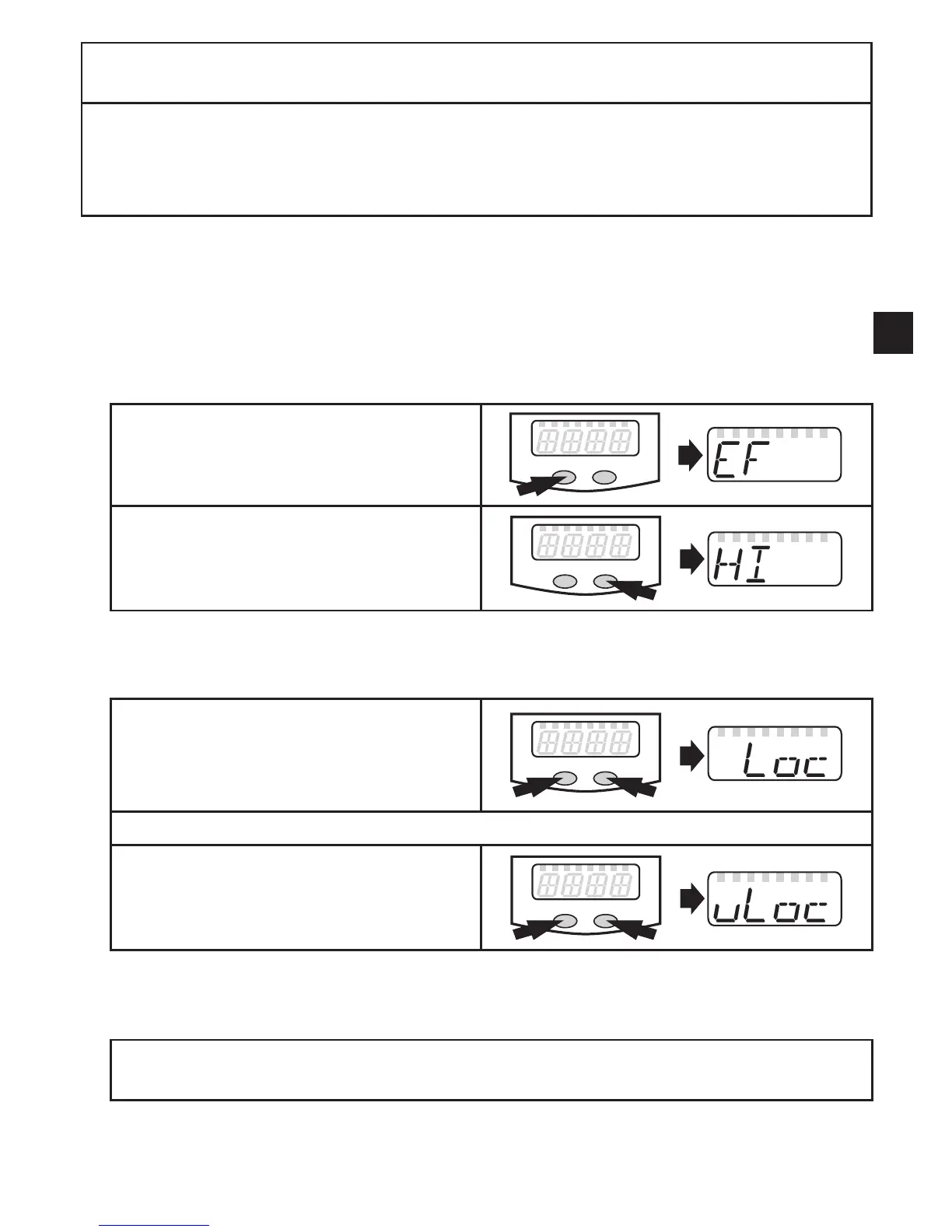
• Change from menu level 1 to menu level 2:
► Press [Mode/Enter] until [EF] is
displayed�
► Press [Set] briefly�
> The first parameter of the submenu is
displayed (here: [HI])�
• Locking/unlocking:
The unit can be locked electronically to prevent unintentional settings�
► Make sure that the unit is in the
normal operating mode�
► Press [Mode/Enter] + [Set] for 10 s�
> [Loc] is displayed�
During operation: [LOC] is briefly displayed if you try to change parameter values�
For unlocking:
► Press [Mode/Enter] + [Set] for 10 s�
> [uLoc] is displayed�
When delivered: unlocked
• Timeout:
If no button is pressed for 15 s during parameter setting, the unit returns to the operat-
ing mode with unchanged values�












 To Next Page