18
9.2 Settings for volumetric flow monitoring
9.2.1 Settings for limit value monitoring with OUT1
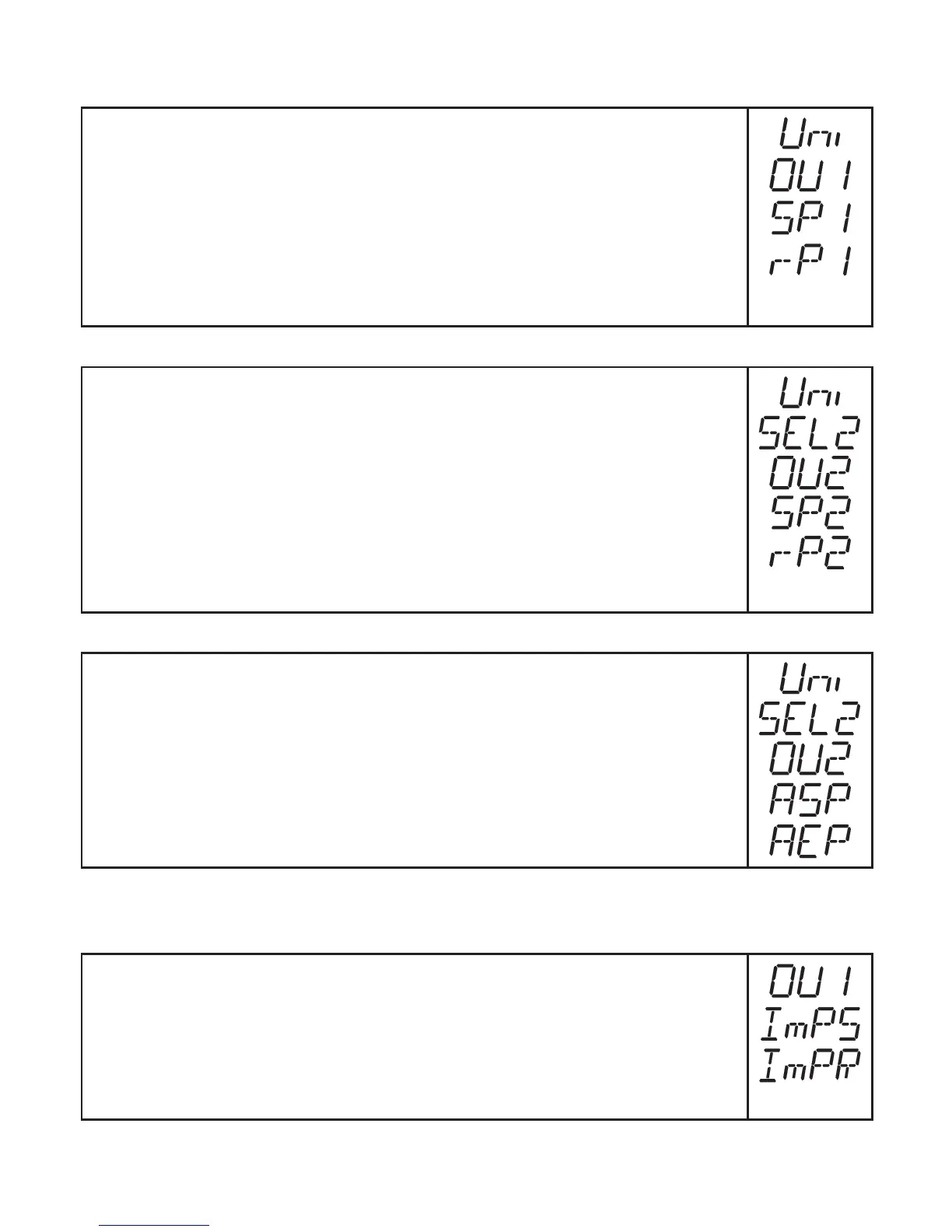
► Select[Uni]andsettheunitofmeasurement(→9.5.1).
► Select [OU1] and set the switching function�
- [Hno] = hysteresis function/NO
- [Hnc] = hysteresis function/NC
- [Fno] = window function/NO
- [Fnc] = window function/NC
► Select [SP1] and set the value at which the output switches�
► Select [rP1] and set the value at which the output switches off�
9.2.2 Settings for limit value monitoring with OUT2
► Select[Uni]andsettheunitofmeasurement(→9.5.1).
► Select [SEL2] and set [FLOW]�
► Select [OU2] and set the switching function�
- [Hno] = hysteresis function/NO
- [Hnc] = hysteresis function/NC
- [Fno] = window function/NO
- [Fnc] = window function/NC
► Select [SP2] and set the value at which the output switches�
► Select [rP2] and set the value at which the output switches back�
9.2.3 Setting the analogue value for volumetric flow
► Select[Uni]andsettheunitofmeasurement(→9.5.1).
► Select [SEL2] and set [FLOW]�
► Select [OU2] and set the function�
- [I] = current signal proportional to volumetric flow (4…20 mA)
► Select [ASP] and set the value at which the minimum value is provided�
► Select [AEP] and set the value at which the maximum value is provided�
9.3 Settings for consumed quantity monitoring
9.3.1 Settings for quantity monitoring via pulse output
► Select [OU1] and set [ImP]�
► Select [ImPS] and set the volumetric flow quantity at which 1 pulse is
provided(→9.7).
► Select [ImPR] and set [YES]�
> Pulse repetition is active� Output 1 provides a counting pulse each time
the value set in [ImPS] is reached�












 To Next Page