22
ifm Device Manual SmartSPS AC14 with EtherNet/IP interface (AC1421, AC1422), Firmware 3.1.2 2015-11-30
Operation Menu view
>
4.2 Menu view
6996
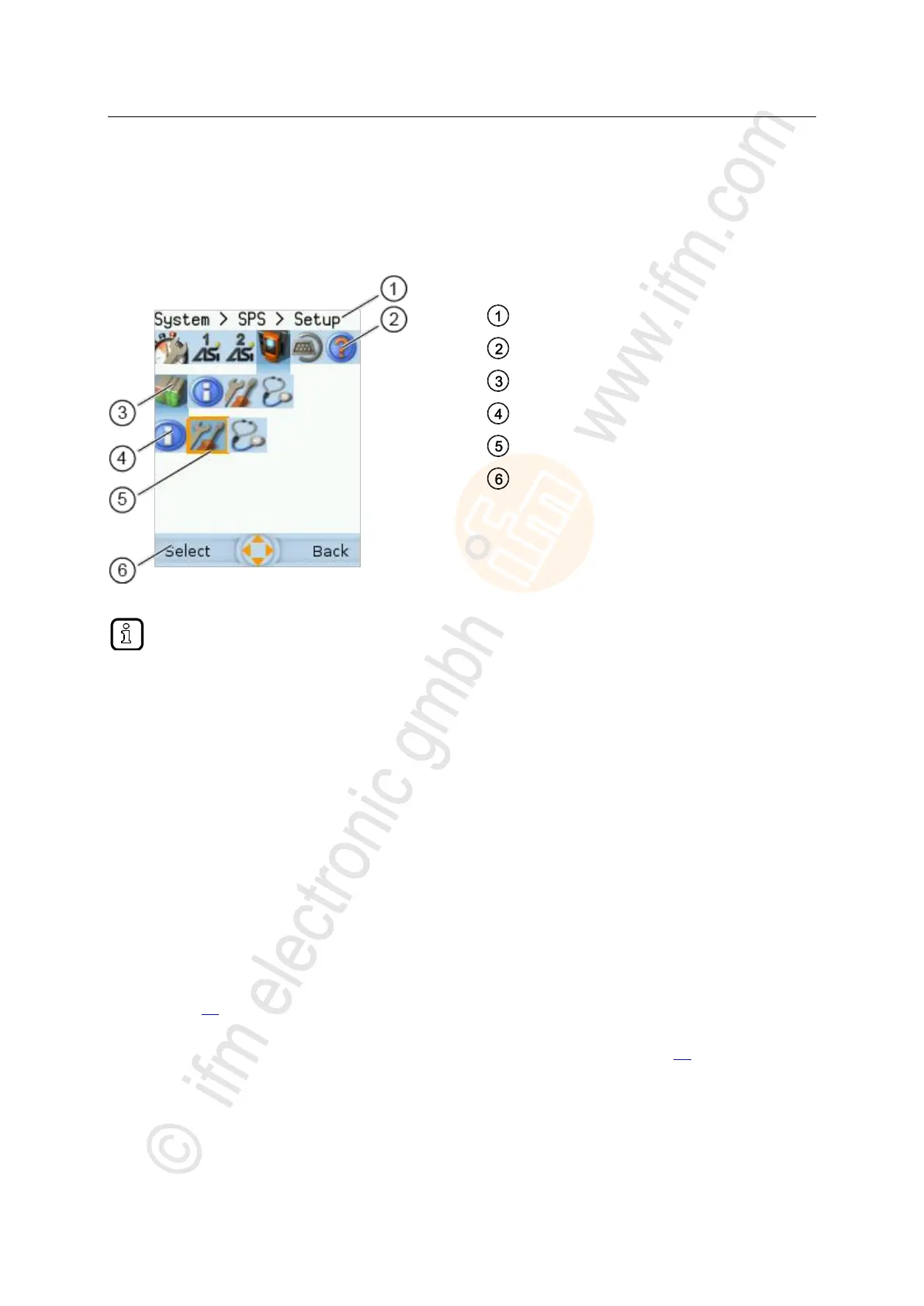
The menu view allows the user to select the menu page with the required control or display function.
Selected menu item (focus)
Navigation status bar with
- labelling of the function keys
- navigation compass
Long texts are displayed as scrolling text in the info bar.
>
4.2.1 Menu navigation
10967
The central operating elements in the menu view are the three navigation bars. They reflect the
menu structure of the device software. Each navigation bar represents a menu level. The symbols in a
navigation bar represent the submenus and menu items.
Rules for menu navigation:
► Use []/[] to navigate within a menu level.
> The selected symbol has the focus (= orange frame).
> If the selected symbol has a submenu, the corresponding subnavigation bar will automatically
appear.
► Use [] to go one menu level down.
► Use [] to go one menu level up.
At the lowest menu level:
► Press [Select] function key to go to the page of the selected menu item (→ Page view
(→ page 25)).
In the main navigation bar:
► Press [Back] function key to return to the start screen (→ Start screen (→ page 45)).



 To Next Page