9
UK
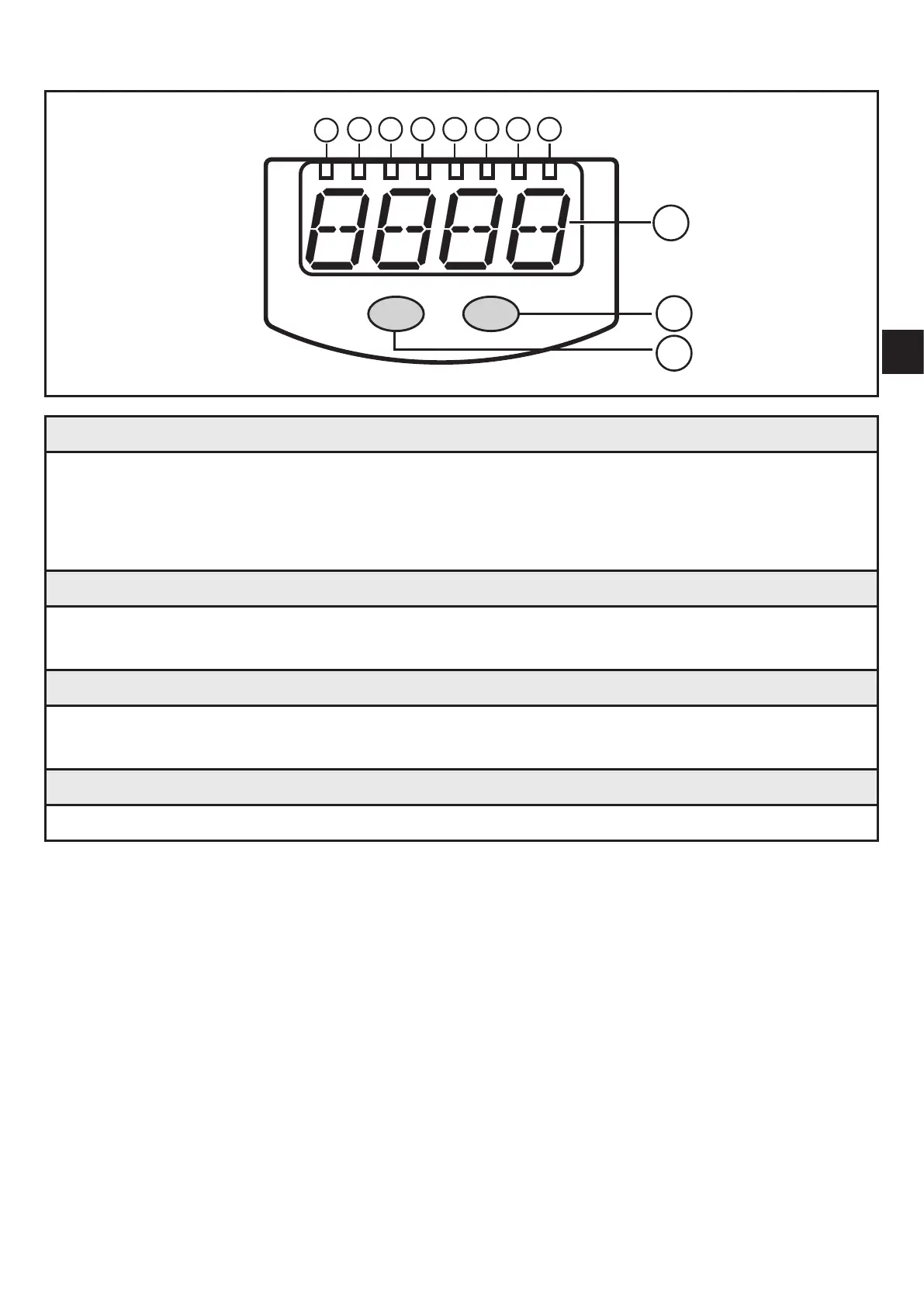
7 Operating and display elements
1 2 3 4 5 6
7
8
10
9
11
Mode/Enter Set
1 to 8: Indicator LEDs
- LED 1 to LED 4 = system pressure in the unit of measurement which is indicated on the
label�
- LEDs 5 to 6: not used,
- LED 7, LED 8 = switching state of the corresponding output�
9: Alphanumeric display, 4 digits
- Indication of the current system pressure�
- Indication of the parameters and parameter values�
10: Set button
- Setting of the parameter values (scrolling by holding pressed; incrementally by pressing
once)�
11: Mode/Enter button
- Selection of the parameters and acknowledgement of the parameter values



 To Next Page