IGEA I-ONE - User Manual
Page 11
5.8 Cleaning the device
The device must be used in accordance with normal hygiene standards and must be cleaned regularly. The presence
near to the device of hair or dust, as well as exposure to direct sunlight, while not causing it to malfunction, should
be avoided.
Before cleaning the generator, make sure it is switched off and disconnected from the power supply: the generator
can be cleaned with a cloth that has been slightly dampened with neutral detergents. Do not use solvents or
aggressive cleaning agents.
Clean the coil regularly using neutral detergents, taking care to disconnect the coil from the generator.
6. PROBLEM SOLVING
6.1 Error messages
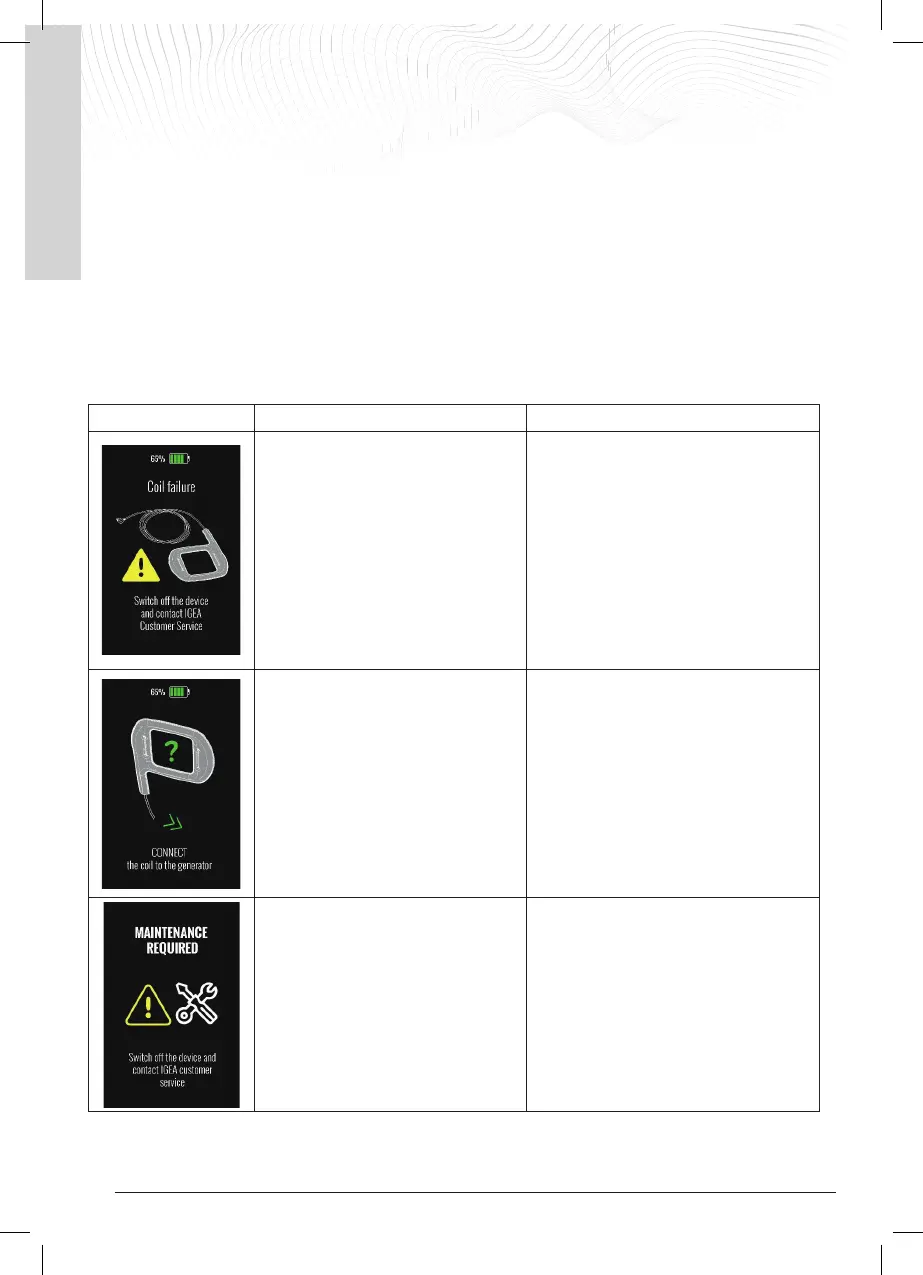
The device recognises and reports any malfunction statuses. Below are the reports it provides and the actions to be
taken to restore its operation.
'Coil Absent’ warning
The device was switched on and the PLAY
button was pressed, but the coil is not
connected to the generator.
The user must connect the coil to the
generator in order to resolve the anomaly
and start/resume treatment by pressing the
PLAY button on the screen.
NOTE: If the coil is not connected to the
generator, the device switches off
automatically after 30 seconds
IGEA I-ONE - User Manual
Page 12
6.2 Anomalies or blocked device
6.2.1 The device will not switch on and will not charge.
External interference or the battery being completely flat (e.g. after prolonged non-use) can block the device,
stopping it from working as normal.
To unlock it, proceed as follows:
1. Connect the external power supply to the generator and wait for up to 30 seconds; the battery should begin
charging as described in section 3.1
2. If charging has not started after 30 seconds, leave the power supply connected to the generator, press and
hold the ON/OFF button for at least 8 seconds.
Continuously pressing the ON/OFF button for 8 seconds causes a generator RESET.
When the button is released, the battery should begin charging.
Leave the generator on charge until it is fully charged before using the device.
If even after the device has been RESET the battery does not start to charge, please contact IGEA Customer Service.
6.2.2 Blocked device during normal operation.
External interference from other electrical and electronic devices in the area of use (modems, mobile phones,
cordless devices, etc.) may interfere with the device and cause it to get blocked.
Should the device become blocked and not respond to normal commands, perform a RESET as described in the
previous paragraph.
6.2.3 Technical Support
In the event of a permanent failure, contact technical support to repair the device.
Technical support for the device is the sole responsibility of the manufacturer IGEA S.p.A. In the
event of a fault or in any case in which the device needs to be serviced, the user must contact the
IGEA S.p.A. support centre.
Tel. 059 699 600 - Fax. 059 695 778 e-mail: info@igeamedical.com
7. SAFETY INSTRUCTIONS
7.1 Warnings and Recommendations
For the device to work safely and at its best, the following recommendations must be strictly followed:
• Read this manual before starting to use the device.
• The I-ONE must be used by people who are capable of independently understanding and implementing the
instructions provided in this manual; otherwise, and if it is being used on children, I-ONE may only be used
under the supervision of people who are capable of understanding and implementing the instructions
provided in this manual.
• When the generator is connected to the external power supply, position the device so that the power
connector can be easily removed if necessary.
• Keep the device away from children and pets, if any.
• Caution: connecting cables may cause a strangulation hazard if they are not used correctly.
• Do not use the device in the presence of flammable gases.
• Do not connect any part of the device to other equipment or devices.
• Do not connect any parts to the I-ONE which are not intended for use and not supplied by the manufacturer.
• Do not handle any parts of the device with wet hands, and more specifically, do not connect the external
power supply to the mains.
• Do not immerse any of the constituent parts of the device in water or liquids of any kind and do not pour
liquids on them; in the event that the generator accidentally comes into contact with liquids, do not use
the device and return it to the support centre or the manufacturer for inspection/repair.
• It is recommended not to cover the generator during treatment delivery or charging so as to ensure
ventilation.


 To Next Page