6
6
7
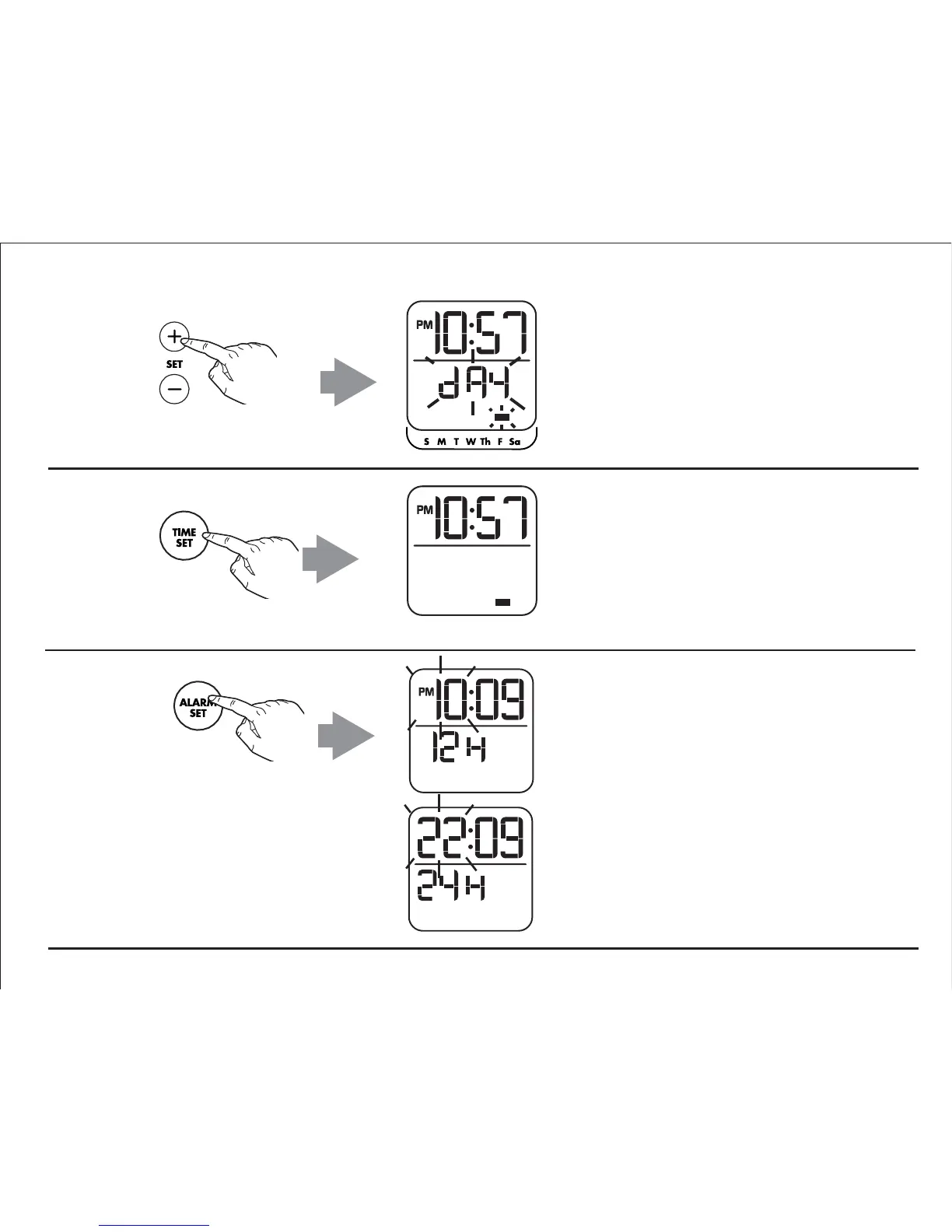
Press and release the Plus or Minus
Setting Button as needed to set the
correct day of the week by matching
the day of the week indicator to the
day of the week printed below the
display.
Press and release the
Alarm Set Button when display is
flashing during hour or minute
setting to toggle display from
default 12 hour display mode to
24 hour display.
Press and release the Time Set
Button to confirm clock setting. 2
beeps will sound to confirm clock
setting is complete.
TIP


 To Next Page