8
4
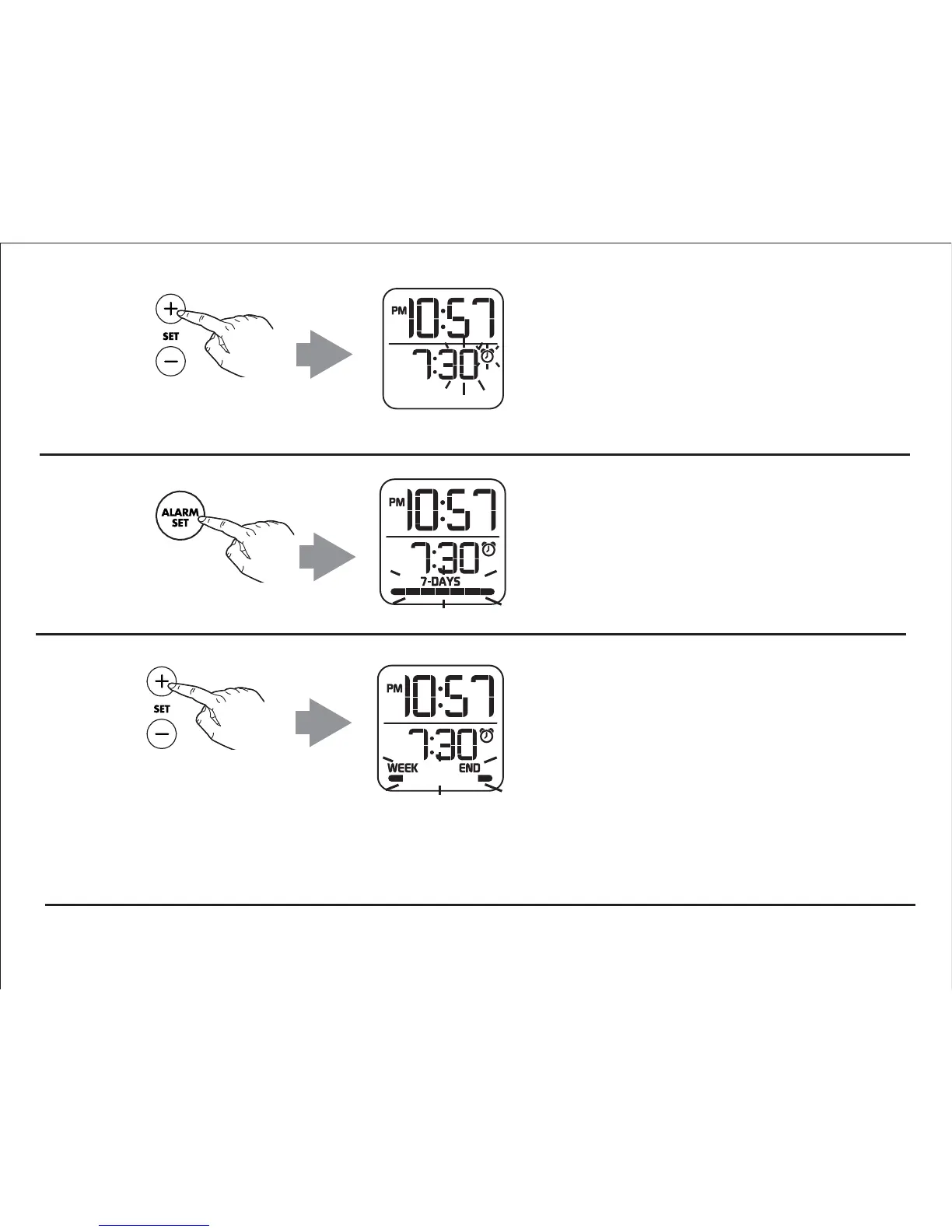
Press and release the Plus or Minus
Setting Button as needed to set the
desired alarm time minutes (hold for
faster setting).
6
Press and release the Plus or Minus
Setting Button as needed to set the
desired alarm schedule:
7 DAYS
(alarm will sound every day),
WEEK DAY
(alarm will sound Monday - Friday), or
WEEK END
(Alarm will sound Saturday and Sunday).
Press and release the Alarm Set
Button to confirm alarm minute
setting. The alarm days schedule
indicator will flash on the display.
5


 To Next Page