AmpliTube X-SPACE
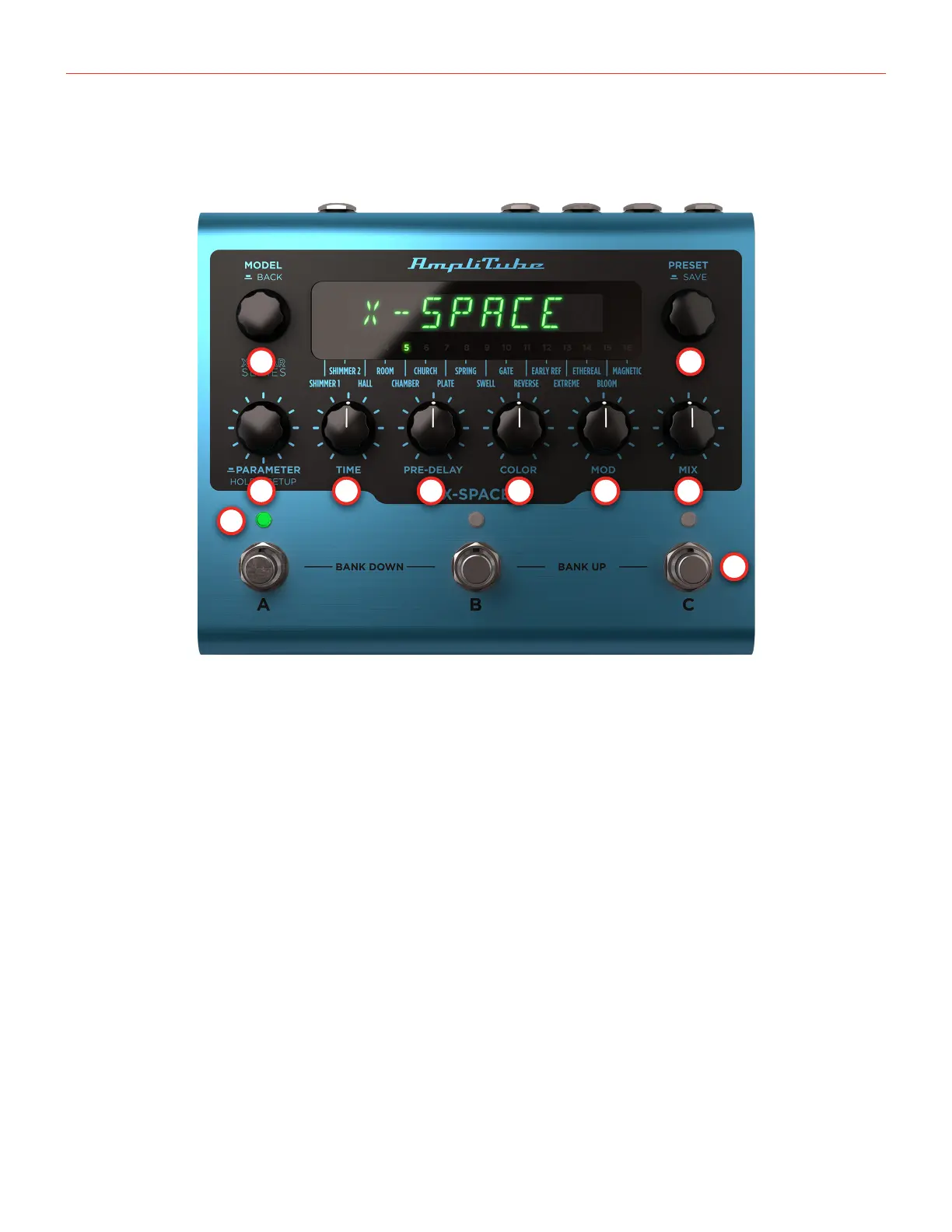
Front Panel Overview
3
Front Panel Overview
1
3
9
4 5 6
10
7 8
2
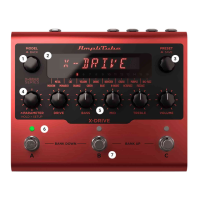
1. MODEL encoder
Turn the MODEL encoder to select the preferred X-SPACE model among the 16 advanced algorithms
available.
Push to go back when browsing menus.
2. PRESET encoder
Turn the PRESET encoder to browse among the 300 preset slots available in the machine.
Push to save a preset and choose its name and bank position.
3. PARAMETER encoder
Each model inside X-SPACE has its own parameter set.
Push the PARAMETER encoder to access the additional parameters of the selected model. The last edited
parameter is always available by pressing or rotating the parameter encoder.
Hold the PARAMETER encoder to access the global and preset setups.
4. TIME knob
The TIME knob controls the reverb tail length.


 To Next Page
 Loading...