22 23
None
Profile 1
SP-1
Stop
0
mpa.s
rpm
η
n
100.00
00:00:00 0.0
%
M
None
Profile 1
SP-1
Stop
83
mpa.s
rpm
η
n
100.00
00:03:10 47.0
%
M
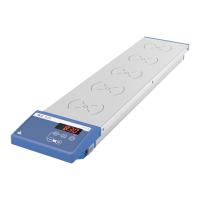
/// Start the test:
Menu navigation and structure
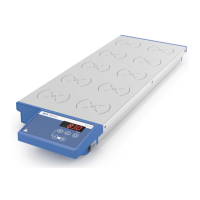
/// Menu navigation
Menu
...
BackBack
Menu
MENU
Viscosity
scos
t
None
SP-1
Stop
0
mpa.s
rpm
n
0.00
00:00:00 0.0
%
M
Viscosity
Accuracy
Control mode
Density
Spindle
›
Press the “Menu” button�
› Select the menu by rotating the control knob to select the desired menu or sub-menu, which
can then be selected by pressing the control knob�
›
Press or turn the control knob again to select the desired menu option and edit the values or
settings, or activate/deactivate a function�
›
Rotate the control knob to “OK” or press the "Back" button or "Menu" button to end the
procedure and return to the previous menu�
Note: The menu option activated is highlighted blue on the screen�
Navigation menu: Press the “Menu“ button and turn the control knob�
Press the "Back" kutton or the "Menu" button�
Note: If you press the “Menu“ key, the system skips directly back to the working screen�
If you press the “Back“ key, the system skips back to the previous display�
None
Profile 1
SP-1
Stop
0
mpa.s
rpm
η
n
0.00
00:00:00 0.0
%
M
None
Profile 1
SP-1
Stop
0
mpa.s
rpm
η
n
100.00
00:00:00 0.0
%
M
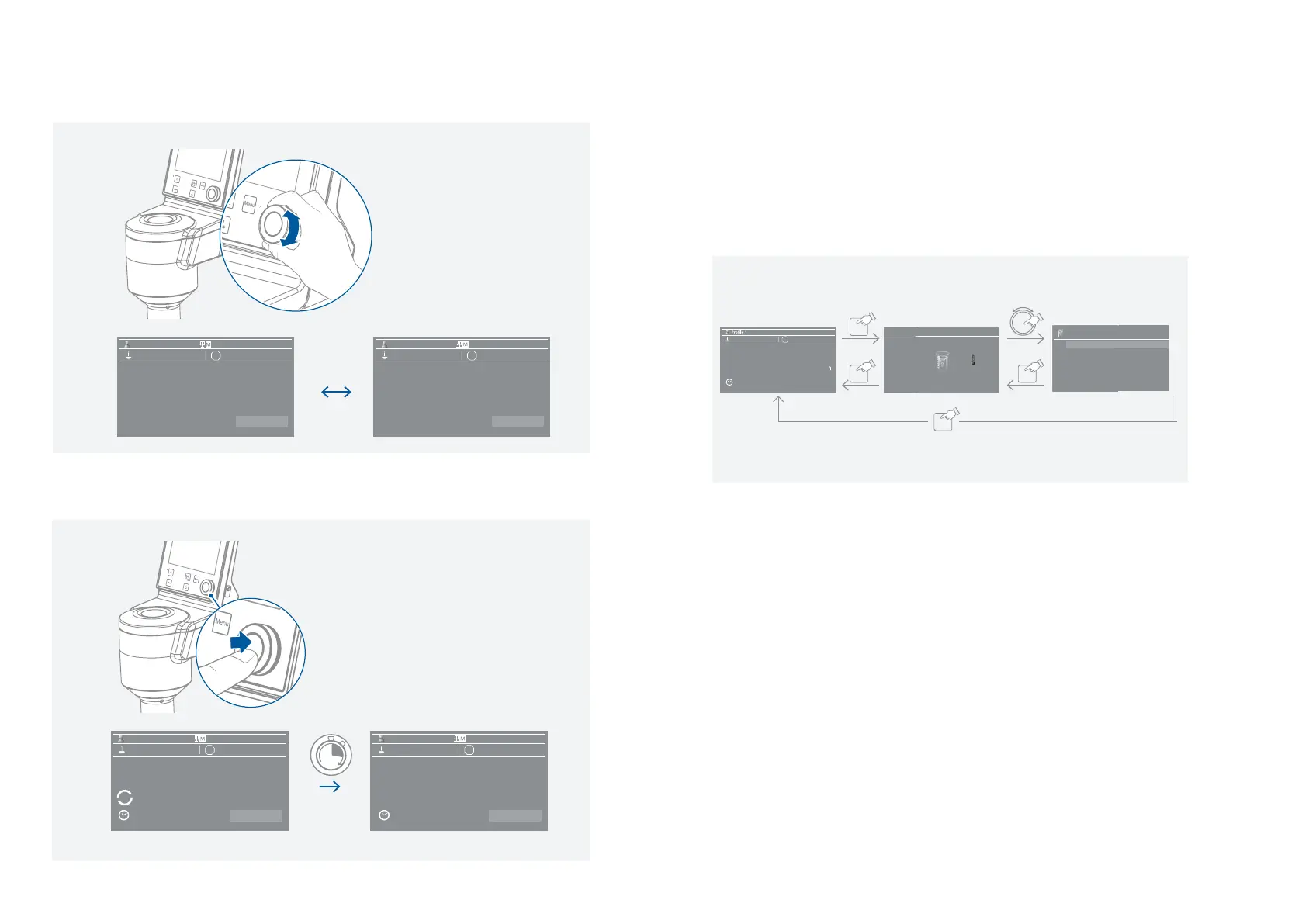
/// Set the test speed (0 ��� 200 rpm):
Note: Select the speed according to the viscosity of the test medium and the selected spindle� No turbulence
may occur in the test medium�


 To Next Page