How to Use
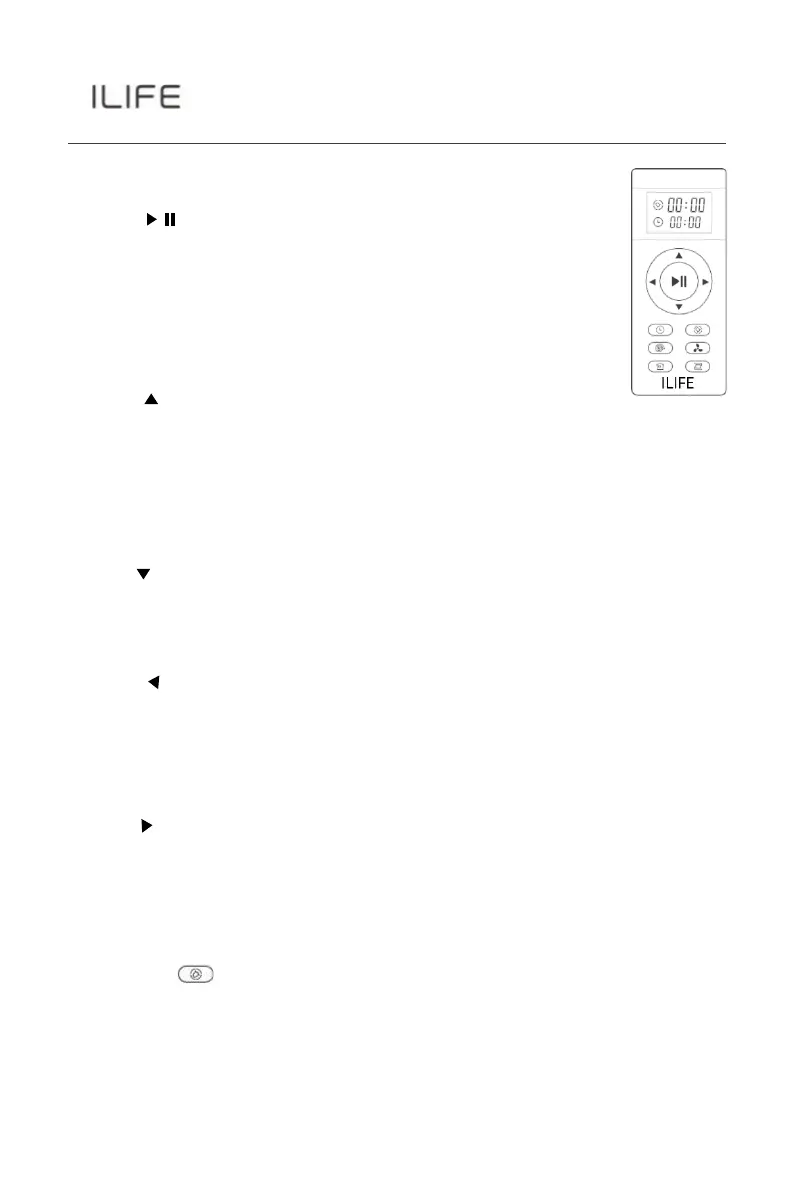
Remote control operating
1.“ “Starting up/Pause
•
To start cleaning in selected mode.
•
To stop current cleaning cycle.
•
To change from sleep mode to selected mode.
2.
Direction Buttons
A.
“ ”
Button
•
To increase minute and hour setting in schedule or clock
mode.
•
To move robot forward in selected mode.
•
To stop the robot when it hits against objects.
B. “ ” Button
•
To decrease minute and hour setting in schedule or clock
mode.
C. “ ” Button
•
To change from minute to hour in schedule or clock
mode.
•
To turn the robot left.
D.
“ ” Button
•
To change from hour to minute in schedule or clock
mode.
•
To turn the robot right.
3.
" ” Plan
•
To enter schedule mode when robot is in selected mode.
•
To confirm cleaning schedule.
For More detailed information, please visit: wwww.iliferobot.com



 To Next Page