How to Use
1.
Getting started
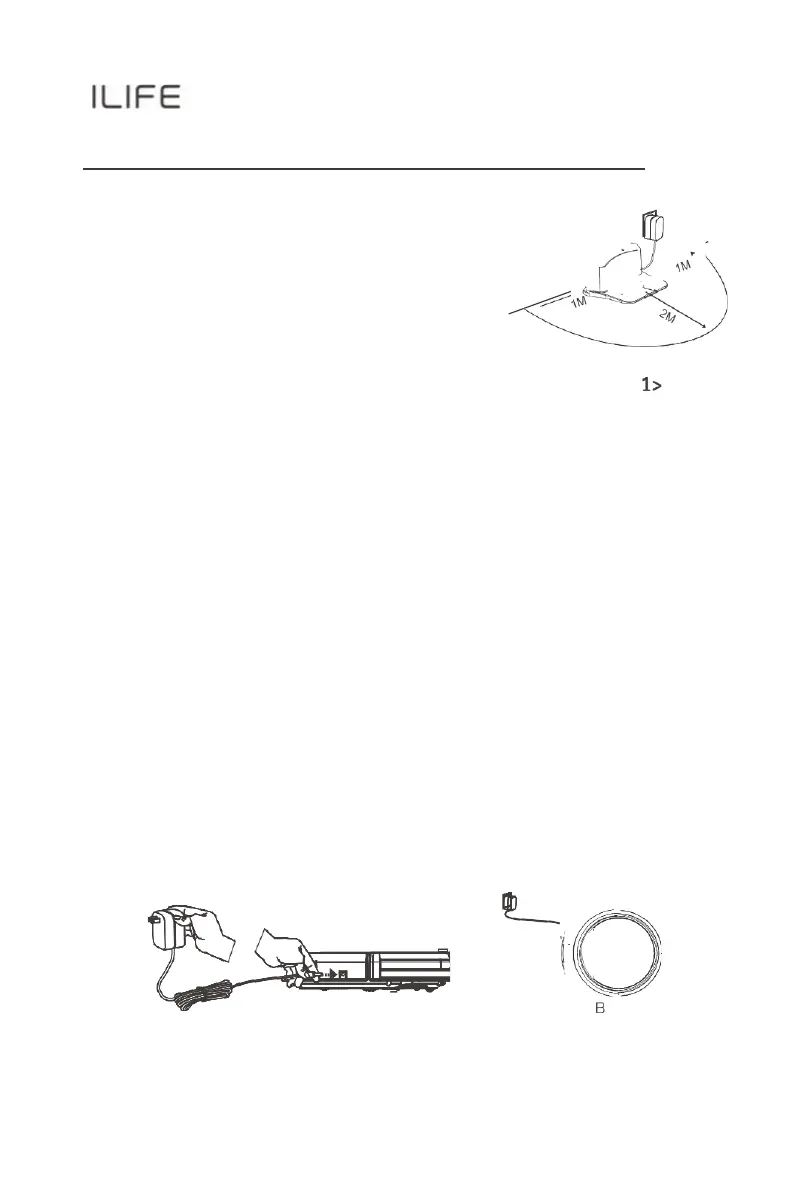
1>. Place charging dock on the floor and plug-in adapter.
Signal light on charging dock will turn solid.
Note:
Put charging dock against a wall and
remove obstacles about 1 meter on
both sides and
about 2meters in
front.
2>. Display panel will flash after the power
switch (near the power socket) is turned
on.
(If no command is received, the robot will switch to sleep mode after
10min)
Note:
A.
Always keep the power switch on, otherwise the robot will not
work.
B.
If power switch is turned off, all scheduled cleaning will
be lost.
Caution:
Before charging the robot, make sure the power switch is turned on.
3>. Robot can be recharged by:
A.
plugging into an electrical outlet;
B.
pressing (HOME) button on remote control — the robot
will return to
charging dock for auto recharge.
A



 To Next Page