EasyManua.ls Logo

Ilife V7s - CLEAN MODES

Ilife V7s
17 pages
Print Icon
To Next Page IconTo Next Page
To Previous Page IconTo Previous Page
Loading...
Product
Operating
CLEAN
MODES
Four
cleaning
modes
are
provided
to
meet your needs.
1
>
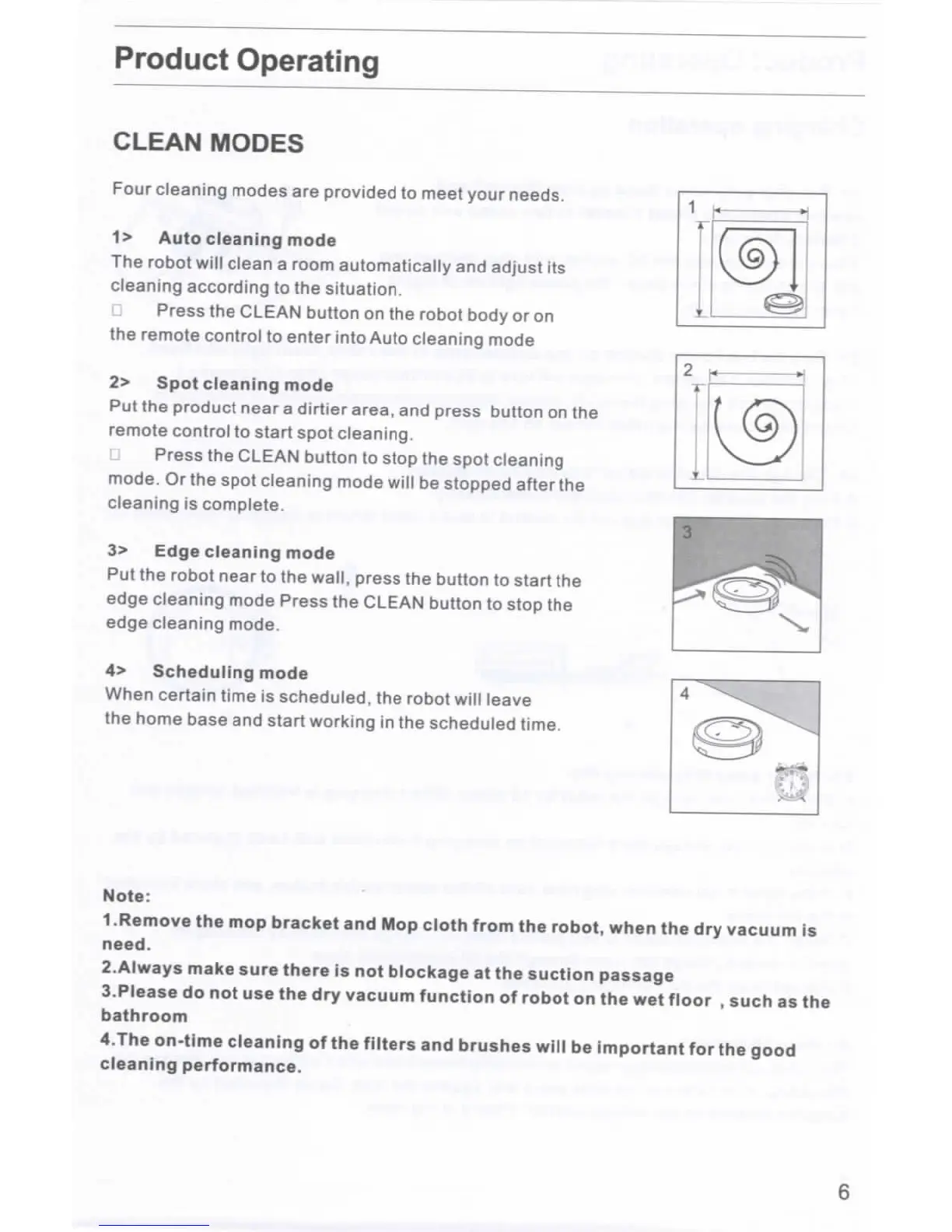
Auto cleaning mode
The
robot
will
clean
a
room automatically
and
adjust
its
cleaning according
to the
situation.
Press
the
CLEAN button
on the
robot body
or on
the
remote control
to
enter into Auto cleaning mode
2>
Spot
cleaning
mode
Put the
product near
a
dirtier
area,
and
press button
on the
remote
control
to
start
spot
cleaning,
Press
the
CLEAN button
to
stop
the
spot cleaning
mode.
Or the
spot
cleaning
mode
will
be
stopped
after
the
cleaning
is
complete.
3>
Edge cleaning mode
Put
the
robot near
to the
wall, press
the
button
to
start
the
edge cleaning mode Press
the
CLEAN button
to
stop
the
edge
cleaning
mode.
4>
Scheduling
mode
When
certain
time
is
scheduled,
the
robot
will
leave
the
home base
and
start working
in the
scheduled
time.
Note:
1.Remove
the mop
bracket
and Mop
cloth from
the
robot, when
the dry
vacuum
is
need.
2.Always
make sure there
is not
blockage
at the
suction
passage
3.Please
do not use the dry
vacuum function
of
robot
on the wet
floor
,
such
as the
bathroom
4.The
on-time
cleaning
of the
filters
and
brushes will
be
important
for the
good
cleaning performance.
6

Related product manuals