User’s Manual REVEXplus, REVEXplus USB
Copyright © 2006–2019 ILLKO, s.r.o.
• Press the U, I
key and release it repetitively in order to select current consumption
measurement function I. The (A) indicator has to light up.
• Connect tested appliance to test socket 1.
• Press the START key; measurement starts to run (see chapter 4.1. for measurement
control details). Measurement is indicated by the (START) indicator.
• Switch on tested appliance’s mains switch and put it into operation.
• Finish measurement after displayed result is stabilized (see chapter 4.1. for
measurement control details).
• After finishing of measurement (the (START) indicator turns off) the last measured
value of tested appliance’s supply current is displayed.
• Switch off tested appliance’s mains switch.
4.7.3. Current measurement by means of current clamp -
EXT
The
EXT
key activates external input EXT INPUT. If it is activated, the (EXT)
indicator lights up and test socket 1 is not functional!
• Connect optional current clamp to the EXT INPUT terminal on the rear side of the
REVEXplus.
• Press and release the EXT key repetitively until the (A) indicator lights up. The
(EXT) indicator is turned on, too.
• Switch on tested appliance’s mains switch and put it into operation.
• Enclose with current clamp’s jaws live conductor L of measured appliance.
• Press the START key; measurement starts to run (see chapter 4.1. for measurement
control details). Measurement is indicated by the (START) indicator.
• Finish measurement after displayed result is stabilized (see chapter 4.1. for
measurement control details).
• After finishing of measurement (the (START) indicator turns off) the last measured
value of current is displayed.
• Switch off tested appliance’s mains switch.
M
m A
cos
A V
VA
W
K
PROTEC T
EXT
INV
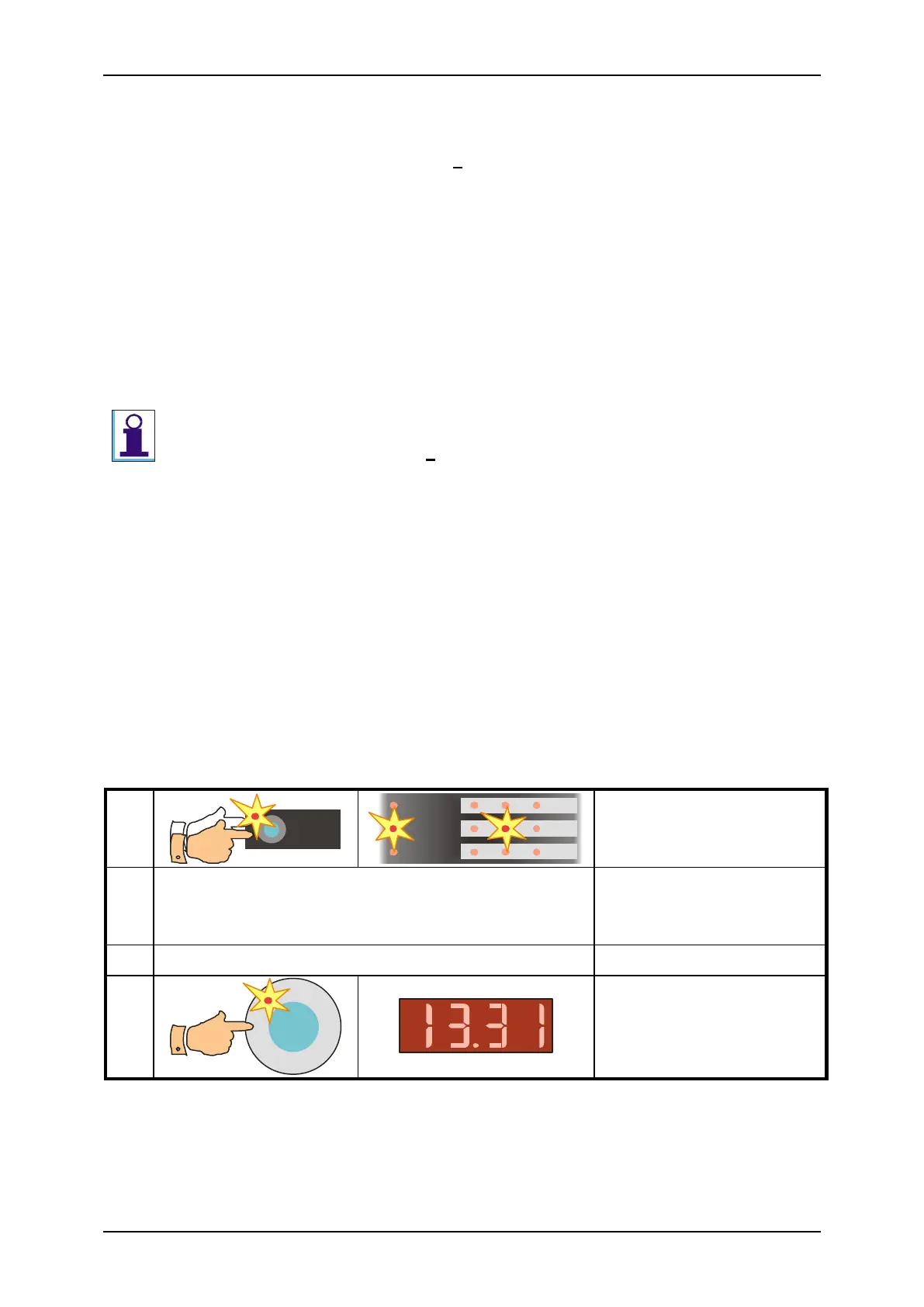
Connect current clamp to the instrument and
enclose with its jaws live conductor of
measured appliance.
Switch on mains switch of tested appliance
Fig. 15 – Current measurement by means of current clamp



 To Next Page