18
EN
CHANNEL SELECTION
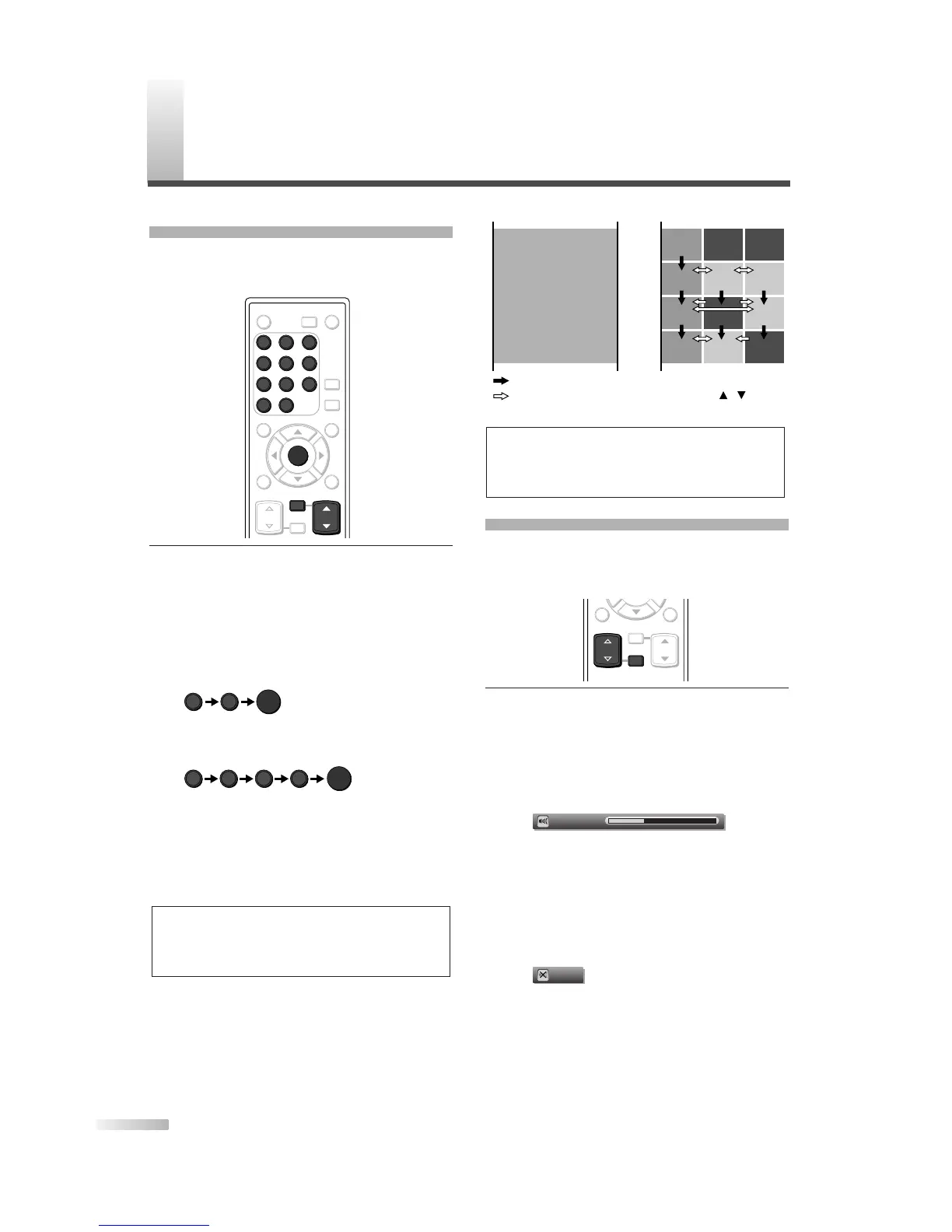
You can select the channel by using either [CH
K
/
L
]
or Channel number buttons. How to select the
channel in each way is shown below.
1
Using [CH
K
/
L
], or Channel number buttons
and pressing
[ENTER].
• Using
[CH
K
/
L
], change the channel.
• Same operation is available with
[CHANNEL
K
/
L
] on the top panel of the main unit.
•
When you select a channel, press the channel
number you want to view with
Channel number
buttons. The selected channel will be displayed.
- When selecting analog channel 12
- When selecting digital channel 12-1
Be sure to press
[–] before entering the
minor-channel number.
•
If the channel broadcasts NTSC and ATSC both
and you don't press
[–], then you will receive the
NTSC channel only. The moment you press
[–],
the lowest memorized digital channel will be dis-
played.
• When you press [CH RETURN], the previously
selected channel will be selected.
About minor-channel broadcasting:
There may be different programs being broad-
cast on minor-channels through a single chan-
nel from ATSC. You can watch each minor-
channel program being broadcast by selecting
one of the minor-channels.
NOTE:
• In the DTV broadcasting, one channel sometimes broad-
casts multiple programs depending on the air time. In this
case, the main channel is called major channel and the
minor-channel is called minor channel.
VOLUME ADJUSTMENT
This section describes how to adjust the volume
when viewing TV. The Mute function, which is use-
ful when you have a visitor or a phone call, will be
also described.
1 Using [VOL.
X
/
Y
] or [MUTE].
[VOL.
X
/
Y
]
•
You can adjust the audio volume with [VOL.
X
/
Y
].
• The volume bar is displayed at the bottom of
the screen when adjusting the volume.
• Same operation is available with
[VOLUME
X
/
Y
] on the top panel of the main unit.
• The volume bar display will automatically dis-
appear in a few seconds.
[MUTE]
• Press [MUTE] on the remote control to mute
the sound.
• To release the Mute status, press
[MUTE]
again or press [VOL.
X
/
Y
].
• “Mute” is displayed on the screen for a few sec-
onds.


 To Next Page