20
EN
SWITCHING EXTERNAL INPUT
When you connect external devices including a
DVD player and home audio system, you can easily
switch the input mode with the remote control.
1
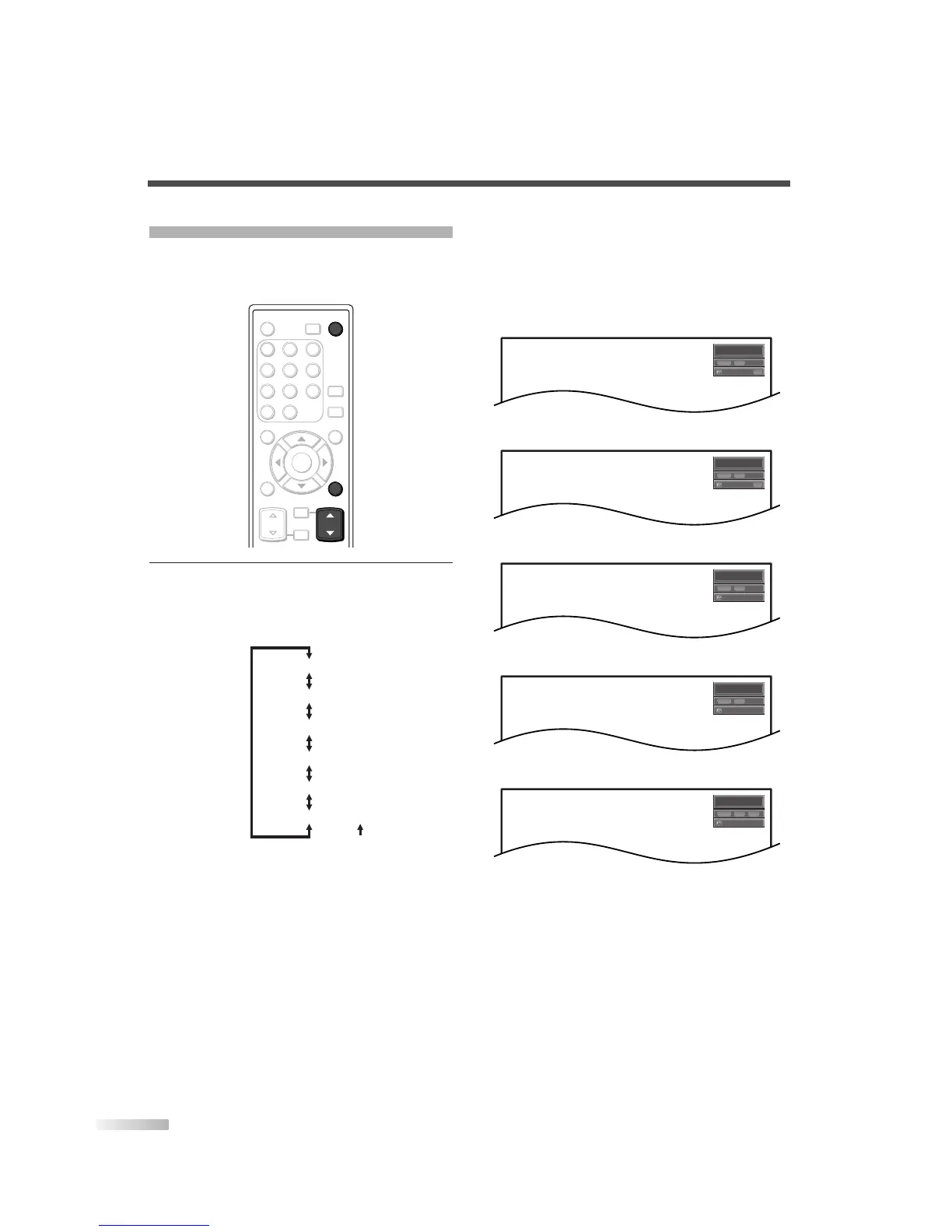
Switch the input mode.
• When you press
[INPUT SELECT] or [CH
K
/
L
] on the remote control, the input mode will
be switched as below.
• To use the VIDEO1 or S-VIDEO1 input jack on
the TV, select “Video1”.
• To use the VIDEO2 or S-VIDEO2 input jack on
the TV, select “Video2”.
• To use the COMPONENT1 input jacks on the
TV, select “Component1”.
• To use the COMPONENT2 input jacks on the
TV, select “Component2”.
• To use the HDMI IN jack on the TV,
select “HDMI”.
• When you press [INFO], the current external
input mode, the type of resolutions for video
signal, TV aspect ratio, CC and TV rating will
be displayed at the top-right of the screen.
1) When using VIDEO1 or S-VIDEO1 input jack
2) When using VIDEO2 or S-VIDEO2 input jack
3) When using COMPONENT1 input jacks
4) When using COMPONENT2 input jacks
5) When using HDMI IN jack
• The information display will automatically dis-
appear in one minute.


 To Next Page