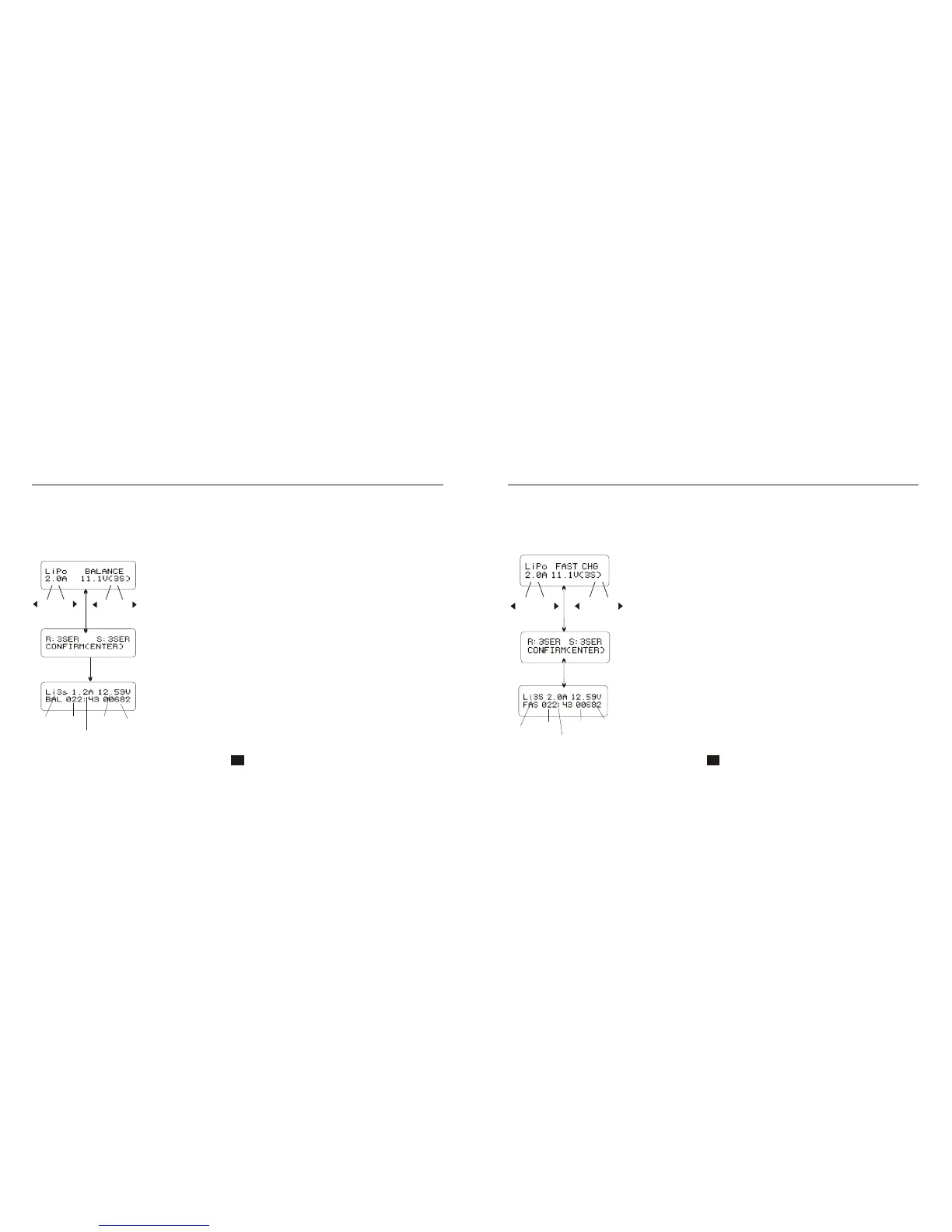
CHARGING LITHIUM BATTERY IN THE BALANCE MODE
INC
INC
DEC
DEC
-
-
+
+
Start
Enter
Batt type
Stop
‘>3 seconds’
Start
Enter
Charged
capacity
Number
of
cells
Charging
time
Charging
current
Battery
voltage
The left side of the first line shows the type of battery you choose. The
value on the left of the second line of the charger is current user set, After
setting the current and voltage, press START/ENTER key for more than 3
seconds to start the process.(charge current: 0.1-10.0A, voltage: 3.7-
22.2V).
This displays the number of cells you set up and the processor detects.
“R” shows the number of cells detected by the charger and “S” is the
number of cells set by you at the previous screen. If both numbers are
identical you can start charging by press START/ENTER button. If not,
press BATT TYPE/STOP button to go back to previous screen to carefully
check the number of cells of the battery pack before going ahead.
This screen shows the real-time status during charge process. Press
BATT TYPE/STOP key once to stop the charge process.
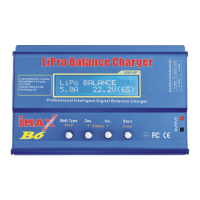
This function is for balancing the voltage of Lithium-polymer battery cells while charging. In the balance
mode, the battery needs to have a balance lead to connect to the individual balance port of the charger.
And you need to connect the battery's power lead to the output of charger. Charging in this mode is
different from the normal modes, because the built-in processor monitors voltage of individual cell and
control input current fed into each cell to equalized voltage of individual cell.
Charging lithium battery in the balance mode
Charging lithium battery in the fast charge mode
CHARGING LITHIUM BATTERY IN THE FAST CHARGE MODE
INCINC
DECDEC
--
++
Start
Enter
Start
Enter
Batt type
Stop
‘>3 seconds’
Current
voltage
battery
Supplied
capacity
Charge
current
Charging
time
Number
of
cells
The value on the left side of the second lines sets the charge current.
The value on the right side of the second lines sets the battery pack's
voltage. After setting current and voltage, press STAR/ENTER for
more than 3 seconds to start the process.
23 24
The charging current is getting smaller as the process goes to the near end term of Lithium battery
charging. To finish charging process earlier, this program eliminate certain term of CV process.
Actually, the charging current will goes to 1/5 from the initial value to end the process while the
normal charging goes to 1/10 during CV term. The charging capacity may be a bit smaller than
normal charging but the process time will be reduced.
This screen shows the real-time status during charge process. Press
BATT TYPE/STOP key once to stop the charge process.
This displays the number of cells you set up and the processor detects.
“R” shows the number of cells detected by the charger and “S” is the
number of cells set by you at the previous screen. If both numbers are
identical you can start charging by press START/ENTER button. If not,
press BATT TYPE/STOP button to go back to previous screen to
carefully check the number of cells of the battery pack before going
ahead.



 To Next Page