DISCHARGING OF THE PB BATTERY
Discharging of the Pb battery
DEC
-
Batt type
Stop
INC
+
DEC
Start
Enter
-
‘>3 seconds’
INC
+
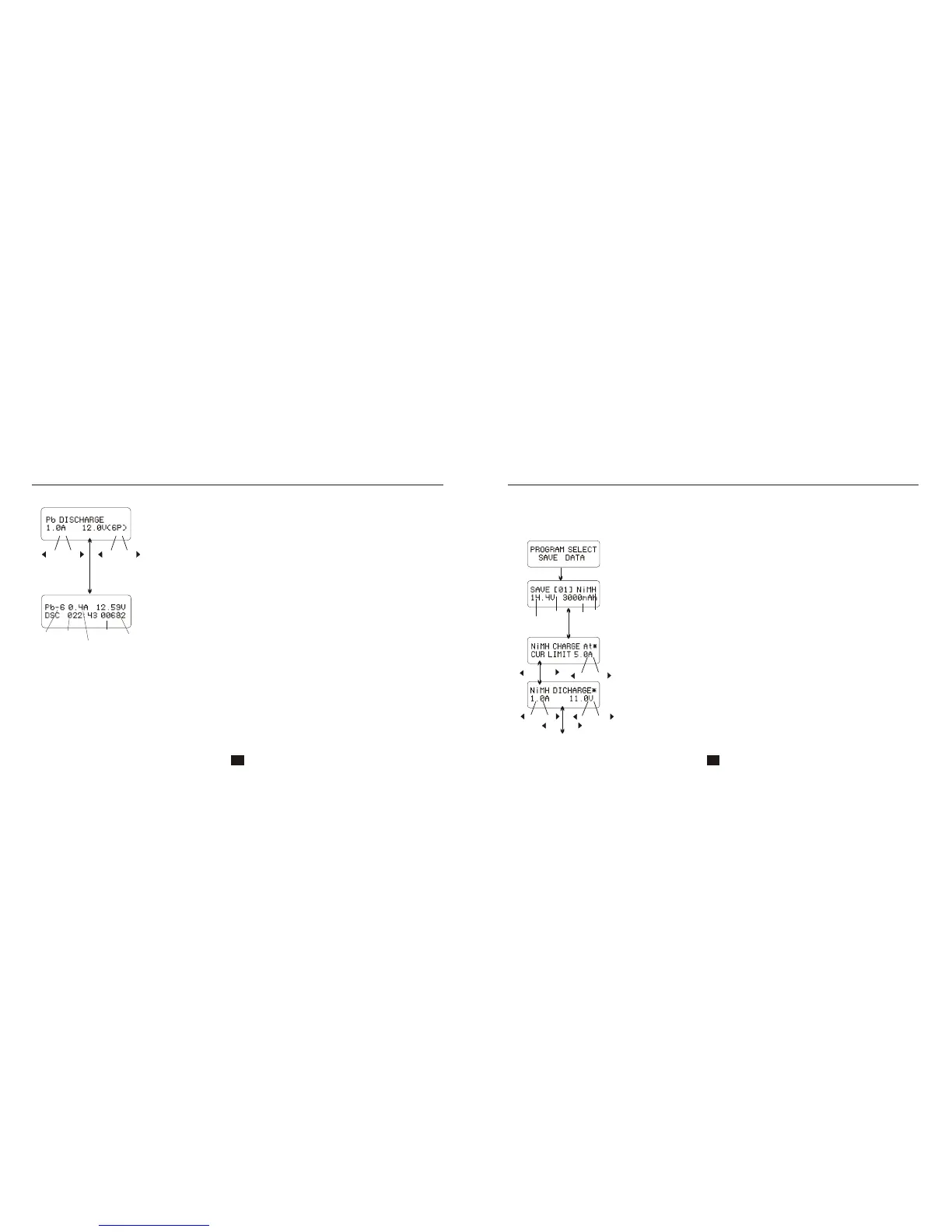
Set up the discharge current on the left and nominal voltage on the right.
Range of discharge current is 0.1-5.0A, the voltage should match the
battery being charged. Press START/ENTER key for more than 3
seconds to start charging.
The screen displays the real-time discharging status. Press
START/ENTER key to alter discharge current. Press START/ENTER key
again to store the parameter value you set. Press BATT TYPE/STOP key
to end the program.
Battery
type
Elapsed
time
Discharge
current
Battery
voltage
Discharged
capacity
For your convenience, iMAX has a data storage and load program. It can store ten
batteries data representing the respective specifications of batteries. You can call back the data
when charging or discharging without setting up the program again. Press START/ENTER key to
make it blink, and use INC or DEC to set up the parameter.
B6 Ultimate
Storage data program
STORAGE DATA PROGRAM
Voltage
Data
number
Capacity
Type of
battery
Start
Enter
Setting of the parameter in the screen will not affect the charge and
discharge process. They just present the specification of the battery.
The example is NiMH battery pack, including 12 cells, the capacity is
3000m Ah.
DEC
INC
DEC
DEC
DEC
-
-
-
INC
INC
INC
+
+
+
Start
Enter
‘>3seconds’
Batt type
stop
Set up the discharge current and final voltage.
Set up the charge current in the manual mode, or current limit in the
auto mode. Press INC and DEC key simultaneously to make the
current field blink to switch the charge mode.
31 32
DEC
INC


 To Next Page