12
7.2 Features
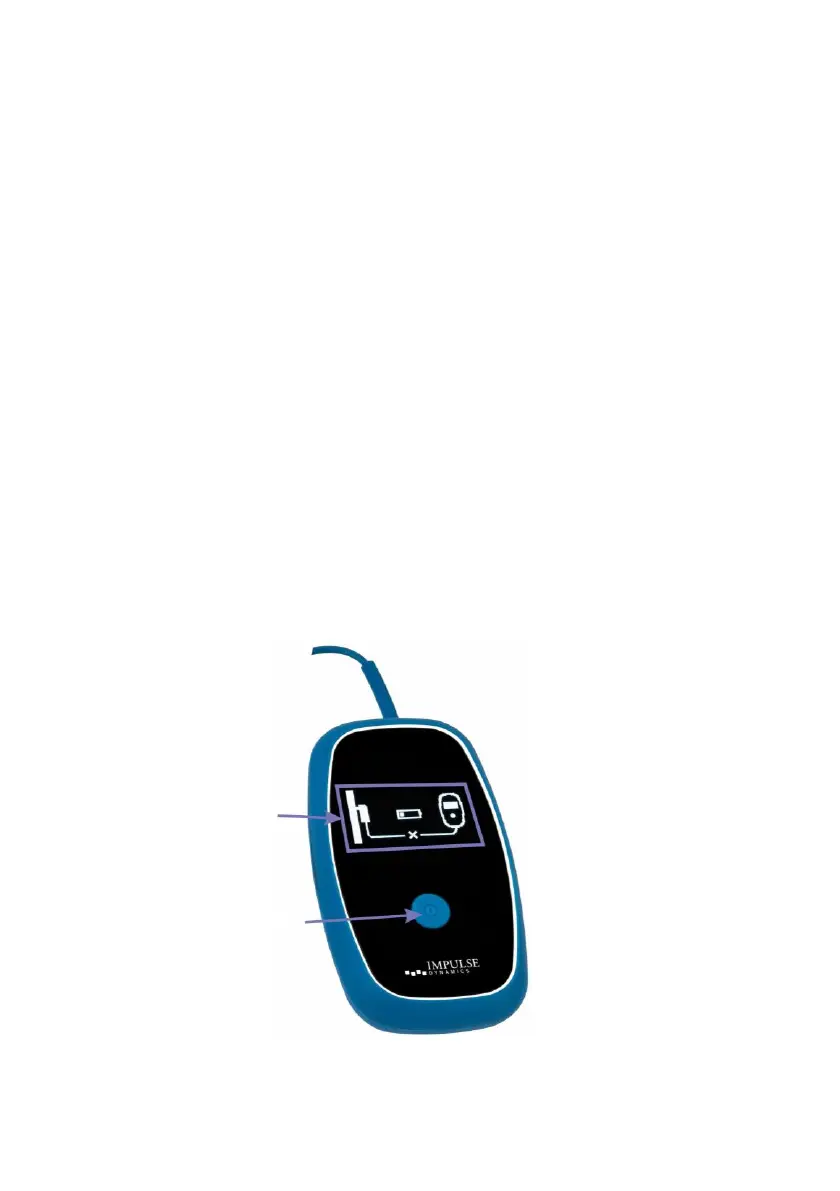
Your Guardio Charger has the following features:
• Graphical Display: Display screen used by your Guardio
Charger to communicate information to you
• Power Button: Press-button switch used to initiate
charging of your OPTIMIZER Integra CCM-D IPG
• Buzzer: An internal buzzer that produces beeping tones
to inform you of a condition that requires action
• Charging Wand: Wand containing a coil and circuitry
used by your Guardio Charger for charging as well as
short-range communications with your OPTIMIZER
Integra CCM-D IPG
• Radio Transceiver: Device used by your Guardio
Charger for long-range communications (between zero
and at least 5 ft) with your OPTIMIZER Integra CCM-D
IPG
• Cellular Modem: Modem is used to send data
downloaded from your OPTIMIZER Integra CCM-D IPG to
the Remote Patient Monitoring Service (future capability)
Figure 6: Guardio Charger Features



 To Next Page