60
Troubleshooting Wireless Connection between
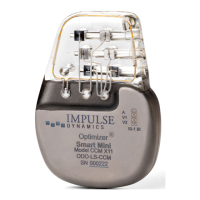
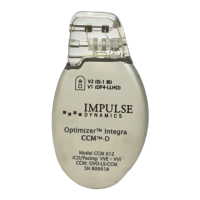
OPTIMIZER Integra CCM-D IPG and Guardio Charger
If you experience issues with establishing a wireless
connection between the OPTIMIZER Integra CCM-D IPG
and the Guardio Charger, try the following:
• Whenever the Guardio Charger is not being used
to charge the OPTIMIZER Integra CCM-D IPG,
place it in an area that is frequented by the
patient (e.g., bedside table in the bedroom),
connected to its AC Adapter, and the AC Adapter
plugged into the wall outlet. This will ensure
regular communications between the OPTIMIZER
Integra CCM-D IPG and the Guardio Charger.
• Remain stationary during the charging or data
transfer process.
• Decrease the distance between the devices.
• Move the devices so they share line of sight.
• Move the devices away from other devices that
may be causing interference.
• Do not operate other wireless devices (i.e.,
programmers for other devices, laptop, tablet,
mobile phone, or cordless phone) at the same
time.
• Wait a few minutes and try connecting again.
Note: Wireless communications equipment, such as
wireless home network devices, mobile and cordless
telephones, and tablets, could affect the quality of the
wireless connection.


 To Next Page