32
errors during its operation. Please call the 24-hour
Support Hotline (866-312-5370) to obtain a replacement
Guardio Charger.
• If the Call Doctor Alert Code “B32” is displayed, it means
that you are attempting to use your Guardio Charger on
an unpaired device. If this code is displayed by your
Guardio Charger, perform the following steps:
1. Verify that the Guardio Charger you are using is
the one that was assigned to you and then restart
the charging process.
2. If this code is still displayed after the Charging
Wand has been placed over your implanted
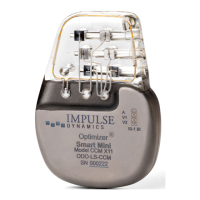
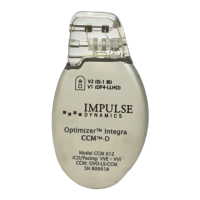
OPTIMIZER Integra CCM-D IPG and the charging
process has been restarted, please call the 24-
hour Support Hotline (866-312-5370).
7.13 Cleaning
Warning: Always unplug the AC Adapter from your Guardio
Charger prior to cleaning.
The exterior surface of your Guardio Charger should only be
cleaned with disinfectant wipes as needed.
Caution: DO NOT use solvents or cleaning cloths impregnated
with chemical cleaning agents.
Warning: DO NOT attempt to clean the electrical connector of
your Guardio Charger.
Warning: DO NOT submerge any part of your Guardio Charger in
water. Damage to the unit may result.
7.14 Maintenance
Your Guardio Charger does not contain any user-serviceable
parts. If your Guardio Charger is not operational, please call the
24-hour Support Hotline (866-312-5370) to obtain a replacement
charger.
Warning: No modification of this equipment is allowed.


 To Next Page